
Record Sale of Fixed Assets in TallyPrime
When a fixed asset reaches the end of its useful life, you can scrap or sell it after recording the applicable depreciation. In TallyPrime, you can record the depreciation and sale of fixed assets. If the sale price is higher than the asset’s book value, the difference is recorded as a profit. If the sale price is lower than the book value, the difference is recorded as a loss.

Ensure that you have created the following ledgers:
- Fixed Asset ledger
- Party ledger
- Depreciation on Fixed Asset ledger created under Indirect Expenses
- Sale of Fixed Assets created under Sales Account
- Profit/Loss on Sale of Fixed Asset ledger created under Indirect Income or Indirect Expenses
Step 1: Record depreciation of the fixed asset
In the Journal voucher:
- Debit the Depreciation on Fixed Asset ledger and enter the amount.
- Credit the Fixed Asset ledger.
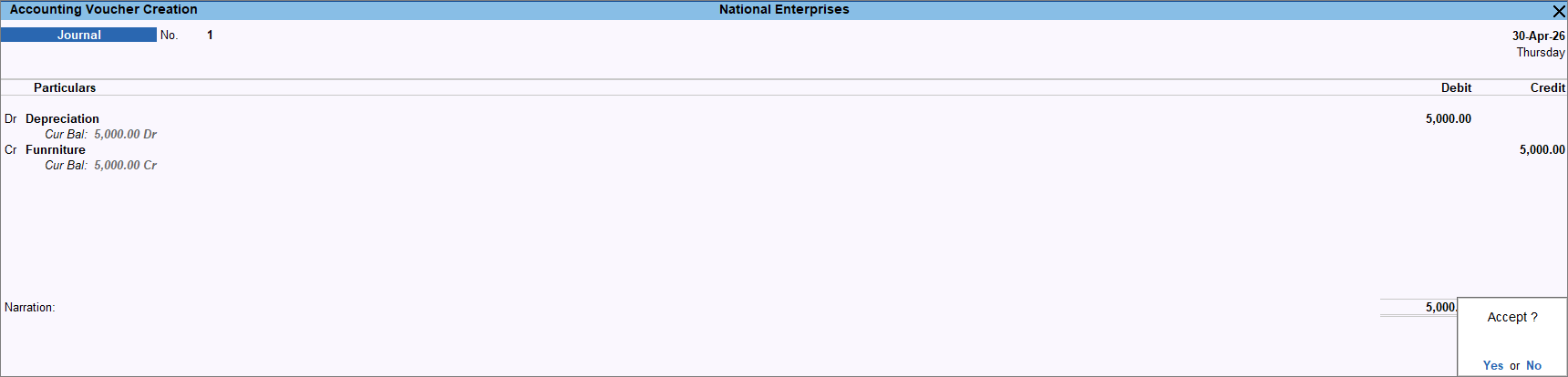
- Enter the necessary details, and press Ctrl+A to save the voucher.
Step 2: Record sale of fixed assets
In the Sales voucher:
- Press Ctrl+H (Change Mode) > select Accounting Invoice mode.
- Select the Sale of Fixed Asset ledger under Particulars, and enter the Amount.
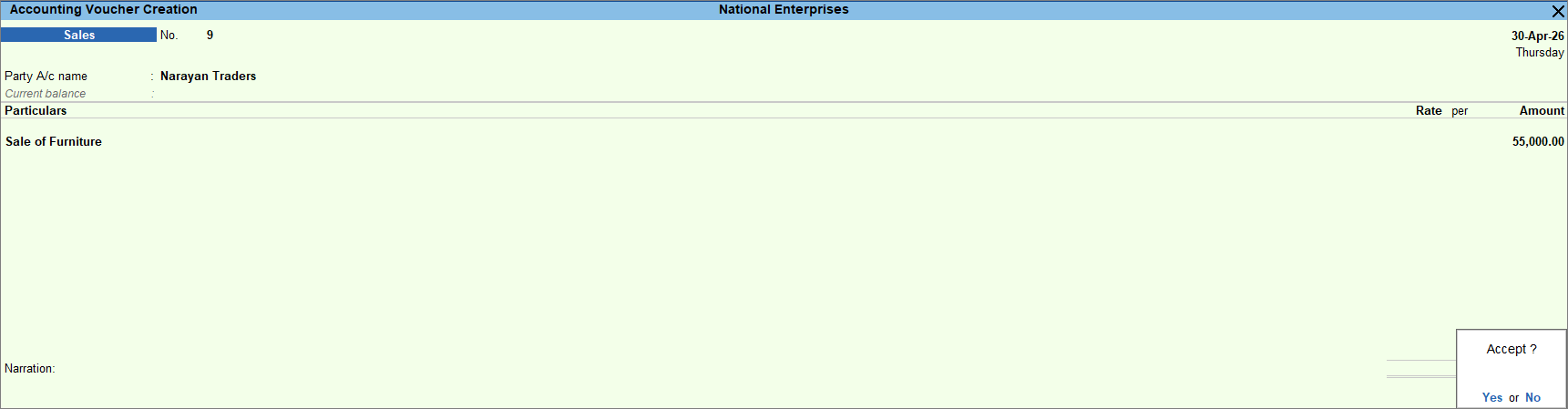
- Enter the necessary details, and press Ctrl+A to save the voucher.
Step 3: Record profit/loss on sale of fixed assets
If the sale value of a fixed asset is higher or lower than its value after depreciation, you can record the difference as profit or loss using an income or expense ledger. Transfer the asset’s value to the Fixed Asset ledger and the difference to the Income ledger as profit or the Expense ledger as loss. This ensures that the actual value of the fixed asset is reflected in the Balance Sheet.
In the Journal voucher:
- Debit the Sale of Fixed Assets ledger and enter the amount.
- Credit the Fixed Asset ledger with the asset value.
- Credit the Profit on Sale of Fixed Asset ledger to record the profit.
To record the loss, debit Loss on Sale of Fixed Asset.
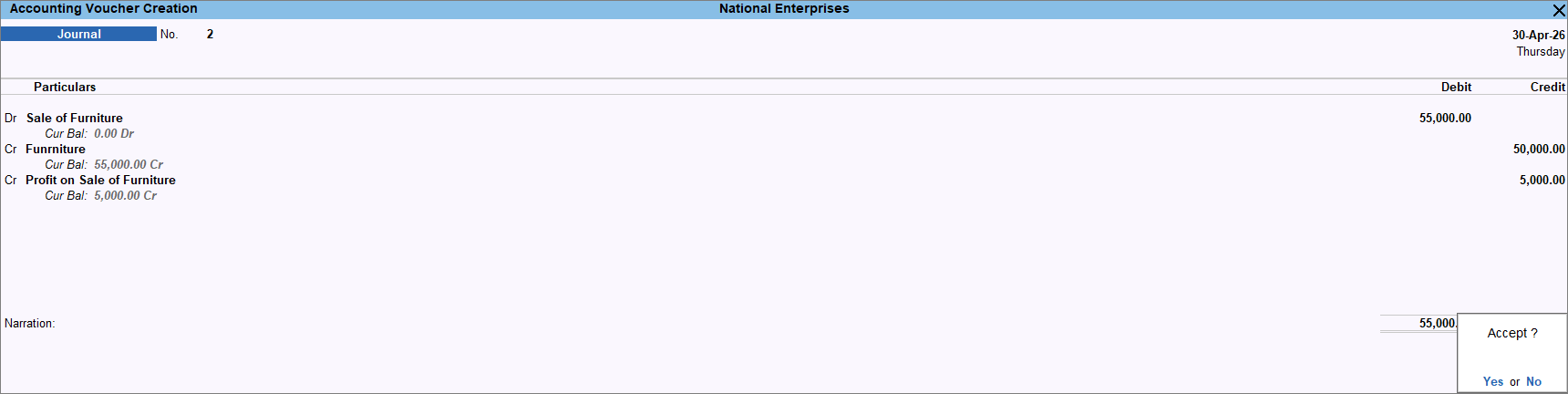
- Enter the necessary details, and press Ctrl+A to save the voucher.
Questions & Answers
- Can I record the sale of fixed assets using Journal Voucher?
Yes, you can record the sale of fixed assets in Journal Voucher. However, as it is a journal voucher, you cannot generate a sales invoice for this transaction.
In the Journal voucher:- Debit the Party ledger.
- Credit the Sale of Fixed Assets ledger.
- Enter the necessary details, and press Ctrl+A to save the voucher.


