
Record Purchases with Standard Cost in TallyPrime
Standard Cost helps you define the expected purchase price of a stock item for a specific date or period. When you record a purchase transaction, TallyPrime automatically displays the applicable standard cost based on the voucher date.

Ensure that you have updated the Standard Cost in the stock items, with the Applicable From date and Rate per unit.
In a purchase voucher (Item Invoice mode):
- Under Name of Item, select the stock item for which you have defined the Standard Cost and press Enter.
- In the Item Allocations for screen, enter the Quantity.
Based on the voucher date, the Rate appears per the Standard Cost defined for the stock item. - Update the rest of the details and press Ctrl+A to save.
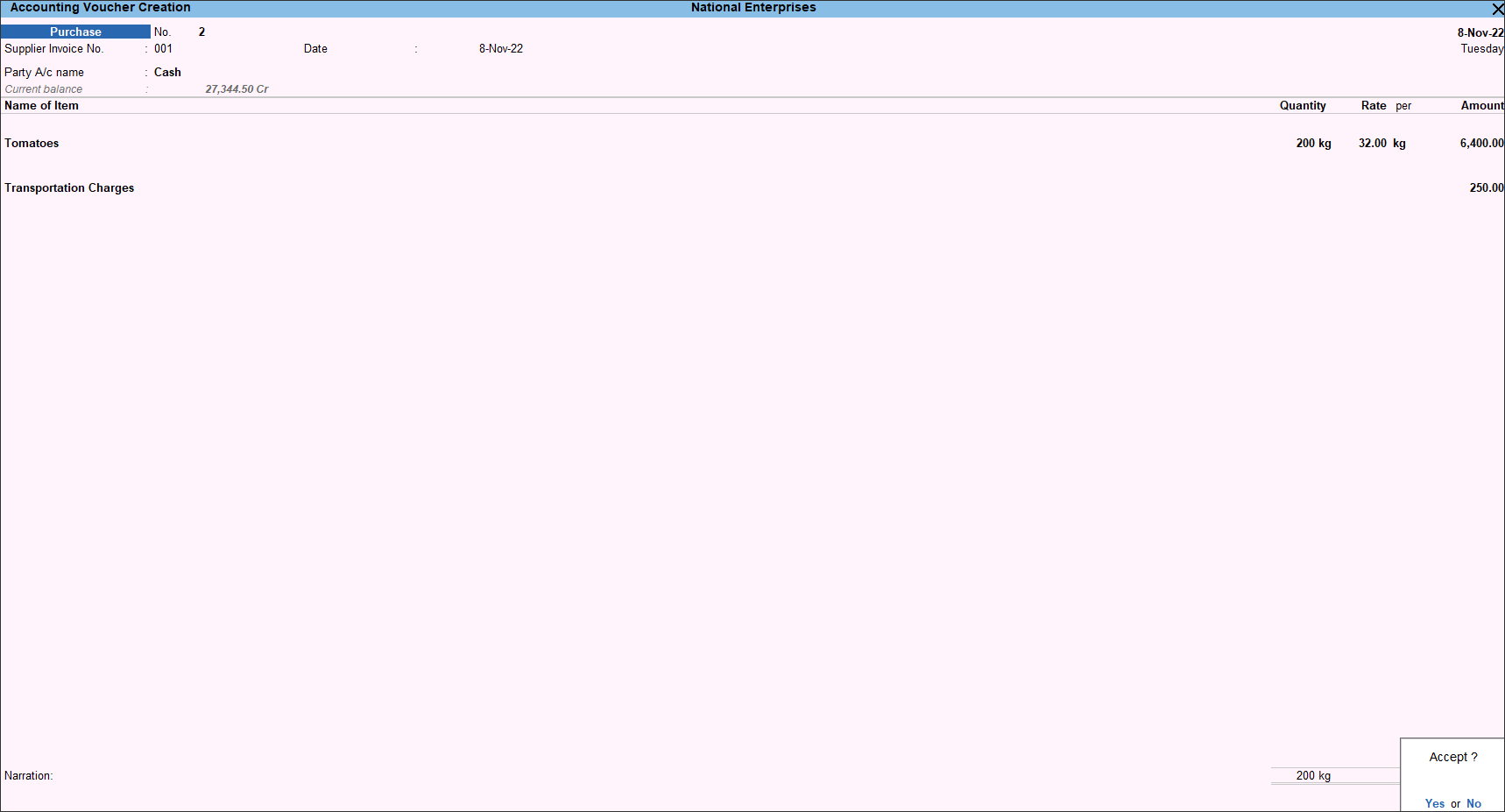
In this way, when you record purchases using standard costs, it ensures pricing consistency and simplifies voucher entry.
Questions & Answers
Can I define different standard costs for different dates?
Yes, you can specify different standard costs for different dates or periods according to changes in the expected purchase prices. While recording a transaction, you can automatically view the standard cost applicable to the voucher date. You can further update the Rate, as needed.


