
Record Nil Rated and Exempt Sales Under GST
Goods or services with a nil rate are taxed at 0%. Similarly, supplies of exempt goods or services are fully exempted from GST. However, such vouchers must be reported in your GSTR-1 for filing purposes.
While recording a sales voucher:
- Select the party ledger configured with Registration Type as Regular.
- Select the sales ledger configured with Nature of Transaction as System Inferred.
- Select the stock item configured with Taxability Type as Exempt or Nil Rated.
- Do not select any tax ledgers for exempted and nil rated supplies.
- Press Alt+O to view the GST – Tax Analysis report. Verify that the tax for the sale is shown as Exempt or Nil Rated.
- Provide other necessary details and press Ctrl+A to save.
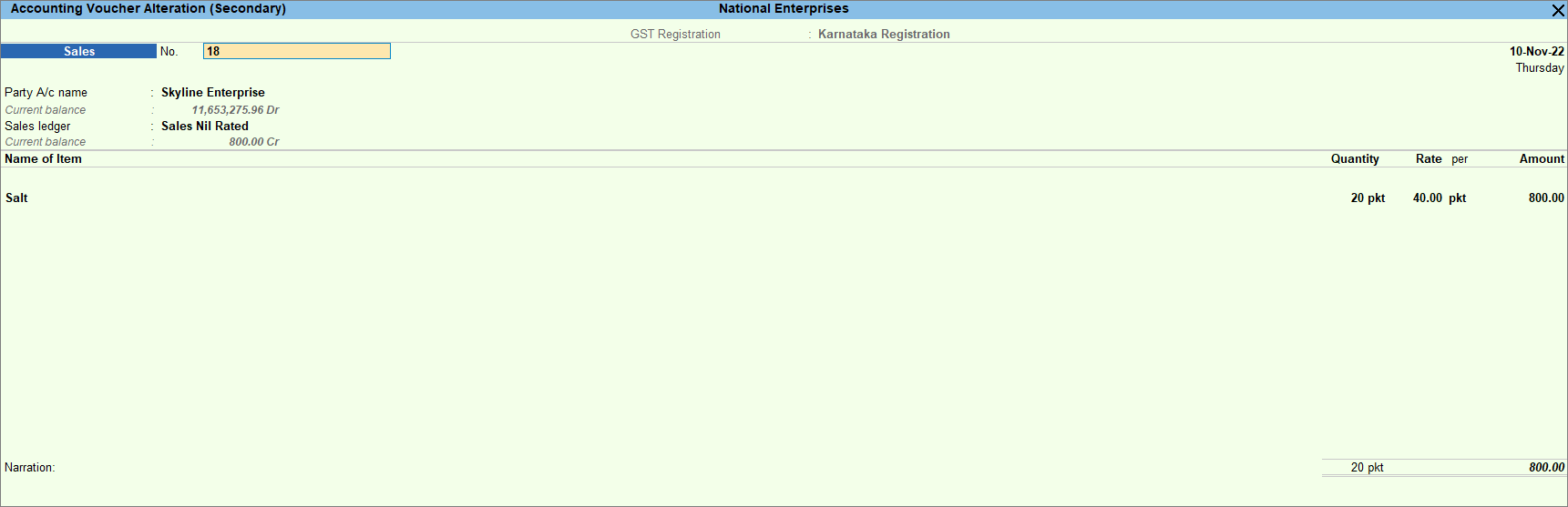
The transaction value appears in GSTR-1 under Nil Rated Invoices – Table 8A, 8B, 8C, 8D (Nil Rated).
Is this information useful?
YesNo


