
Record GST Sales for Exporting Goods
If your company exports goods outside India, you can record such transactions in TallyPrime using a sales voucher. Taxes on such supply are applicable based on the type of export.
The transaction value appears in Exports Invoices – 6A in GSTR-1.
Record Export of Taxable Goods
Taxable exports to a regular party attract IGST.
While recording a sales voucher:
- Select the party ledger for export of taxable goods
- Select the sales ledger configured with Nature of Trasaction as Exports – Taxable.
- Select the stock item configured with:
- Taxability Type: Taxable.
- IGST Rate.
- Select the IGST ledger.
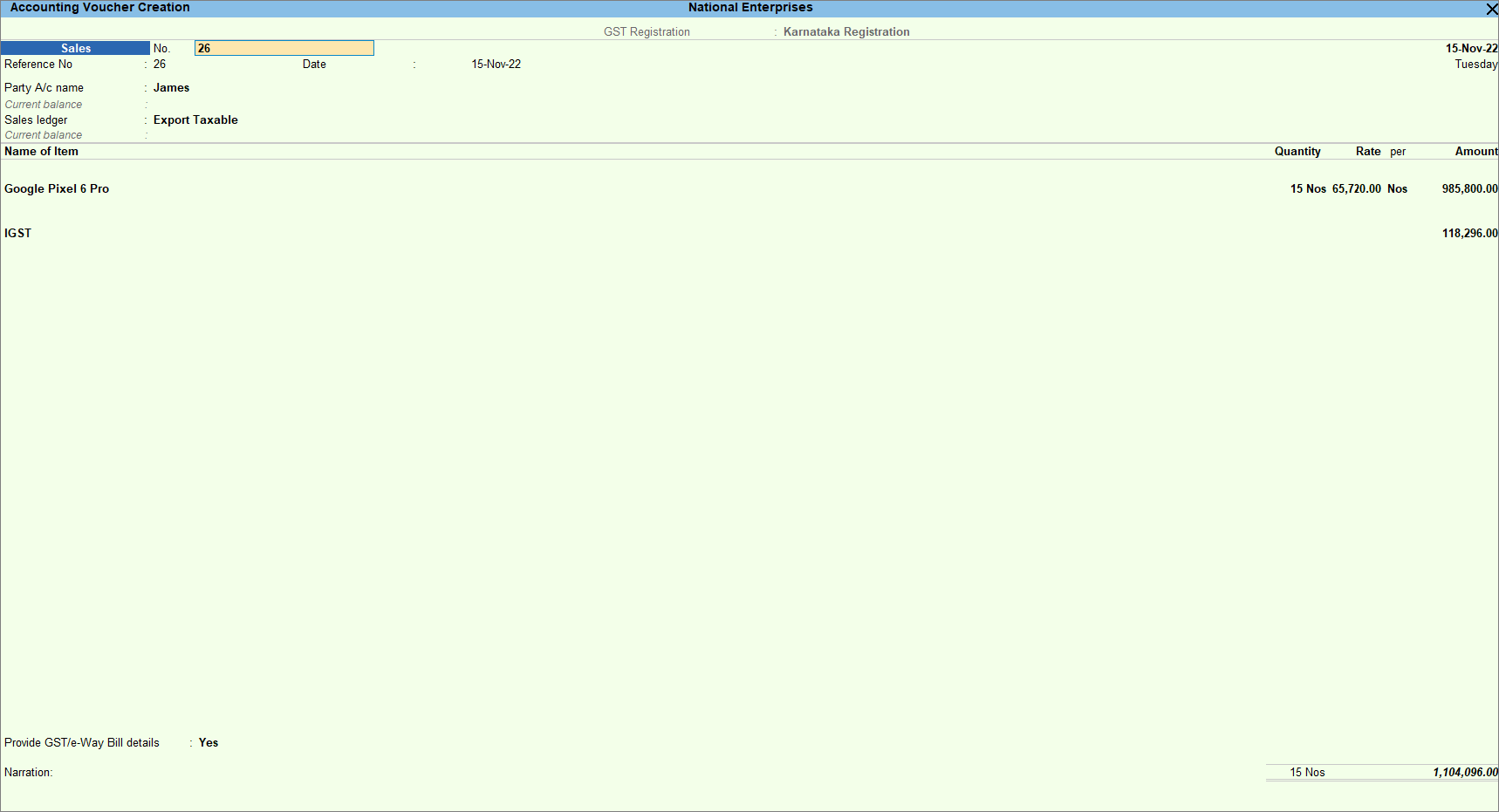
- To enter any additional details for the export, enable Provide GST details.
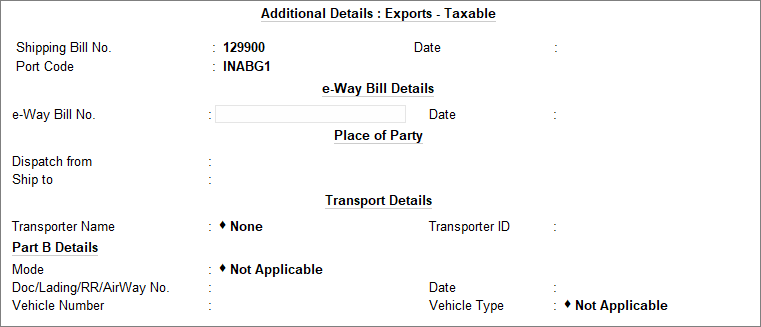
- Provide any other necessary details and press Ctrl+A to save.
Record Export of Exempted Goods
Exempt exports have no tax applicability.
While recording a sales voucher:
- Select the party ledger for export of exempted goods.
- Select the sales ledger configured with Nature of Transaction as Exports – Exempt.
- Select the stock item configured with Taxability Type as Exempt.
- Do not select any tax ledger for exempted goods.
- Provide any other necessary details and press Ctrl+A to save.
Questions & Answers
- I am exporting goods to a party registered as SEZ. As per law, the party should not be charged taxes. What should I do?
For exports to a party registered as SEZ, IGST is chargeable for taxable goods but not collected from the party.- Step 1: Create a sales invoice with IGST charged and share the invoice with the party without the IGST being displayed. You can configure to hide IGST details while printing the invoice.
- Step 2: For the IGST charged, create an adjustment entry by recording a journal voucher where the party ledger is credited and the IGST ledger is debited for the refund amount.
- Step 3: Once you apply and receive the IGST refund from the department, you can record a receipt voucher for that amount.
Is this information useful?
YesNo


