
Record GST Sales for Supplies to SEZ
In TallyPrime, you can record sale of goods or services to an SEZ, where tax applicability depends on the Taxability Type, as follows:
- Taxable SEZ Sales: IGST is applicable for both local and interstate parties.
- Exempt and Nil-Rated SEZ Sales: No tax is applicable.
- SEZ Sales under LUT/Bond: No tax is applicable if a valid LUT/Bond is in place, allowing supplies without tax payment.
The transaction values appear in GSTR-1 under B2B Invoices – 4A, 4B, 4C, 6B, 6C.
Record Supplies to SEZ – Taxable
While recording a sales voucher:
- Select the party ledger configured with Registration Type as Regular – SEZ.
- Select the sales ledger configured with Nature of Transaction as System Inferred.
- Select the stock items configured with Taxability Type as Taxable.
- Select the IGST ledger.
- Enable Provide GST/e-Way Bill details, and enter the shipping details, as needed.
- Provide other necessary details and press Ctrl+A to save.
Record Supplies to SEZ – Exempt & Nil Rated
While recording a sales voucher:
- Select the party ledger configured with Registration Type as Regular – SEZ.
- select the sales ledger configured with Nature of Transaction as System Inferred.
- Select the stock items configured with Taxability Type as Exempt or Nil Rated.
- Do not select any tax ledger for exempted and nil rated supplies.
- Enable Provide GST/e-Way Bill details, and enter the shipping details, as needed.
- Provide other necessary details and press Ctrl+A to save.
Record Supplies to SEZ – LUT/Bond
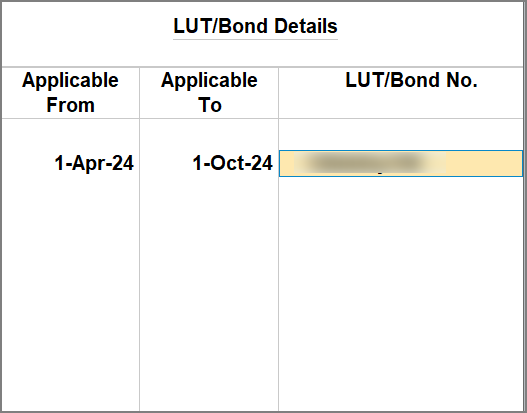
Ensure that your company is configured with LUT/Bond details.
While recording the sales voucher:
- Select the party ledger configured with Registration Type as Regular – SEZ.
- Select the sales ledger configured with Nature of Transaction as Sales to SEZ – LUT/Bond.
- Select the stock items configured with Taxability Type as Exempt or Nil Rated.
- Do not select any tax ledger for supplies to SEZ with LUT/Bond.
- Enable Provide GST/e-Way Bill details, and enter the shipping details, as needed.
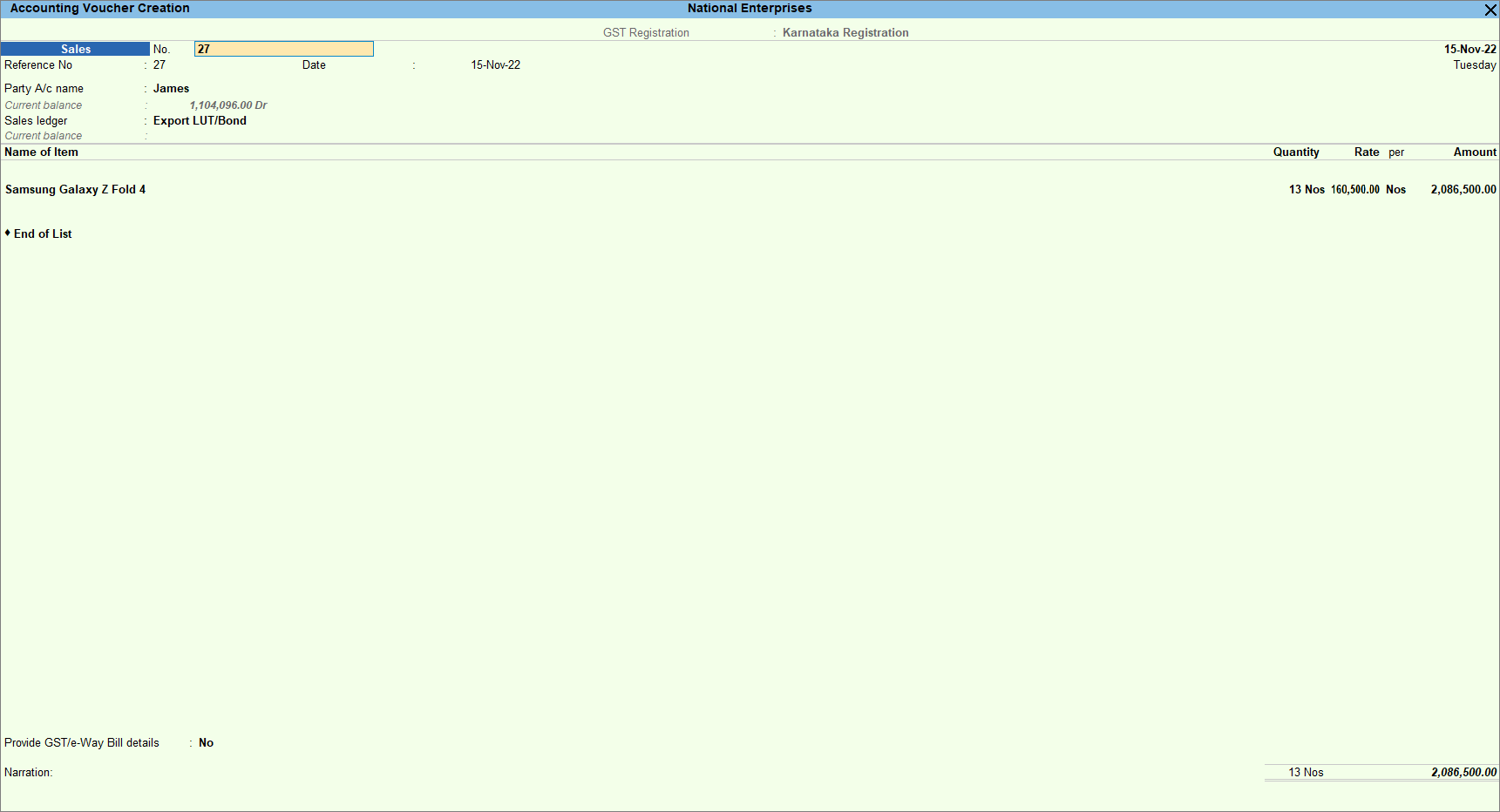
- Provide other necessary details and press Ctrl+A to save.
Is this information useful?
YesNo


