
Record Sale of Mixed Supply Under GST
When multiple products are sold together as a single package, such as a kit or hamper, the supply is treated as a mixed supply. In a mixed supply, the highest tax rate applicable to any individual item in the bundle is applied to the entire unit.
You can easily record mixed supplies in TallyPrime by creating a single stock item for the kit or hamper and adding clear descriptions to list the individual products included in it.

Configure the stock item for:
Step 1: Record a stock journal voucher for transferring items to the new mixed item
In the Stock Journal voucher:
- Press Ctrl+H (Change Mode) > select Use for Manufacturing Journal > press Enter.
- In the Name of product, select the item package details – for example, Diwali Combo.
For Release 2.1 & earlier, enter details in the Name of BOM field. - Specify the Qty. The related items will be moved automatically under Name of Item.
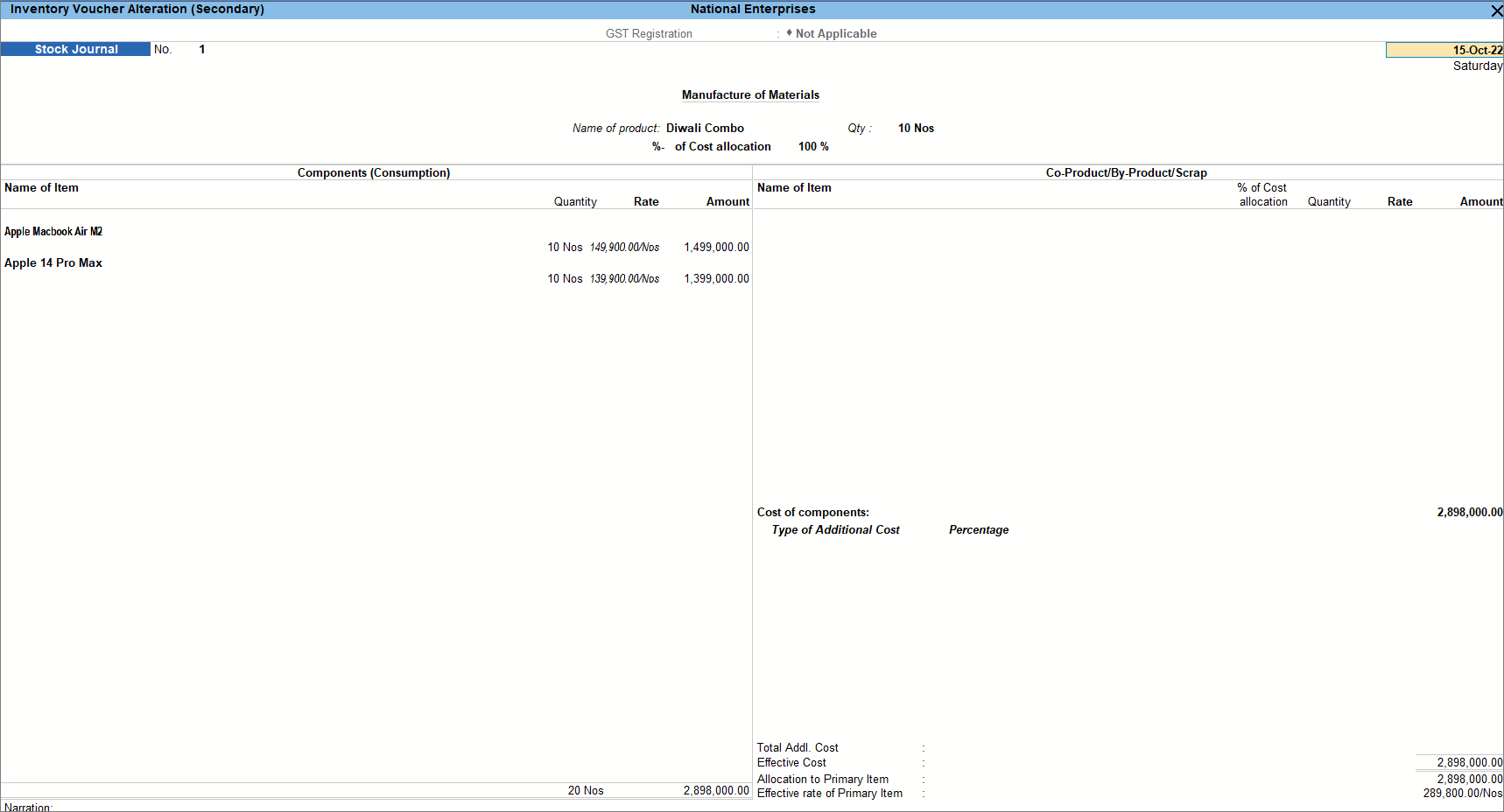
- Provide other necessary details, and press Ctrl+A to save.
Step 2: Record sales of mixed supply
- Press F12 (Configure) > set Provide Additional Descriptions for Stock Items to Yes.
You can now view the additional description entered for the stock item. - Select the stock item created for mixed supply.
- Select the applicable tax ledgers: CGST & SGST for local sales; IGST for interstate sales.
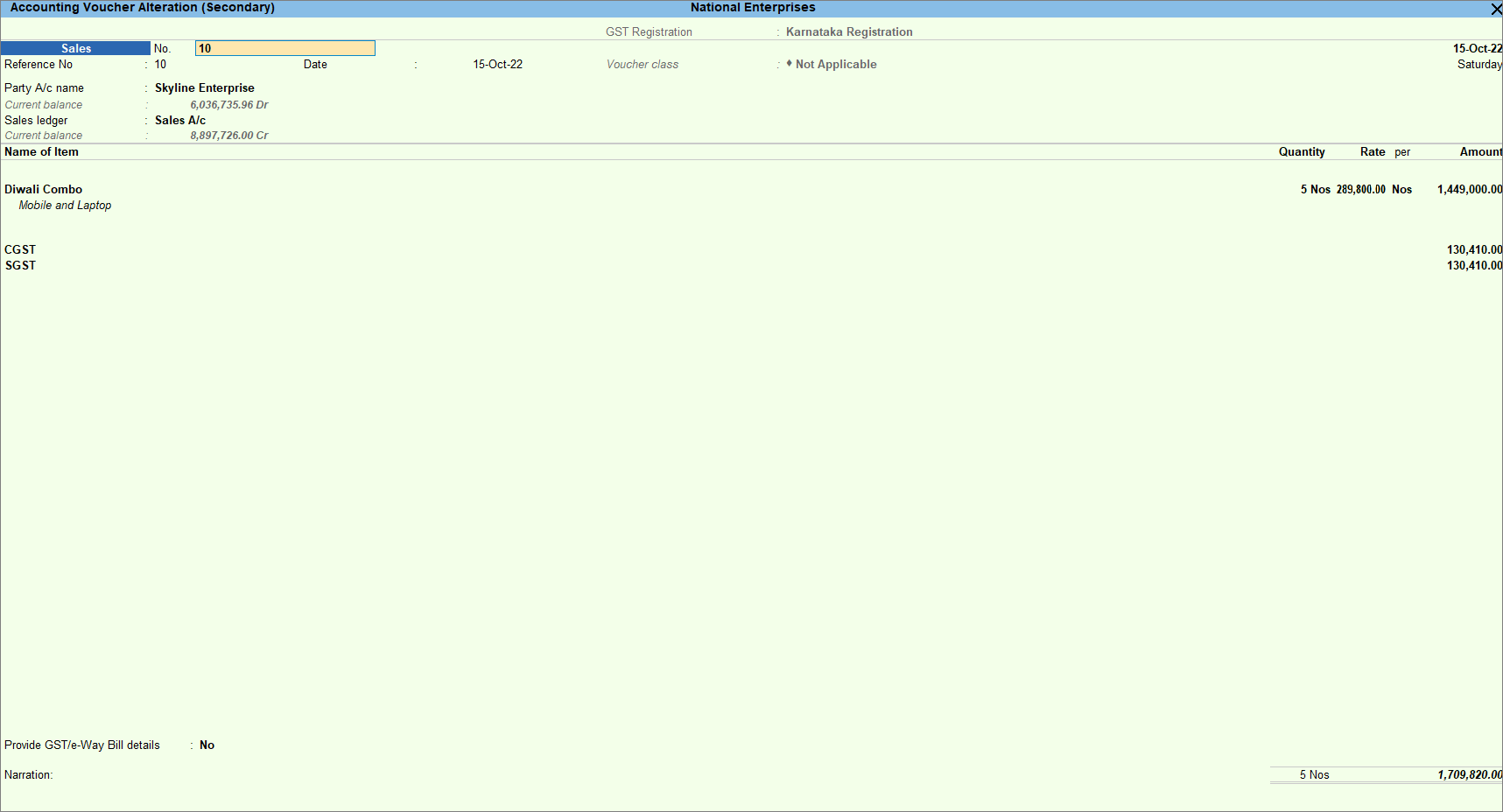
- Provide other necessary details, and press Ctrl+A to save.
The transaction will appear in the Outward Supplies section of GSTR-1.
Is this information useful?
YesNo


