
Update Party TRN Report in TallyPrime for UAE e-Invoicing
You can update the TRN and additional e-Invoice-related details for parties in TallyPrime.


- Press Alt+G (Go To) > Update Party TRN.
- From the List of Groups, select the required group for which you want to update the party TRN details.
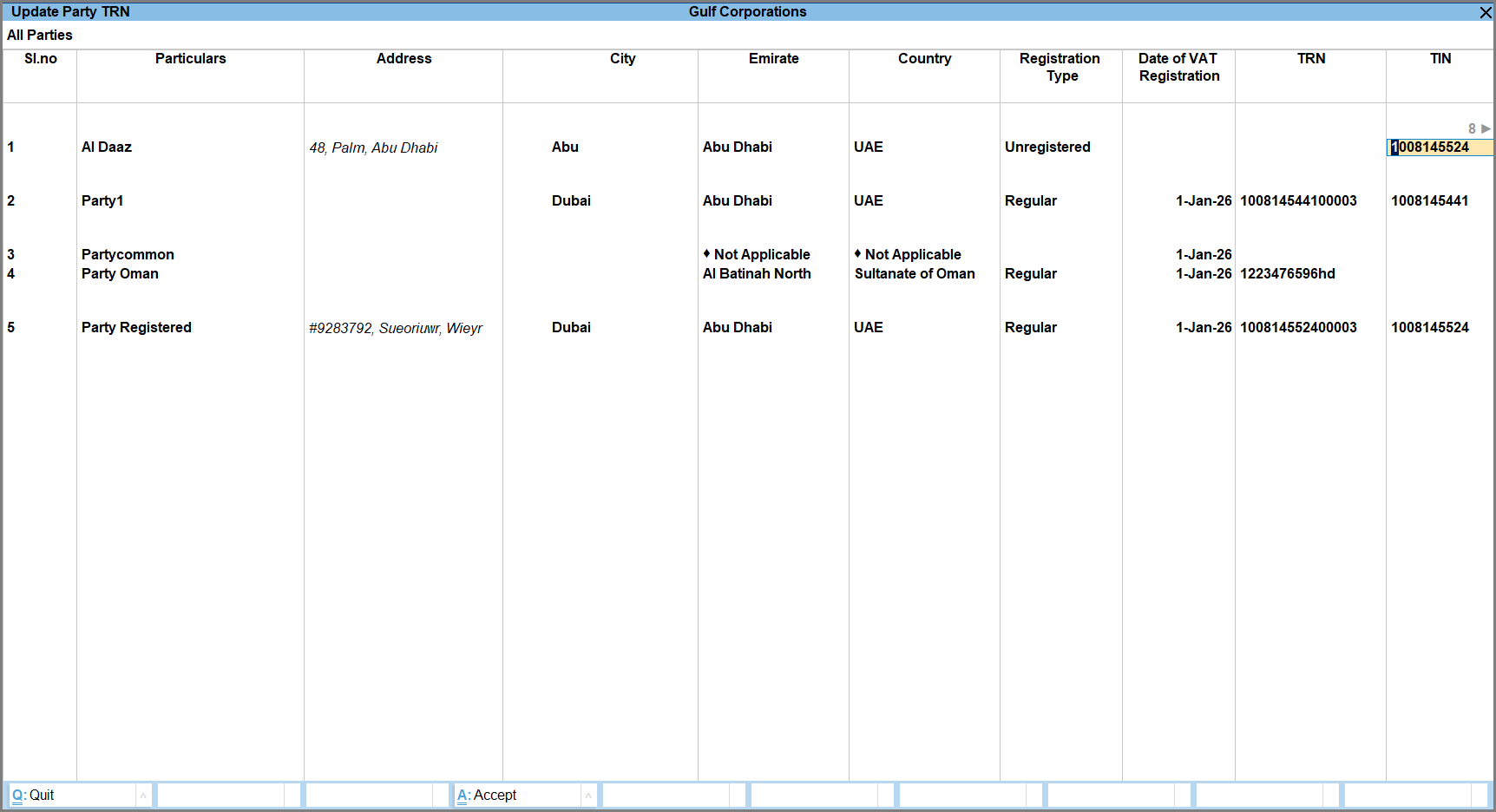
- Press F8 (Exceptions only) to view the parties for which the details are not available.
- In the Update Party TRN screen, specify the following details for the party.
- Particulars: Select the required party ledger.
- Enter the Address, City, Emirate, Country of the party.
- Registration Type: From the List of Dealers, select the applicable registration type:
- Regular: If the party is registered for VAT and has a valid TRN.
- Unregistered: If the party is not registered under VAT and does not have a TRN.
- Consumer: Select this option for end customers or individual consumers who are not registered for VAT and purchase goods or services for personal use.
- Specify the Date of VAT Registration, TRN and TIN of the party.
- Set Party registered on PEPPOL to Yes, if the party is registered on the PEPPOL network and enter the PEPPOL ID of the party.
- Select the Digital Identity Number, Digital Identity Number Issuer, Digital Location Number and Digital Location Number Issuer.
- Type of party: From the Types of Party list, select the applicable party type.
- Provide other necessary details and press Ctrl+A to save.
Is this information useful?
YesNo


