Set Up Stock Item in TallyPrime
If you deal with stock items, configure the required VAT and e-Invoicing details in the stock item master.

-
Enable VAT & e-Invoicing.
-
Ensure that the stock items are created with the required units of measurement.
- If you use alternate units, ensure that the required alternate unit and conversion factor are defined for the stock item.
In the Stock Item Creation/Alteration screen, under Statutory Details, configure the following:
- Taxability: Select the tax applicability for the stock item.
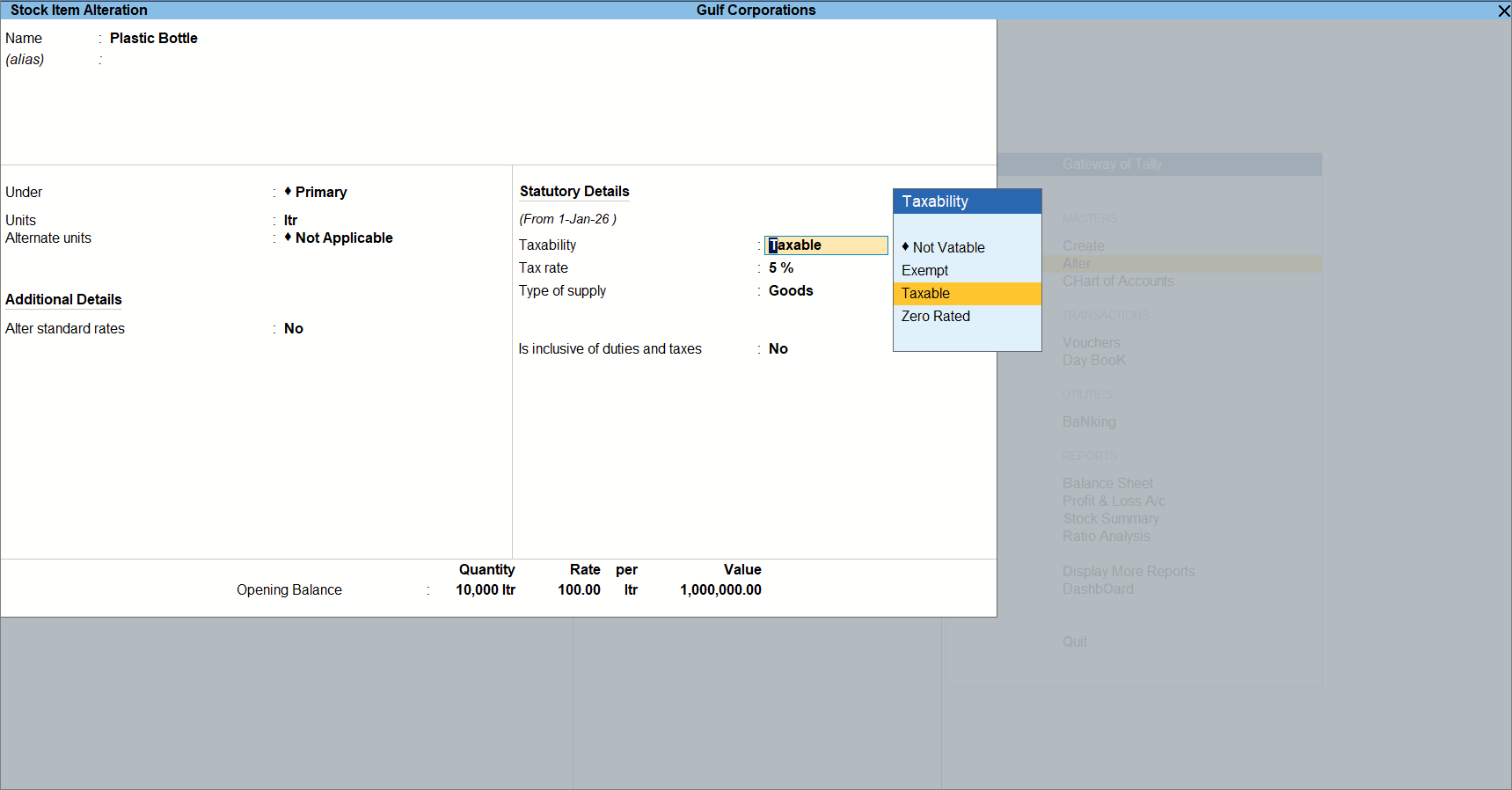
- Taxable: When VAT is applicable on the item.
- Exempt: When the item is exempt from VAT.
From the List of Reasons, select the Reason for Exempt. - Zero Rated: When the item is taxable but the applicable VAT rate is 0%.
- Tax rate: Specify the VAT rate applicable to the item.
- Type of supply: Select the nature of supply for the item.
- Reporting UOM (UQC): Select the unit in which the item must be reported in the e-Invoice.
If you use alternate units for the stock item, two units can be associated with the item when exchanging e-Invoices. In such cases, specify the unit that must be reported to the e-Invoice system.- Select the required reporting unit from the available UQCs.
- If required, press Alt+W (Details) to view the history of VAT rate changes.
- To update or review the reporting UOM, press Ctrl+I (More Details).
- Reporting UOM (UQC): Displays the reporting unit selected in the stock item. Any changes made here are updated in the stock item.
- Reporting UOM (UQC) (History): Displays the history of reporting UOM changes, along with the applicable date and reporting UOM. A new history entry is created whenever the reporting UOM is changed with a new effective date, while previous entries remain available for reference.
- Set Is inclusive of duties and taxes to Yes or No, as applicable.
- Provide the other required details and press Ctrl+A to save the stock item.
Is this information useful?
YesNo