
Set Up Excise Ledger for UAE e-Invoicing
Excise-related charges that form part of the transaction value must be reported correctly in UAE e-Invoicing. By configuring an excise ledger with the appropriate statutory details, you can ensure accurate tax treatment and compliant e-Invoice generation in TallyPrime.


- Enable VAT & e-Invoicing.
While creating an Excise ledger,
- Under: Select one of the following parent groups:
- Direct Expenses
- Direct Incomes
- Duties & Taxes
- Indirect Incomes
- Indirect Expenses
- Behave as Duties & Taxes ledger: Select Yes.
- Type of Duty/Tax: Select Others.
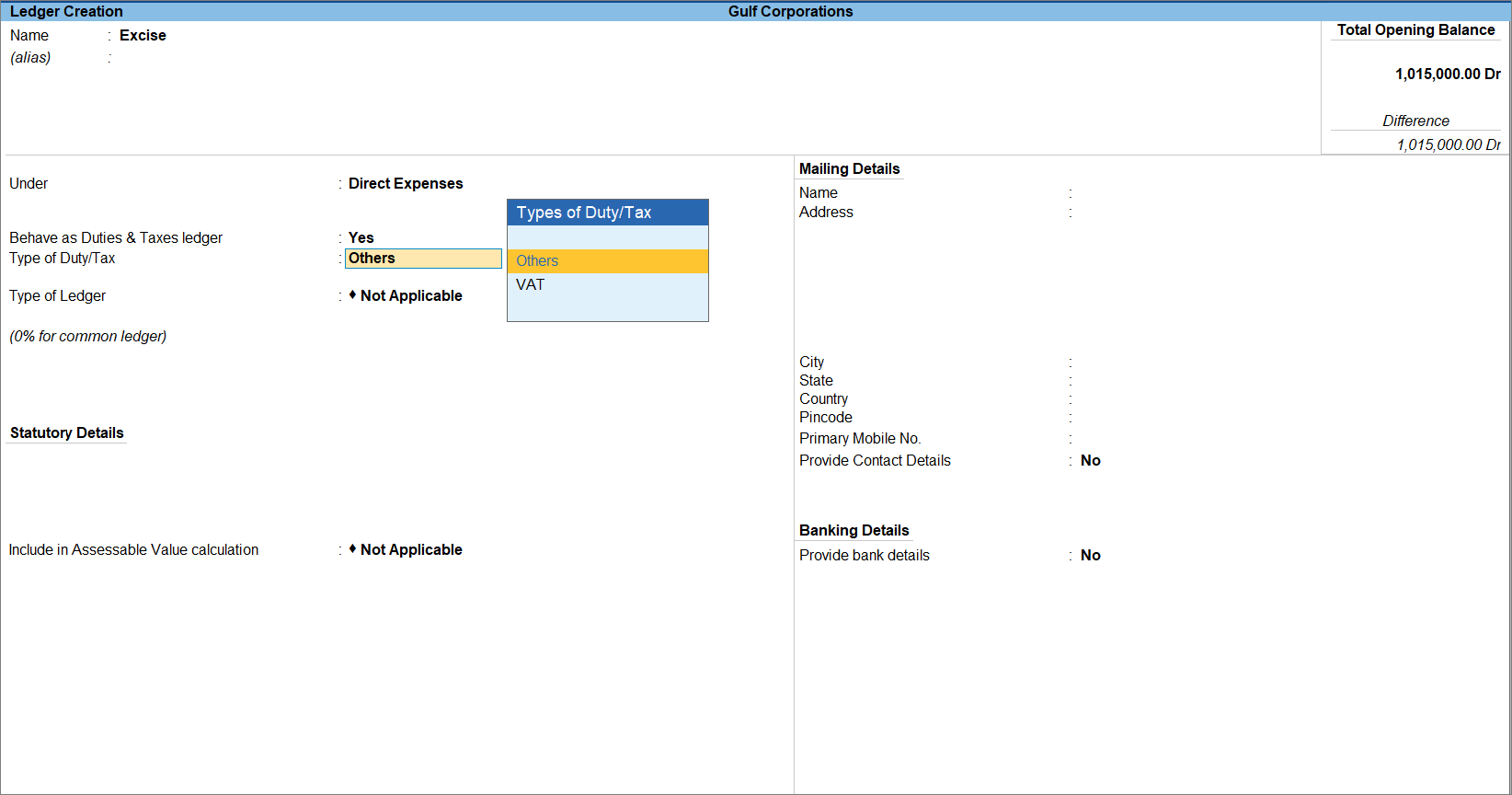
- Type of Ledger: Select Excise.
- Reason for charge: From the List of Reasons, select the applicable reason.
- Provide other necessary details and press Ctrl+A to save.
Is this information useful?
YesNo


