
Set Up Company for UAE e-Invoicing
With e-Invoicing becoming applicable in the UAE, you can configure your company in TallyPrime to generate invoices as per regulatory requirements. By enabling e-Invoicing and specifying the required statutory details, you can ensure that your transactions are compliant-ready.

For TallyPrime 7.1,

-
Create your company with all necessary business details in TallyPrime.
-
Ensure that the TRN, TIN, Registration date, and Periodicity in TallyPrime are the same as those configured on the EmaraTax Portal.
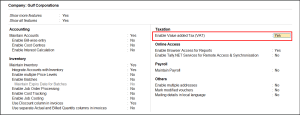
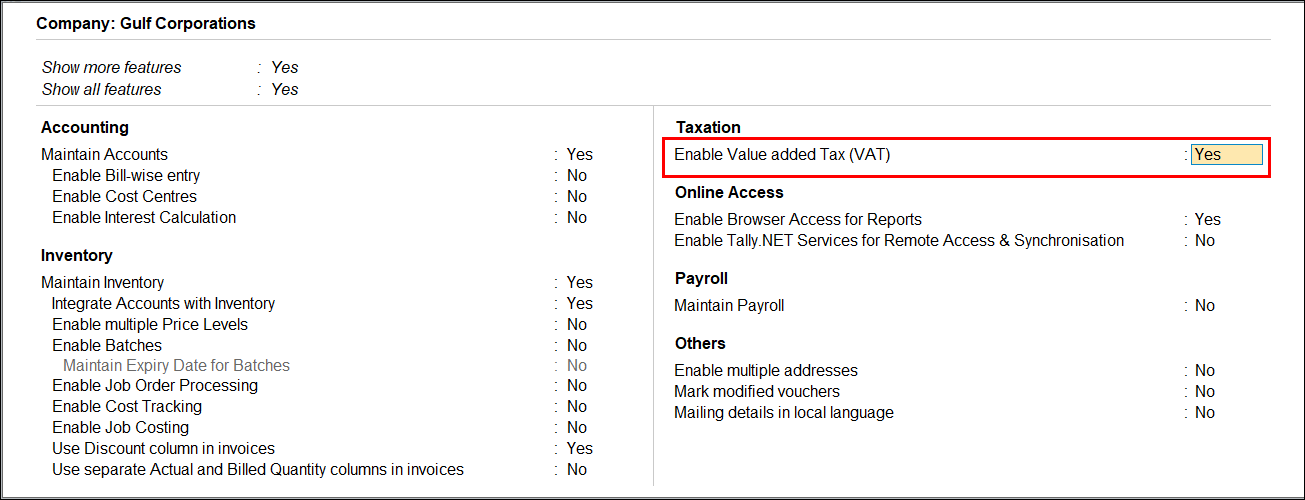
- Press F11 (Company Features) > set Enable Value added Tax (VAT) to Yes.
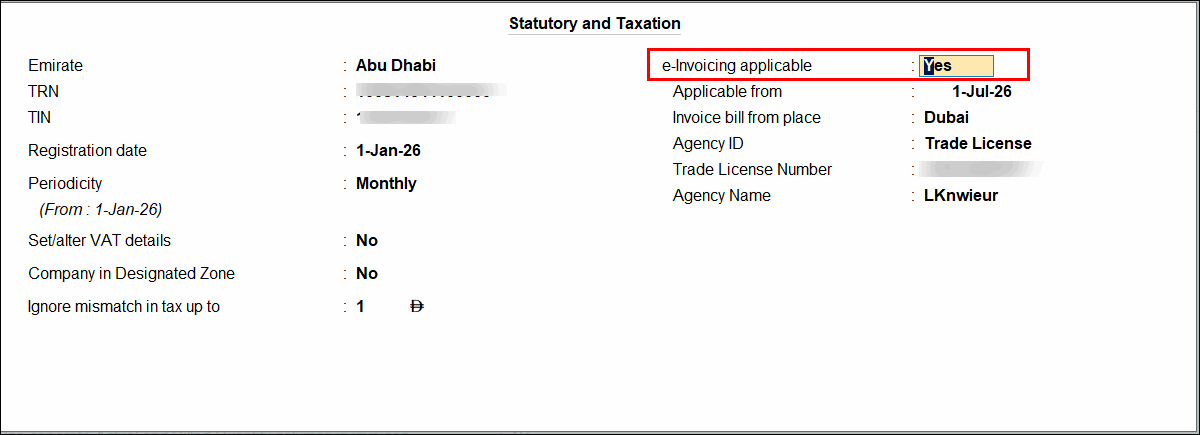
- Enable e-Invoicing applicable and enter the e-Invoicing details.
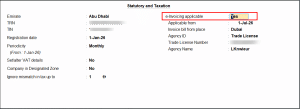
- Applicable from: Date from which e-invoicing is applicable for your business transactions
- Invoice bill from place: The place of your business from where e-invoice needs to be generated
- Agency ID: From the Types of Agency ID, select the applicable one.
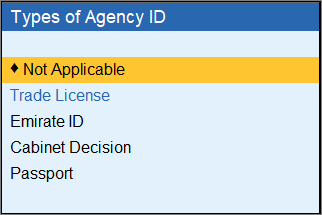
Based on your selection, the relevant fields will appear:
- Not Applicable: No additional details are required.
- Enter Trade License Number and the Agency Name of the issuing authority.
- Enter the Emirates ID Number.
- Enter the applicable Cabinet Decision Number.
- Enter the Passport Number and the issuing Country from the list.
- Provide other necessary details and press Ctrl+A to save.
Questions & Answers
Why can’t I set the e-Invoice applicable date before 1 July 2026?
e-Invoicing in UAE begins from 1 July 2026, so this date is prefilled as the default e-Invoice Applicable from date in TallyPrime. You can select any date from 1 July 2026 onwards to configure and explore the e-Invoicing services.


