Record Consignment Sales as Principal in TallyPrime
When you send goods to an agent for sale on your behalf, you can record the consignment transactions as a Principal in TallyPrime. You can record the goods sent to the agent, sales made by the agent, sale value received from the agent, and goods returned by the agent.

Ensure that:
- You have created the required party ledger, sales ledger, stock items, and godown.
- Enable third party stock details is set to Yes in F12 (Configure) for the godown.
- Our stock with third party is set to Yes for godown.
Record Stock Sent to Third Party for Consignment Sales
When you send goods to an agent for consignment sales, you can use a Material Out voucher to record the stock movement and track the goods held by the agent.
- Press Alt+G (Go To) > Create Voucher > F10 (Other Vouchers) > type or select Material Out.
Alternatively, Gateway of Tally > Vouchers > F10 (Other Vouchers) > type or select Material Out. - In the Party A/c Name, select the consignment agent’s ledger.
- Under Destination Godown, select the godown where Our stock with third party is set to Yes.
- Under Name of Item, select the stock item.
- In the Stock Item Allocation screen, select the source godown where Our stock with third party and Third party stock with us are set to No.
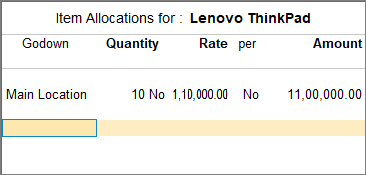
- Enter the Quantity and Rate.
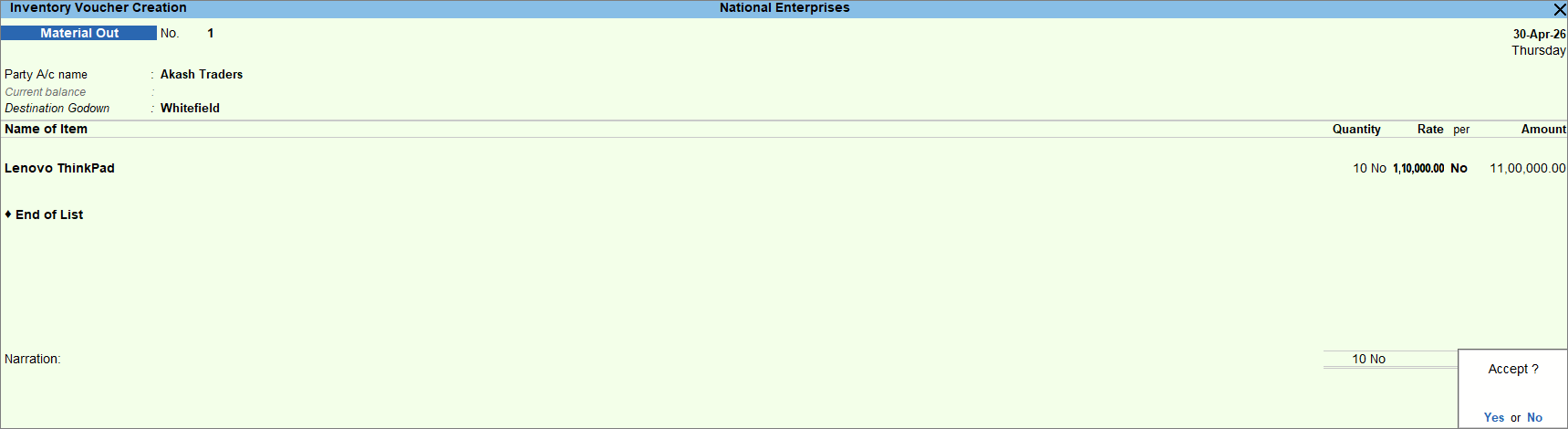
- Press Ctrl+A to save the voucher.
The stock movement is recorded as a consignment stock transfer outward.
Record Sales of Goods by Third Party
When the agent informs you that the consignment goods have been sold, you can record the sale in a Sales voucher.
In the Sales voucher:
- Under Name of Item, select the required stock item sold from the godown and enter Quantity and Rate.
- In the Stock Item Allocation screen, select the godown where Our stock with third party is set to Yes.
- Enter the necessary details, and press Ctrl+A to save the voucher.
Once recorded, the sale is reflected against the stock held with the agent.
Record Receipt of Sales from Third Party
When the agent informs you that the sale value has been received, you can record the amount received through a Receipt voucher.
In the Receipt voucher:
- Under Particulars, select the consignment agent’s ledger and enter the amount received.
- In the Bill-wise Details screen, select Method of Adjustment as Agst Ref.
- Select the relevant sales invoice reference.
- Enter the necessary details, and press Ctrl+A to save.
Record Goods Returned by Third Party
If the agent returns unsold goods, you can record the inward movement through a Material In voucher.
- Press Alt+G (Go To) > Create Voucher > F10 (Other Vouchers) > type or select Material In.
Alternatively, Gateway of Tally > Vouchers > F10 (Other Vouchers) > type or select Material In. - In the Party A/c Name, select the consignment agent’s ledger.
- Under Source Godown, select the godown where Our stock with third party and Third party stock with us are set to No.
- Under Name of Item, select the stock item.
- In the Stock Item Allocation screen, select the destination godown where Our stock with third party is set to Yes.
- Enter the Quantity and Rate.
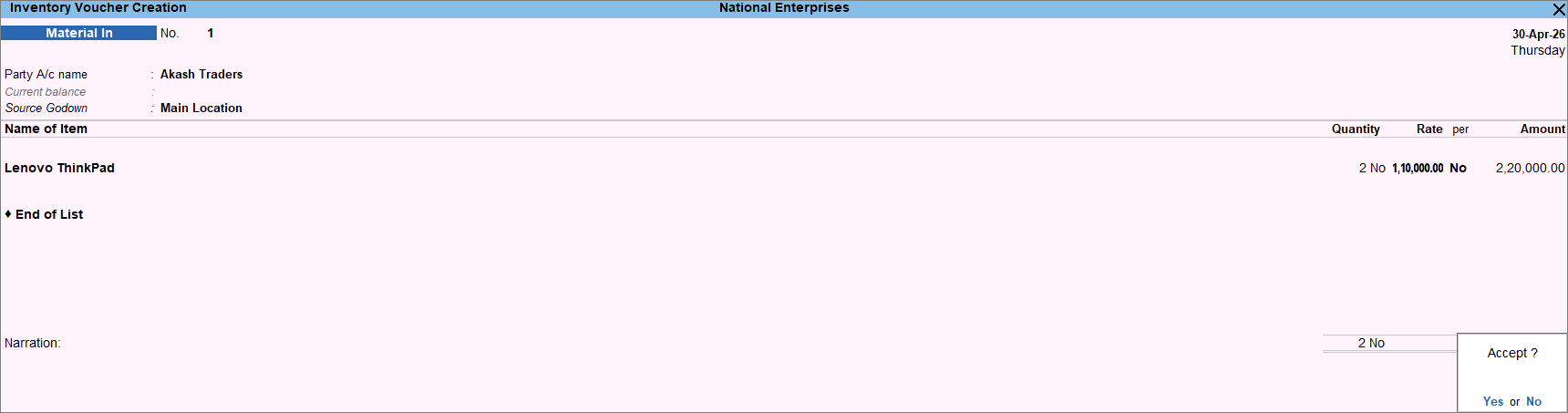
- Press Ctrl+A to save the voucher.
Questions and Answers
- Does stock sent to an agent remain part of my inventory?
Yes. The stock sent to the agent remains part of your inventory and can be tracked through the godown configured for third-party stock.