
Record GST Sales for Deemed Export
Deemed export refers to the supply of goods to end-exporters, within India. You can record such transactions in TallyPrime, and apply taxes based on the Nature of Transaction.
No tax is applicable to Exempt and nil-rated deemed exports.

- The party ledger is configured as Regular-Deemed Exporter.
- The sales ledger is configured with Nature of Transaction as applicable:
- Local Deemed Exports – Taxable
- Interstate Deemed Exports – Taxable
While recording a sales voucher:
- Select the party ledger and sales ledger configured for deemed export.
- Enter the details of the stock items falling under deemed export.
- Select the applicable tax ledgers: CGST and SGST for local; IGST for interstate.
- Set Provide GST/e-Way Bill details to Yes, and enter the Shipping Bill No. and Date.
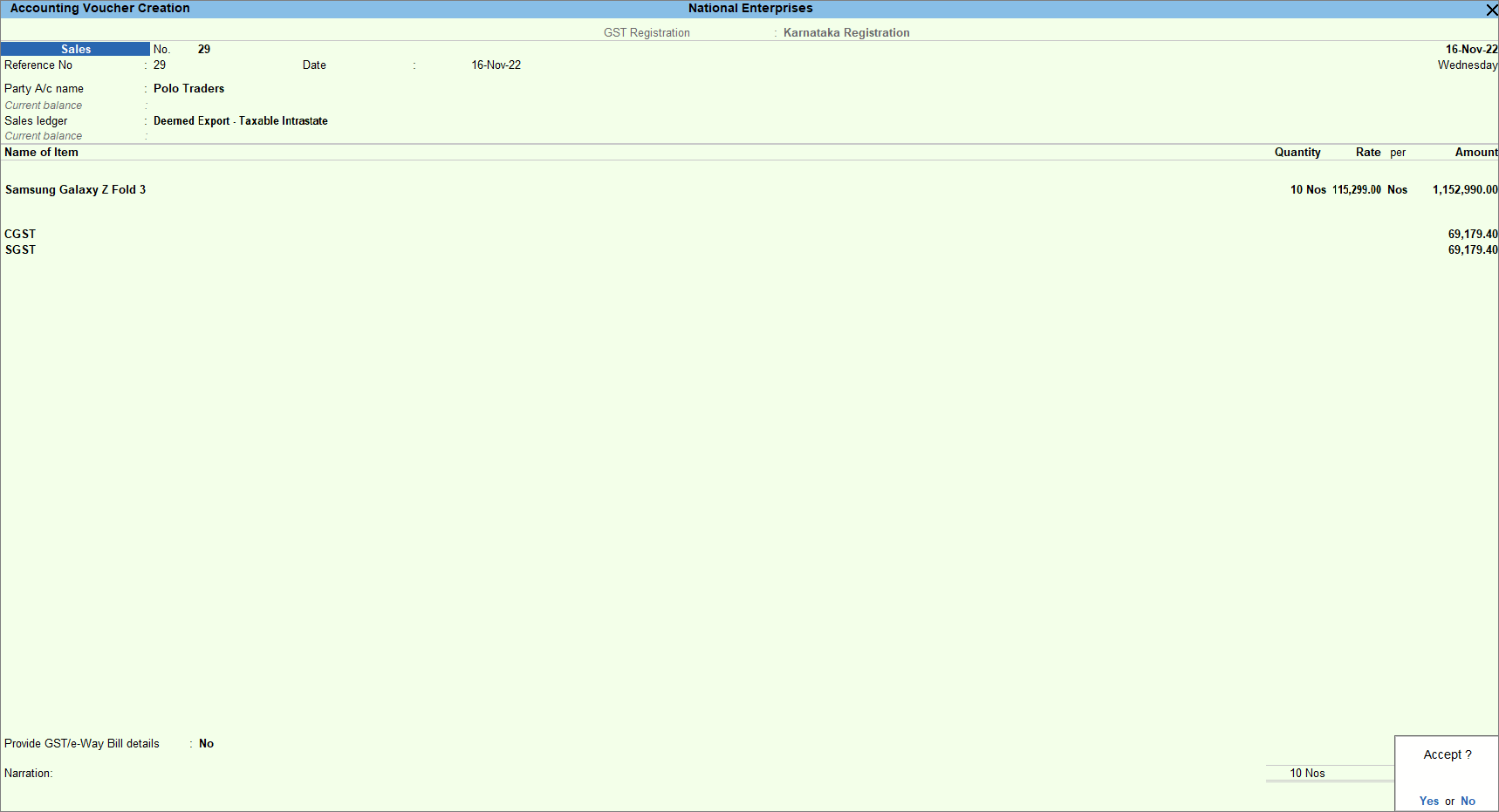
- Provide other necessary details and press Ctrl+A to save.
Is this information useful?
YesNo


