
Record Supplies to Embassy or UN Body Under GST
If you sell goods and services to an Embassy or UN Body, you can record such transactions in TallyPrime. Depending on the taxability type chosen for the nature of transaction, the sale may be taxed, exempted, or nil rated.
The transaction values appear in GSTR-1 under B2B Invoices – 4A, 4B, 4C, 6B, 6C.
Record Supplies to Embassy or UN Body – Taxable
While recording a sales invoice:
- Select the party ledger configured with Registration Type as Embassy/UN Body.
- Select the sales ledger configured with Nature of Transaction as System Inferred:
- Select the stock item configured with:
- Taxability Type as Taxable.
- GST Rate
- Select the IGST ledger.
- Set Provide GST/e-Way Bill details to Yes, and enable Supplies under section 7 of IGST Act.

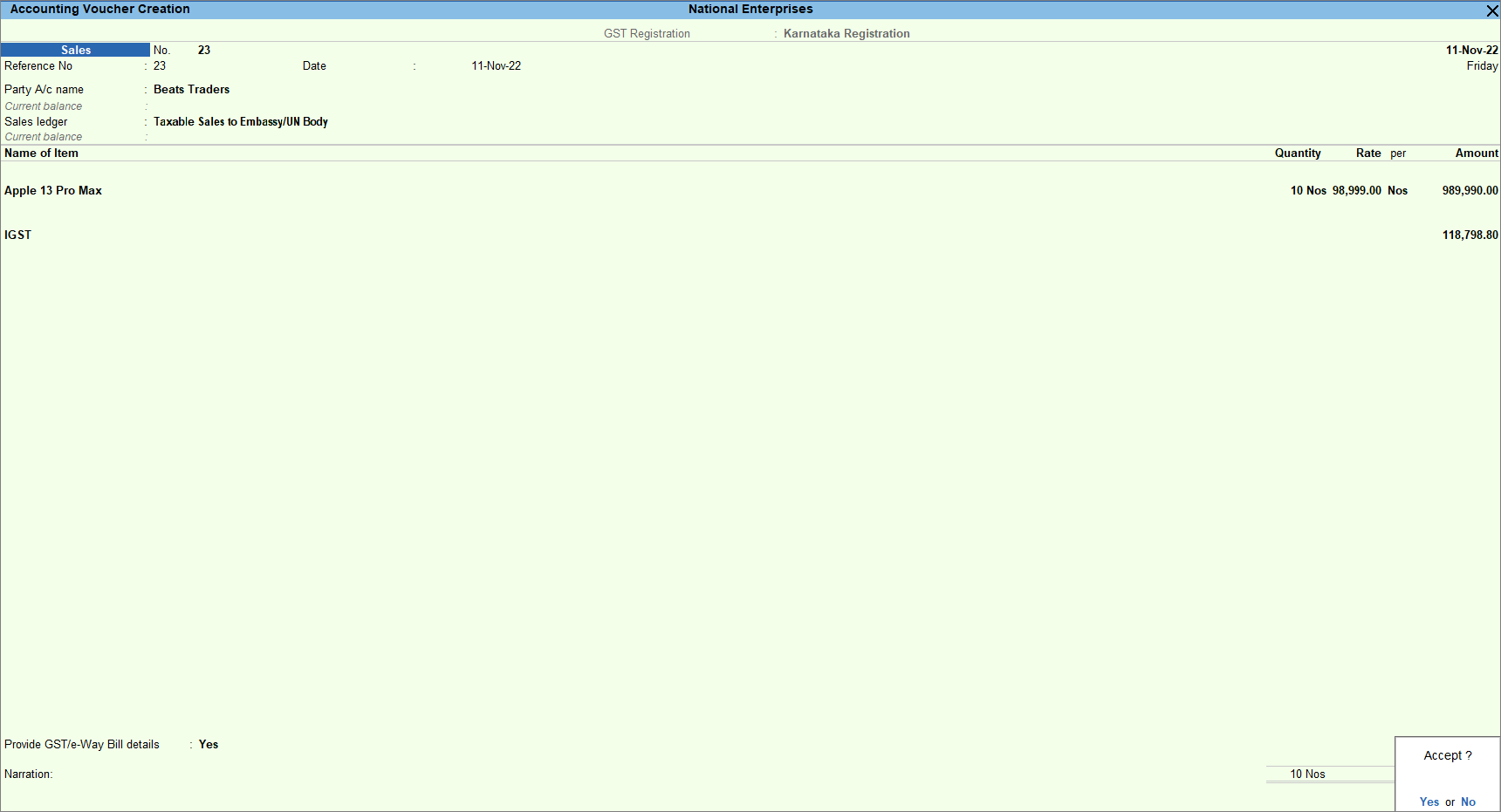
- Provide other necessary details and press Ctrl+A to save.
Record Supplies to Embassy or UN Body – Exempt/Nil Rated
While recording a sales invoice:
- Select the party ledger configured with Registration Type as Embassy/UN Body.
Ensure that the party ledger is updated with the correct GSTIN/UIN. - Select the sales ledger configured with Nature of Transaction as System Inferred.
- Select the stock item configured with Taxability Type as Exempt or Nil Rated.
- Do not select any tax ledgers for exempted/nil rated supplies.
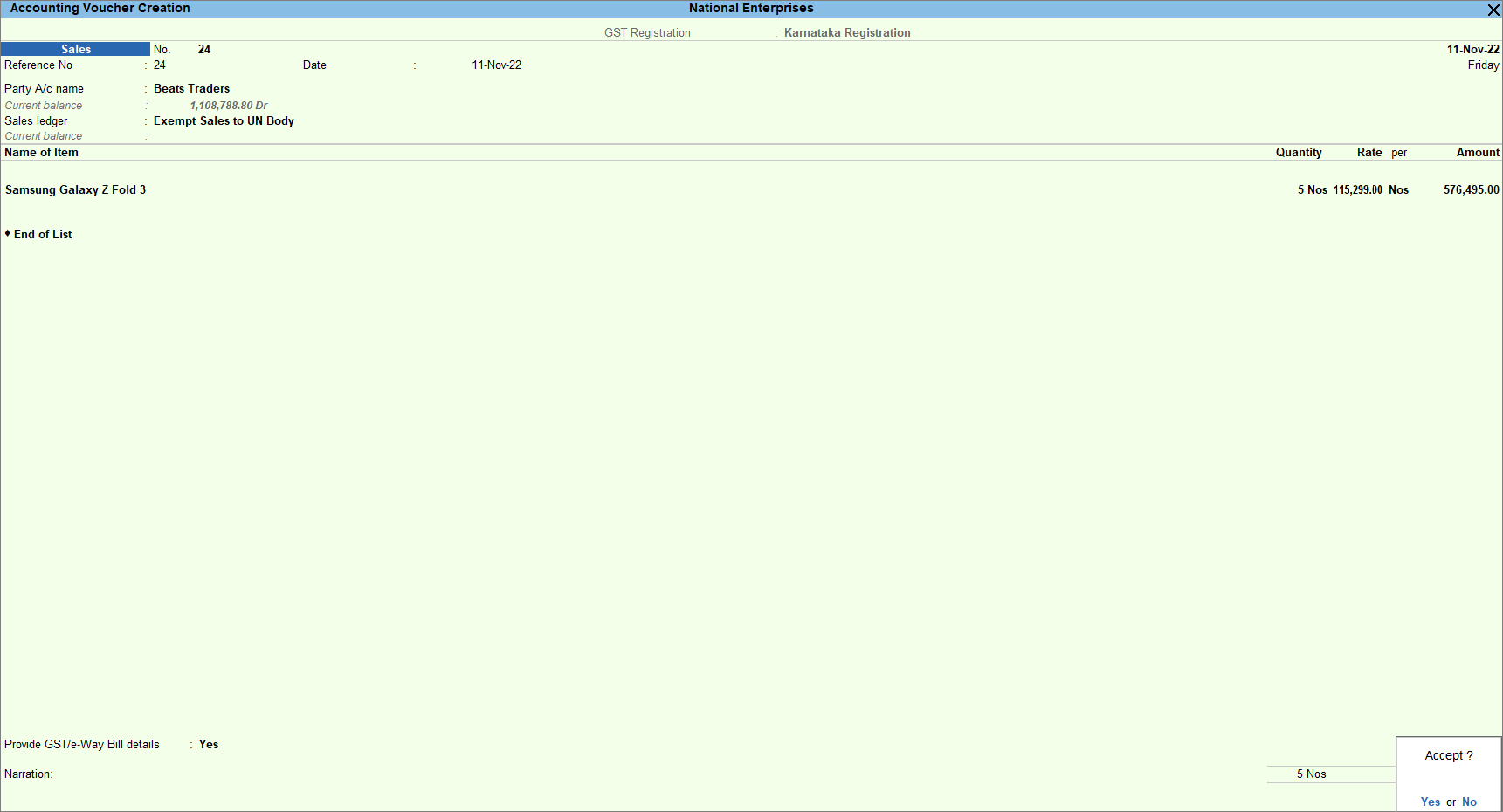
- Provide other necessary details and press Ctrl+A to save.
Is this information useful?
YesNo


