🚀 TallyPrime 7.1 is now live! Enjoy flexible Invoice Print Templates, comfortable reading experience with Auto Wrap Text, token-based OAuth, and more. Click here for details. 🚀
✕
TallyPrime
Search History
My Favourites
Logout
Login
Attend Webinars
Home
TallyPrime
TallyPrime Server
Developer Reference
Videos
Shoper 9
Tally.ERP 9
Home
TallyPrime
TallyPrime Server
Developer Reference
Videos
Shoper 9
Tally.ERP 9
Home
TallyPrime
GCC Compliance & Taxation
UAE e-Invoicing
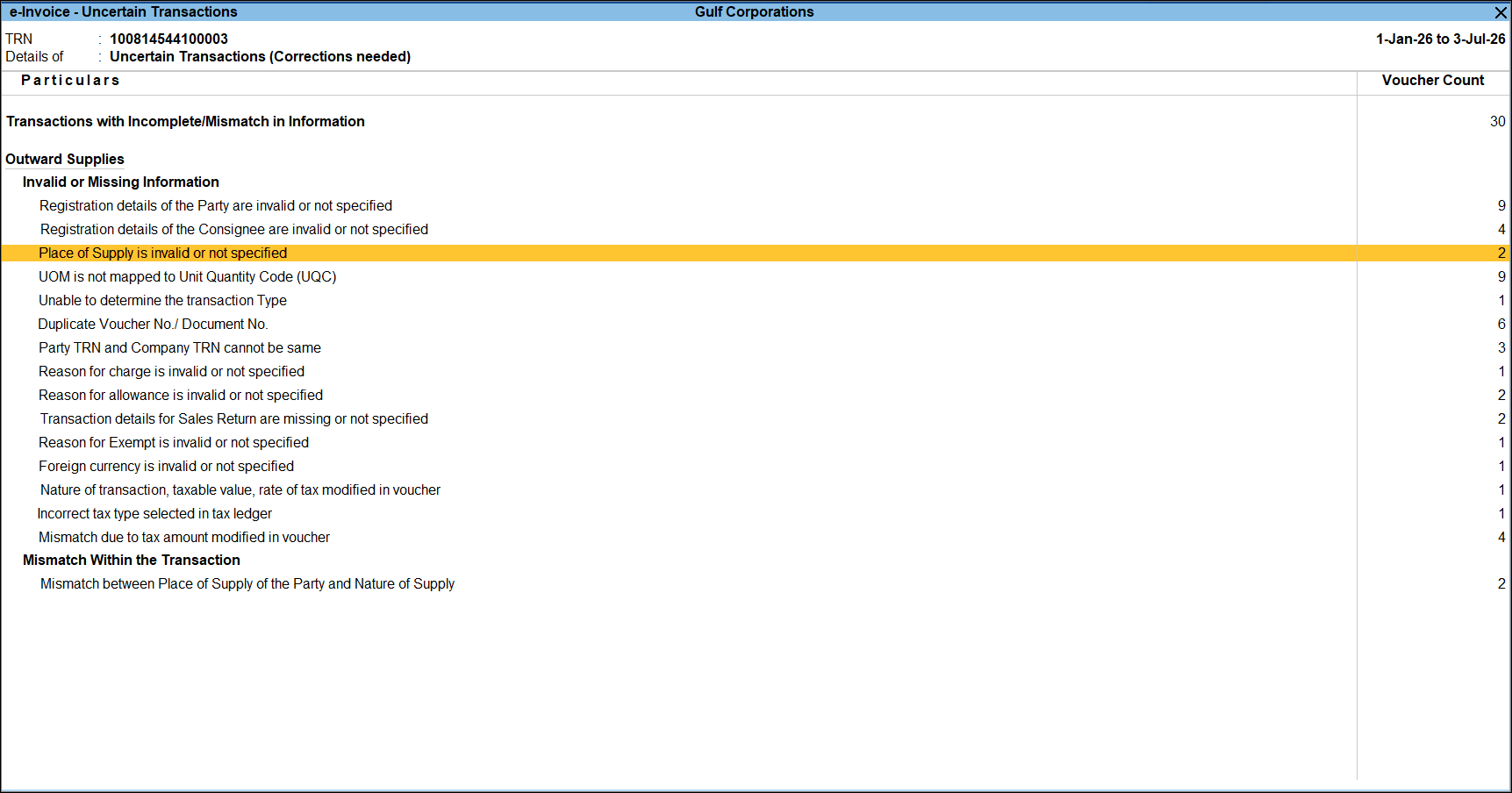
Place of Supply is invalid or not specified
Keyboard Shortcuts
Getting Started
What's New
Table of Contents
Keyboard Shortcuts
Table of Contents
PDF
Add to Favourites
Place of Supply is invalid or not specified
Last updated on: June 26, 2026 |
⏱ 1 min read
Drill down from the section to open the
Party Details
screen.
Select the
Country (POS)
.
Press
Ctrl+A
to accept the
Party Details
screen.
Is this information useful?
Yes
No
Related Topics
Invalid GSTIN | GSTIN/UIN is not specified/invalid | Invalid Supplier GSTIN | Invalid Consignee GSTIN
Place of Supply is invalid or not specified | TallyHelp
State code is not available or The place of supply and state code of the supplier should be different for Inter State Supply
Invalid or Blank Supplier PIN Code | Invalid or Blank Supplier State Code | Invalid Consignee PIN Code | Invalid Consignee State Code
Vouchers with Invalid State and Place of Supply
𝕏
Is this information useful?
Yes
No
On this page
WELCOME!
Tally.NET ID
Password
Remember me
LOGIN
Forgot ID/Password?
Reset Password
Didn't find what you are looking for? Try searching for it by typing in the box below
Ask TARA
TARA
×