View Receipts and Payments Report in TallyPrime
A Receipts and Payments report is a report of cash and bank transactions recorded in a specific period. You can use it in place of an income and expenditure statement.
- It is a consolidated summary of the cash book prepared for the required period.
- It starts with the opening balance of cash and the bank and ends with the closing balance of cash and the bank.
- It does not take into account outstanding receivables and payables.
- It may be of a capital or revenue nature and relate to the current, previous, or subsequent year, so long as they are received or paid.
The Receipts and Payments account displays information based on default primary groups. It is updated with every cash or bank transaction or voucher entry.

View Receipts and Payments Report
The Receipts and Payments report displays the opening and closing cash and bank balances for a specified period. It also shows the transactions recorded during that period, where you made the payments and recorded the receipts. To view the report, change the date or period to suit your needs.
- Open the Receipts and Payments report.
Press Alt+G (Go To) > type or select Receipts and Payments > and press Enter.
The Receipts and Payments report is generated and updated from the opening of books until the last voucher entry date.
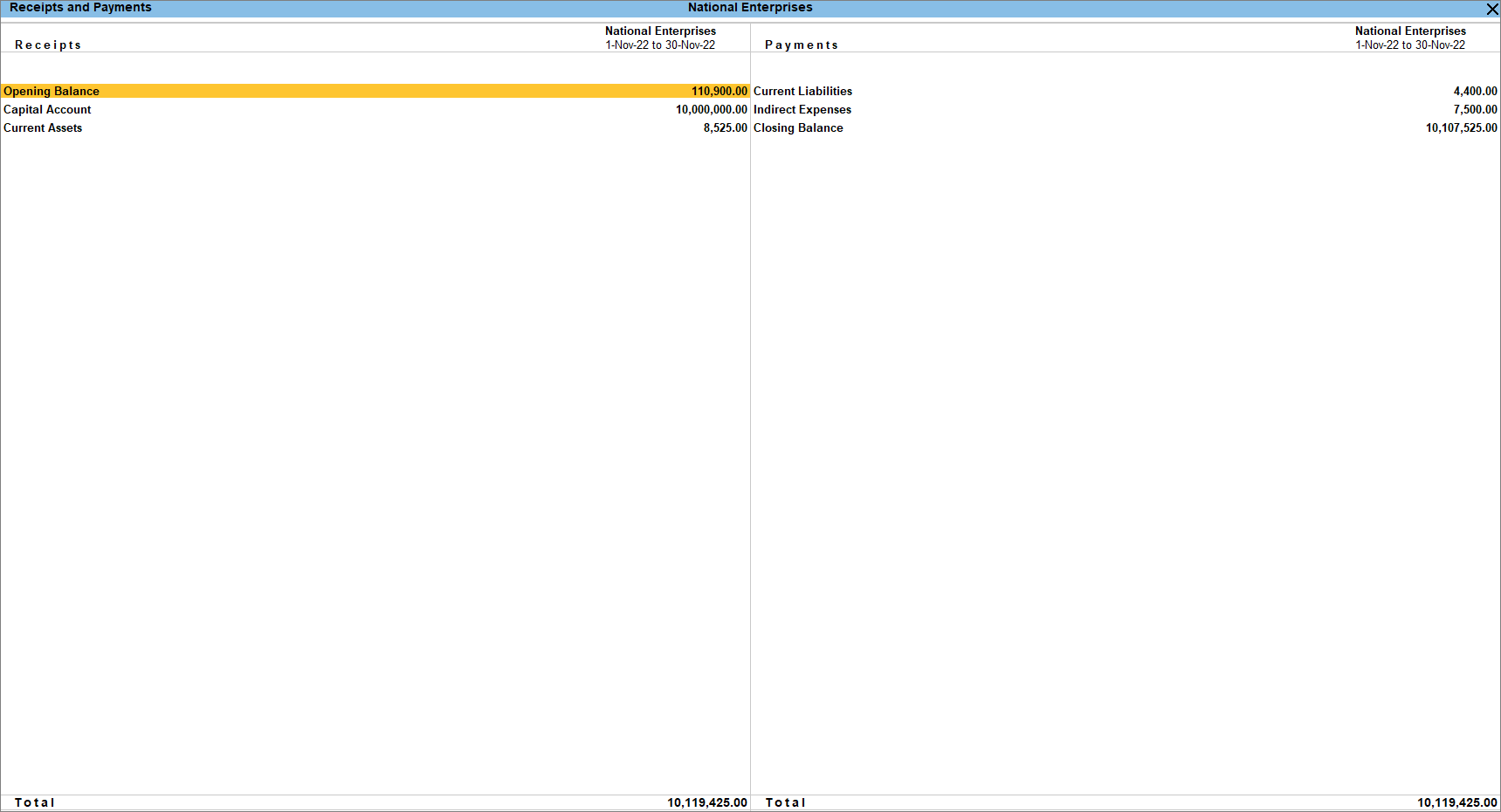
- Select the required group and press Enter to view the Receipts and Payments Summary reports.
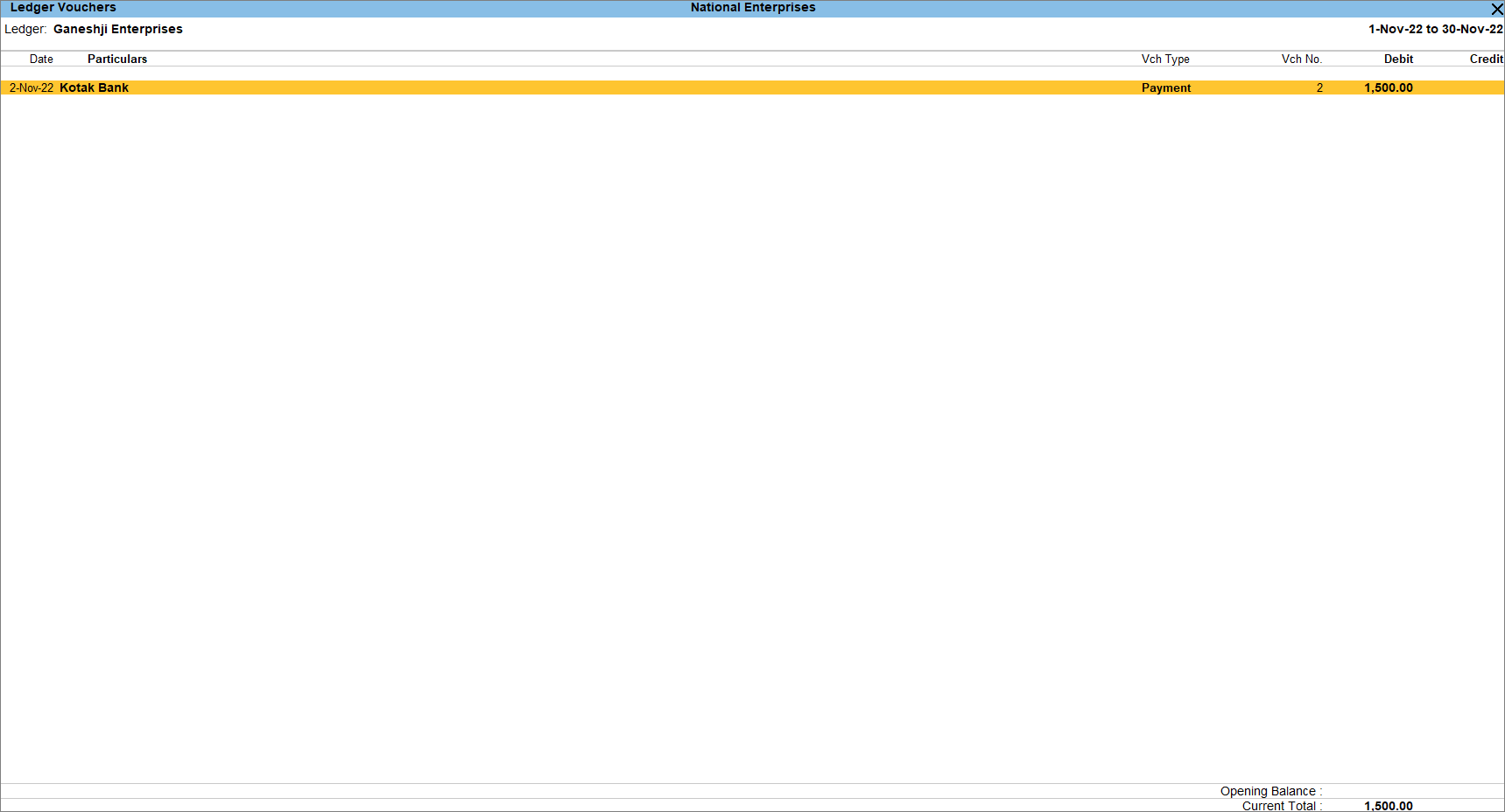
You can further drill down to the Ledger Monthly Summary, Ledger Vouchers, and finally to the voucher alteration screen.
Apart from the default view of the Receipts and Payments columns along with the details of the ledgers, you can also customise the report.
- Press Ctrl+B (Basis of Values) to view the Nett Balances and you can also change the Scale Factor.
- Press Ctrl+H (Change Views) to view the report vertically and ledger-wise.
- Press Ctrl+J (Exception Reports) to view the Negative Ledgers.
- Press Alt+N (Auto Column) to compare your data Quarterly, Weekly, Monthly and so on.
To know more, refer to Working with Reports.
View Receipts and Payments Summary Report
This report displays the summary of groups or sub-groups of the selected primary group from the Receipts and Payment report.
In this section
- Cash/Bank Opening/Closing summary
- Receipts & Payments Summary
- Receipts and Payments Ledger Monthly Summary
Cash/Bank Opening/Closing summary
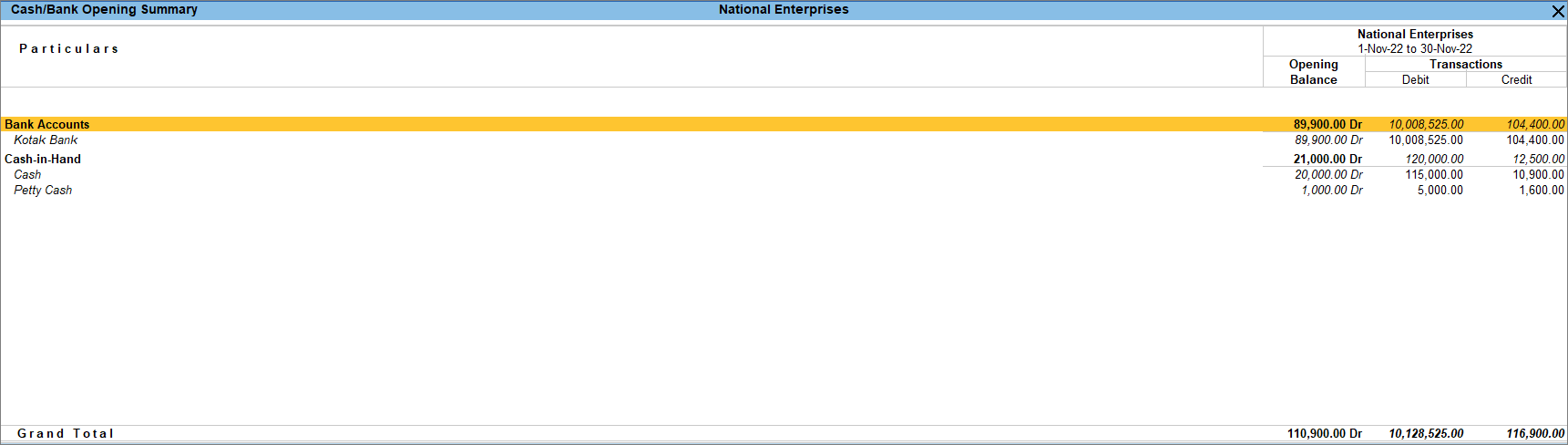
In TallyPrime, you can view the Opening, and Closing balances of your cash and bank accounts, along with the transactions during the period. You can also configure the display of the report as per your business requirements.
- Press Alt+G (Go To) > type or select Receipts and Payments > and press Enter.
- In the Receipts and Payments report > click Opening Balance.
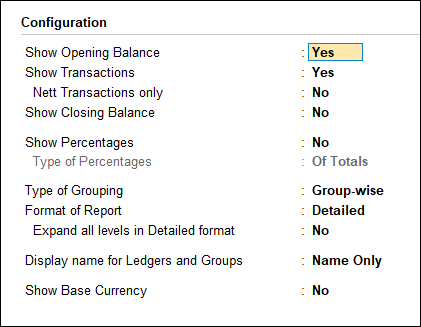
- Press F12 (Configure) to set the options as needed. Set Show Transactions as Yes and Show Closing Balance as No.
By default, the options Show Opening Balances and Show Closing Balances are set to Yes.
The Cash/Bank Opening Summary screen appears as shown below.
Receipts and Payments Summary
The Receipts and Payments report allows you to pick groups, and the report then displays information about the groups you chose. The report shows how much is the receipt and payment amount for that particular group. Additionally, you can customize the report and make modifications based on your needs.
- Select the required primary group from the Receipts and Payments report (for example, Current Liabilities). The Receipts and Payments Summary screen of the selected group appears as shown below.
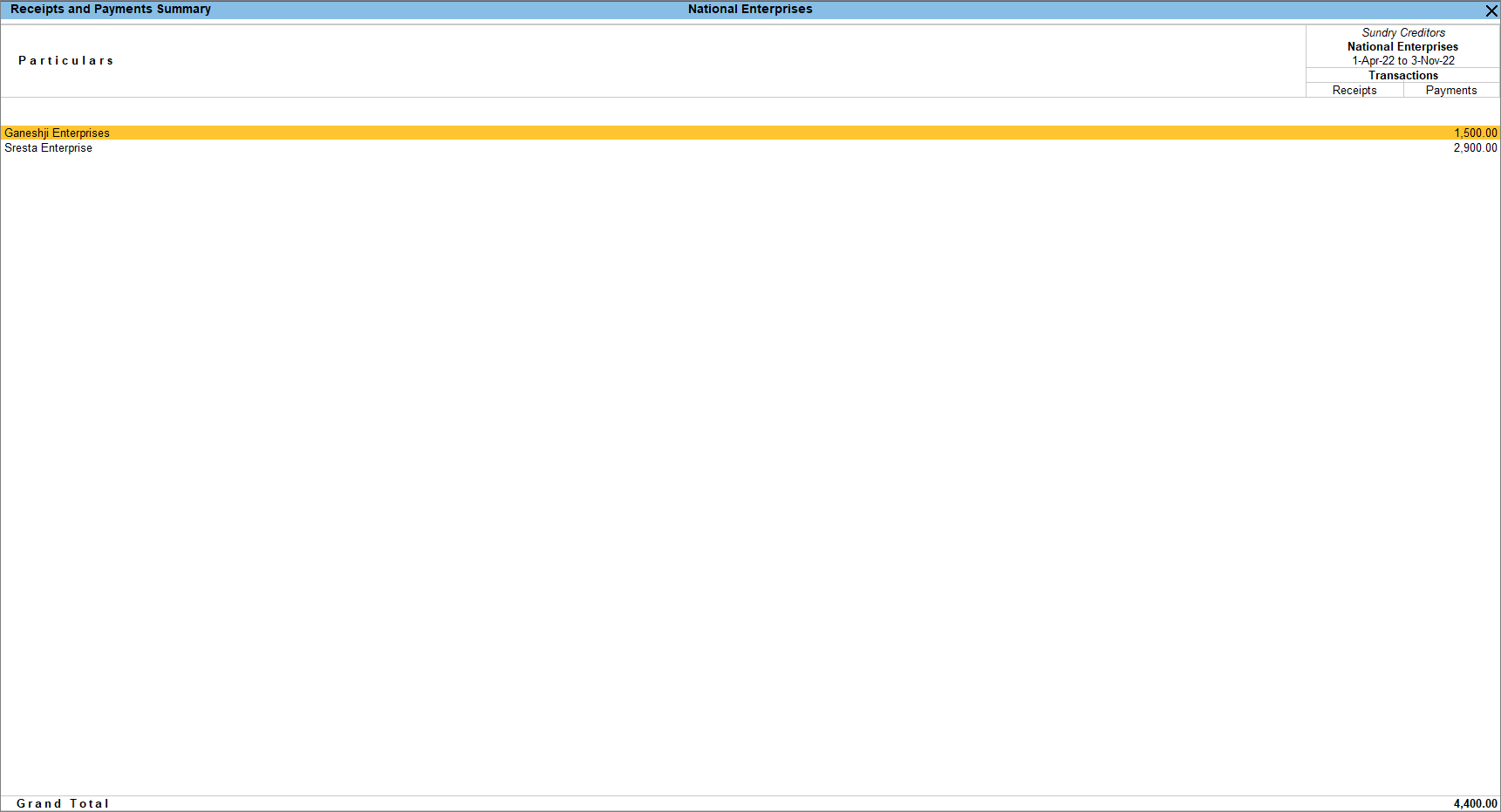
This report displays all the receipt and payment transactions of the groups/sub-groups and ledgers of the selected primary groups for the period. - To configure the report, press F12 (Configure).
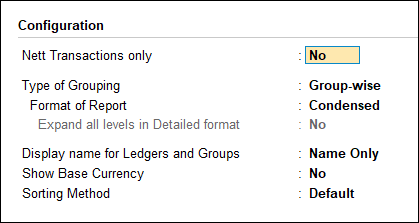
You can select the required group/sub-group or ledger and drill down to view the Ledger Monthly Summary.
Receipts and Payments Ledger Monthly Summary
You can select any ledger from the Receipts and Payments report and view the monthly receipts and payment transactions for that particular ledger. You can configure the report and set the display of the report as per your requirements.
- Select the required ledger from the Receipts and Payments Summary report. The Ledger Monthly Summary screen of the selected ledger appears as shown below.
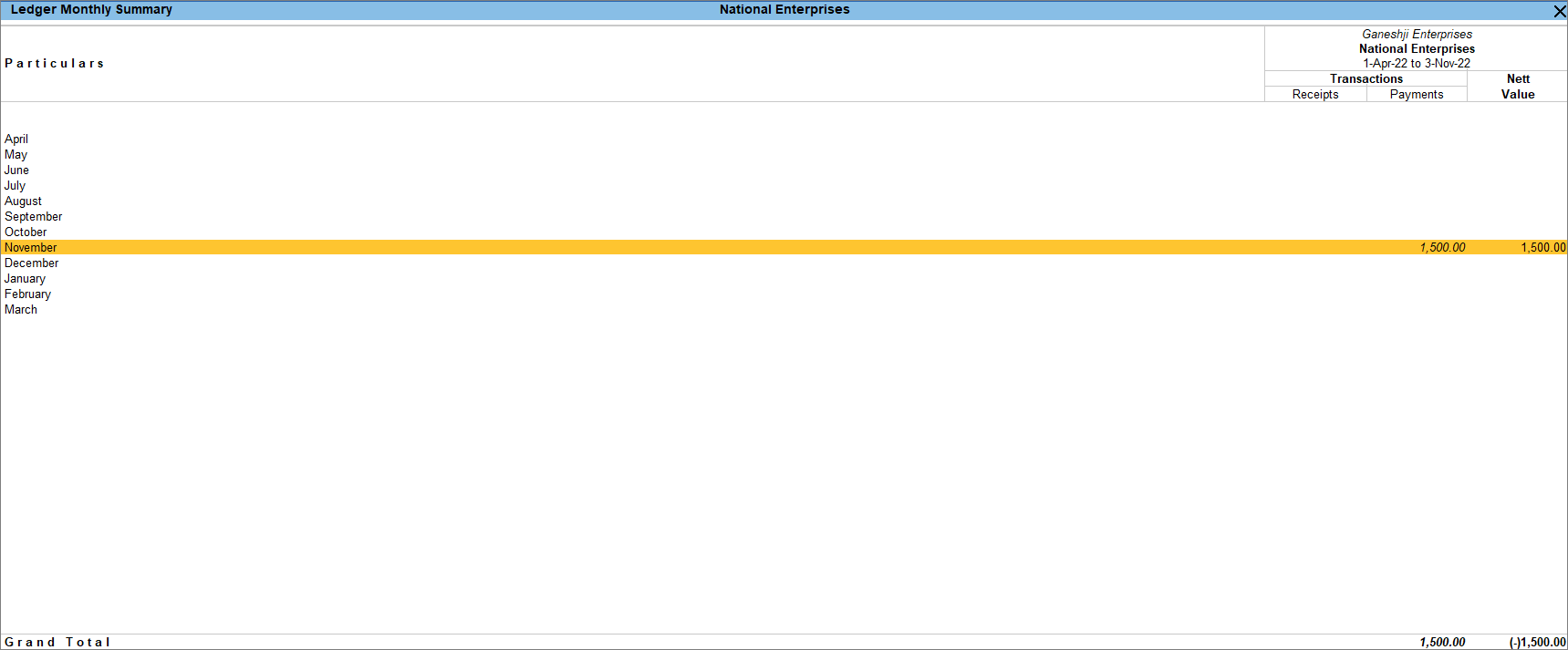
This report displays the selected ledger’s monthly receipt and payment transactions summary. - To configure the report, press F12 (Configure).
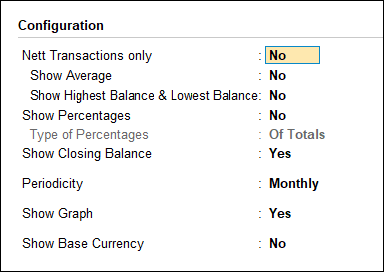
- Select the required month to view the Ledger Vouchers screen, as shown below.