
Send Payments from Your ICICI Bank Account Using Connected Banking in TallyPrime
Aided by Connected Banking, TallyPrime brings in the facility of online payments from your ICICI Bank accounts.

- e-Payments enabled in your bank ledger
- Connected Banking login with your Tally.NET credentials
- Connected ICICI Bank accounts
- Online payments enabled for your Bank Connection
Once you meet the prerequisites, you can send payments from your ICICI bank accounts, securely and directly from TallyPrime, thereby:
- Saving a lot of time – faster process, leading to smooth cashflow and a relation of trust with your vendors.
- Reducing manual errors.
What’s more, you can also:
- Check and update the payment status right in TallyPrime.
- Send payment advice to your suppliers.
Generate Token on ICICI Bank Portal
- Log in to the ICICI Bank portal.
- Open the ICICI Bank portal.
- Enter your Login ID.
- Enter the Password.
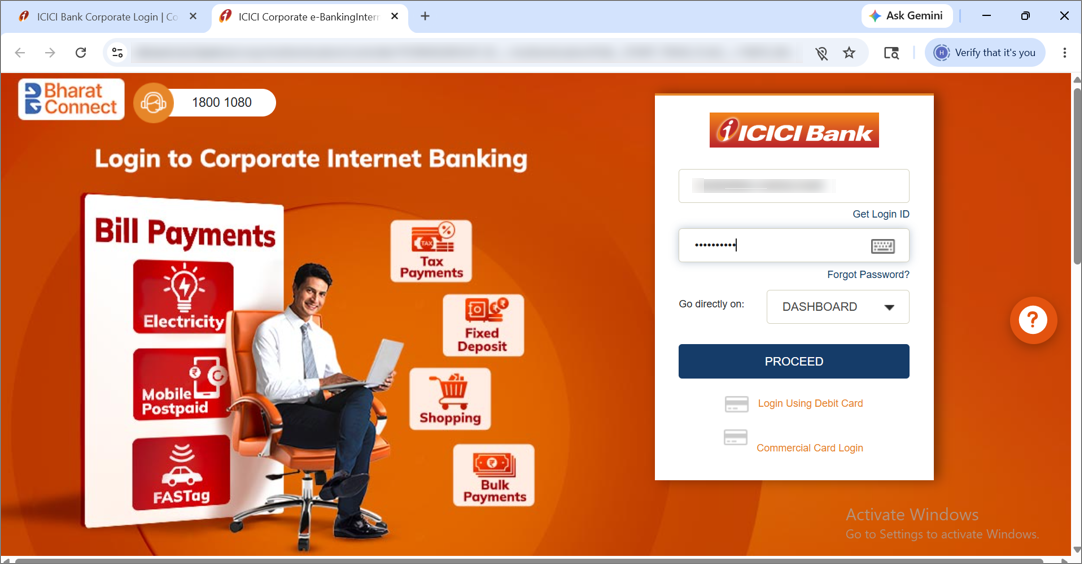
- Click Connected Banking.
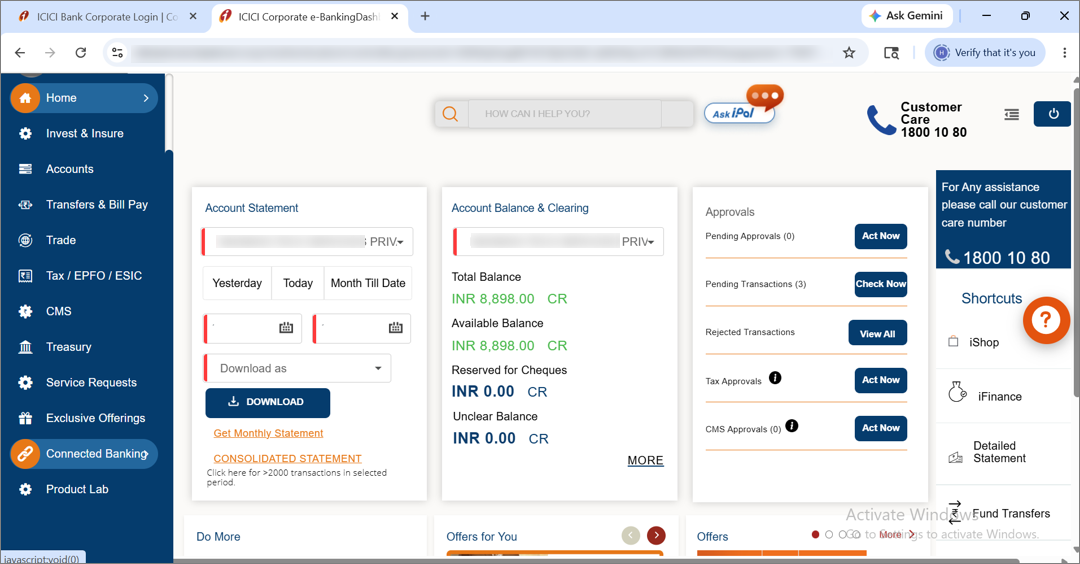
- Click My Banking Profile.
- Click Generate Token.
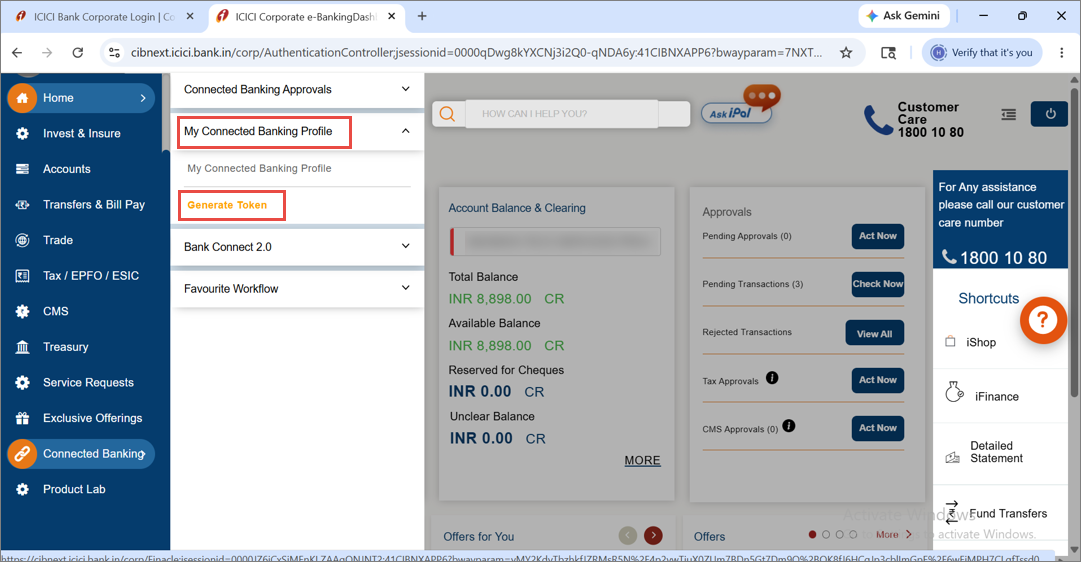
- Under Actions, click Token Generation.
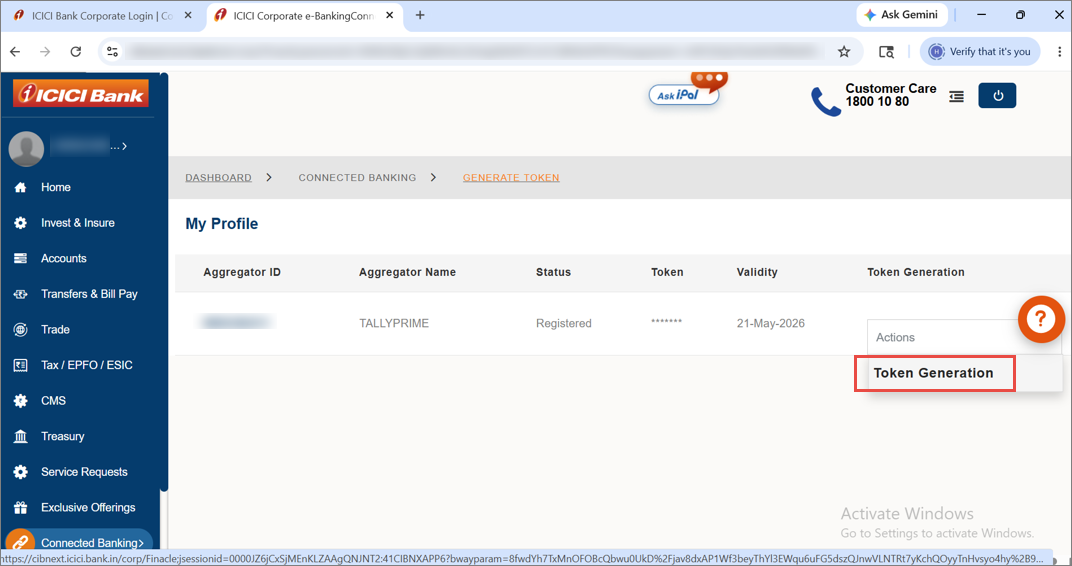
- Enter the OTP received on your mobile number.
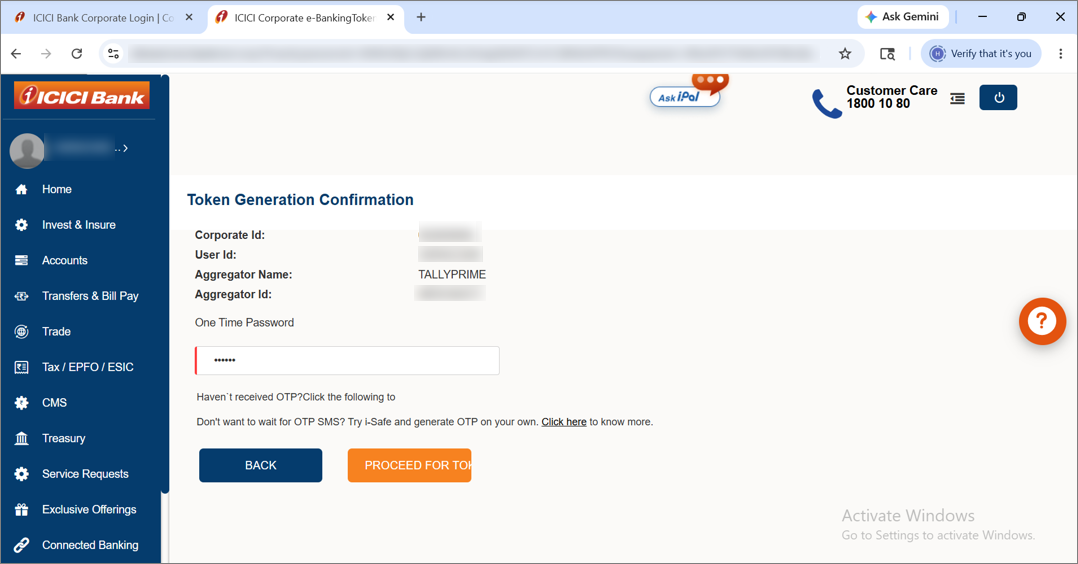
The token gets generated.
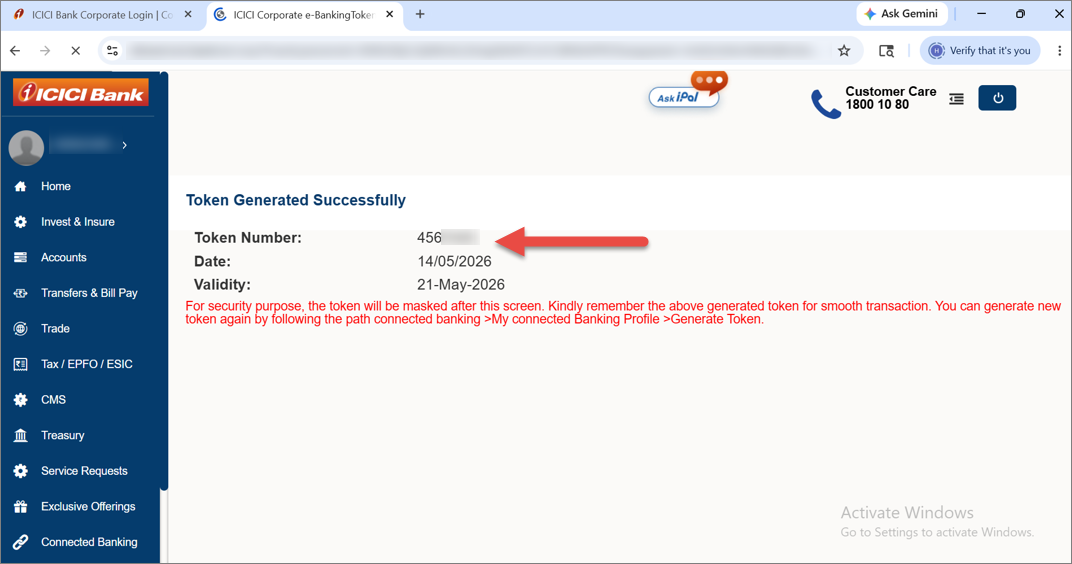
Here are some important points to note about the token generated on the ICICI Bank portal for online payments using Connected Banking.
- The token is valid for 7 days.
- After this session on the ICICI Bank portal, the token gets masked.
So, remember this token, as you need to enter it to initiate online payments using Connected Banking in TallyPrime. - If the token expires or you forget the token, you can always generate it again on the ICICI Bank portal.
Send Online Payments
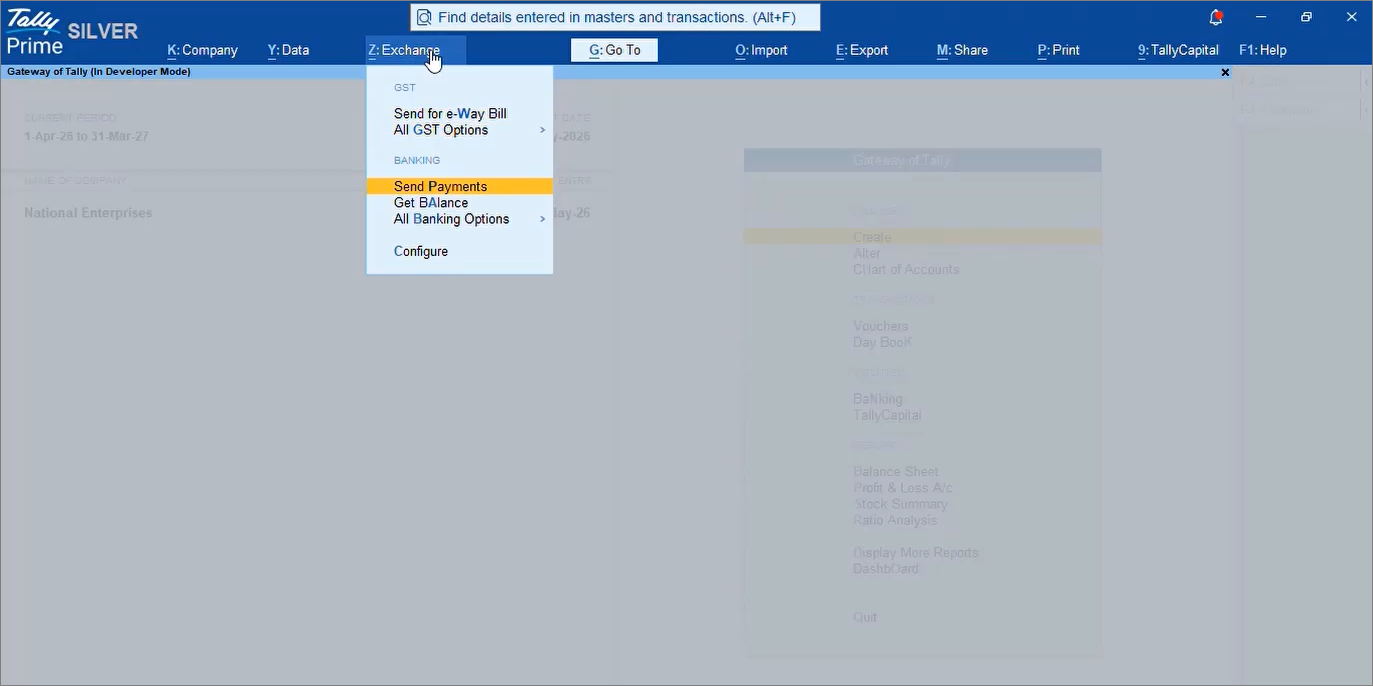
- From anywhere in TallyPrime, press Alt+Z (Exchange) > Send Payments.
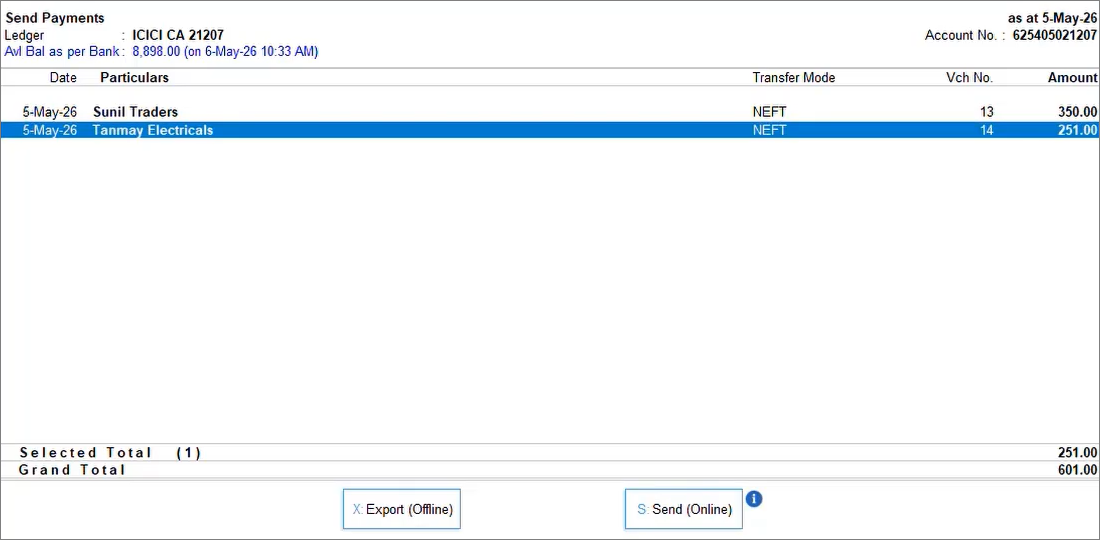
- Select the transaction and press S (Send).
- Initiate the payment.
- Enter the Token generated on the ICICI Bank portal.
- Enter the OTP received on your mobile number.
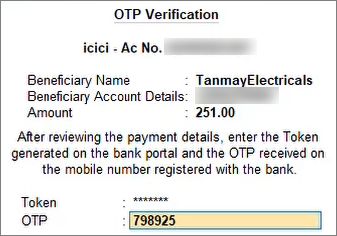
The payment gets sent successfully.
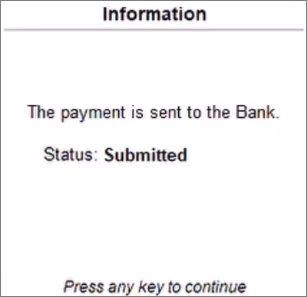
If you enter wrong token or OTP, then with each attempt, a new OTP will be generated.
Once the payment is initiated, the actual payment status gets displayed, as per the bank. You can always update the Payment Status from the e-Payments report.
Questions and Answers
- While making an online payment, I entered an incorrect Token. How do I proceed?
If you have entered an incorrect Token accidentally, then you can initiate the payment again and enter the correct Token. You will receive a new OTP. Once you enter it, you will be able to make the online payment.
However, if the Token has expired, then you need to log in to the ICICI Bank portal and generate a new Token, which you can use to send payments using Connected Banking.
- I have a multi-user account with ICICI Bank. Can I make online payments?
Yes, you can make online payments using Connected Banking. When you make the payment, the payment gets submitted for admin approval, as usual with other payments. Once the admin approves the payment, it gets processed.
- I have sent the payment, and it’s successful. However, the status is still In Progress. How do I know the actual status?
To update the payment status in the e-Payments report, press F10 (Get Online Payment Status).
You will get to know the latest status, as on the bank portal.
Is this information useful?
YesNo


