
Send Payments from Your SBI Account Using Connected Banking
Aided by Connected Banking, TallyPrime Release 7.0 brings in the facility of online payments from your SBI accounts.

- Connected Banking login with your Tally.NET credentials
- Connected SBI accounts
- Online payments enabled for your Bank Connection
- e-Payments enabled in your bank ledger
Once you meet the prerequisites, you can send payments from your SBI accounts, securely directly from TallyPrime, thereby:
-
Saving a lot of time – faster process, leading to smooth cashflow and a relation of trust with your vendors
-
Reducing manual error.
To send online payments through Connected Banking, you need to add the beneficiary details on your bank portal. If the beneficiary details are not added on the bank portal, the bank rejects the online payments made through Connected Banking.
What’s more, for online payments from SBI accounts using Connected Banking, you can also:
-
Update the payment status right in TallyPrime.
-
Send payment advice to your suppliers.
-
-
From anywhere in TallyPrime, press Alt+Z (Exchange) > Send Payments.
-
Press Enter on the relevant SBI Bank ledger.
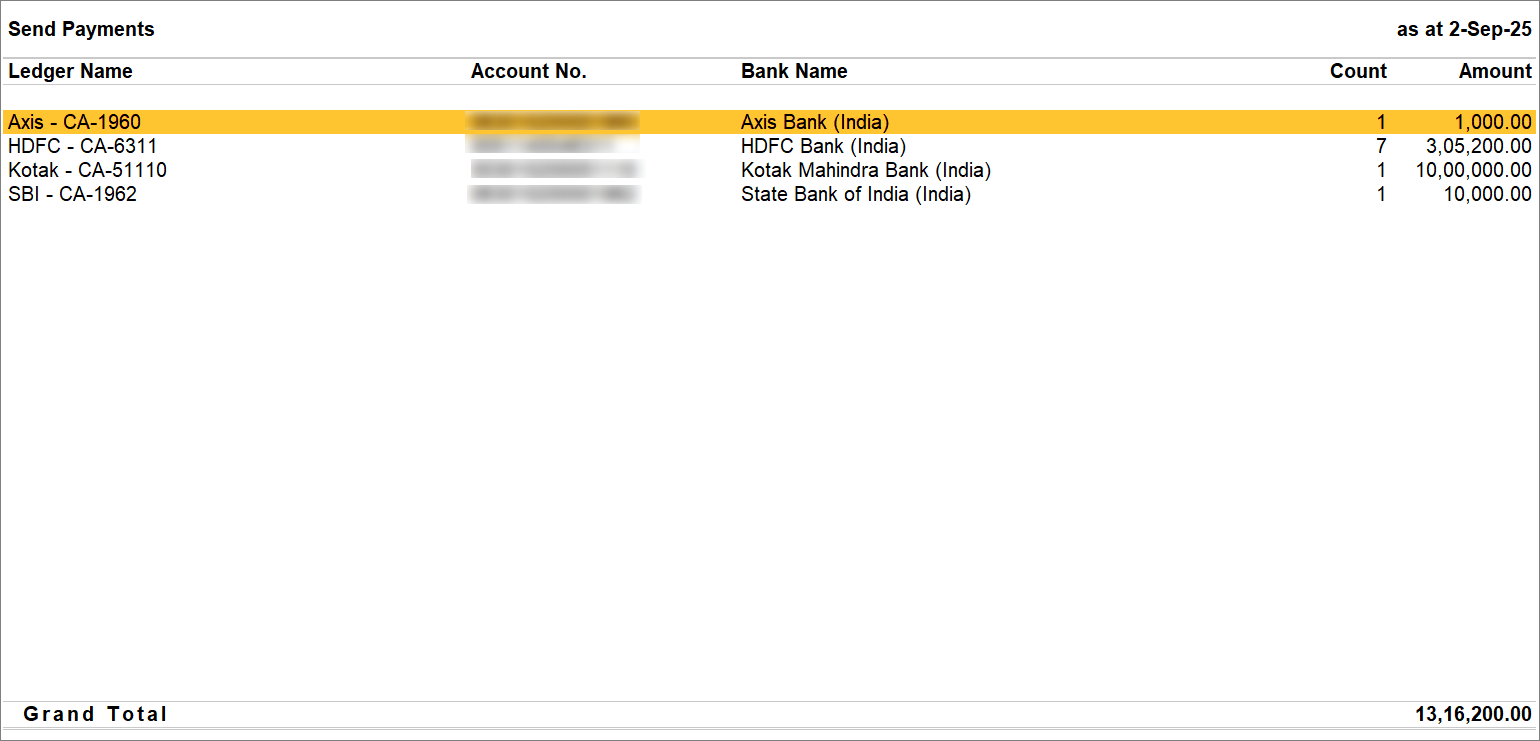
From the e-Payments report, if you open the Send Payment report for the SBI Bank ledger, then the report opens for this ledger.
-
Select the transaction and press S (Send).

-
-
Enter the OTP.

The payment is successful.
If your SBI account has multiple users and the payment has been initiated by the maker, then after entering the OTP, the payment will be Submitted to the bank for approval or authorisation by the checker at the bank portal.
Once the payment is initiated, the actual payment status gets displayed, as per the bank. You can always update the Payment Status from the e-Payments report.
Moreover, in case the payment fails or is rejected by the authoriser for certain reasons, then you can reset the payment status. As a result, it will be ready to be uploaded again.
Questions & Answers
- I initiated the payment from TallyPrime. However, it is still in progress. How do I proceed?
This might happen when you have a multi-user SBI account, and you have the makers right. Once you send the payment from TallyPrime, the bank account admin has to authorise the payment on the SBI portal.
- While sending payment online using Connected Banking, I am not getting the OTP on my mobile number. How do I proceed?
You need to ensure that you are using the same mobile number which is linked to the SBI account and Tally.NET ID both.


