
Get Bank Balance Using Connected Banking in TallyPrime
With Connected Banking, you get to know your Bank Balance in a matter of seconds right from TallyPrime. Knowing the bank balance gives you real time visibility of your cash position. This helps you decide the account from which you can send payments to your suppliers.

- Connected Banking is enabled in TallyPrime.
- The bank account is already connected to TallyPrime.
- A working internet connection with a decent speed.
- To check your bank balance in TallyPrime, you should be logged in to Connected Banking.
- Press Alt+Z (Exchange) > Get Balance.
Alternatively, press Alt+Z (Exchange) > All Banking Options > Get Balance. - Select one or more bank accounts to get the balance.
- Press B (Get Balance).
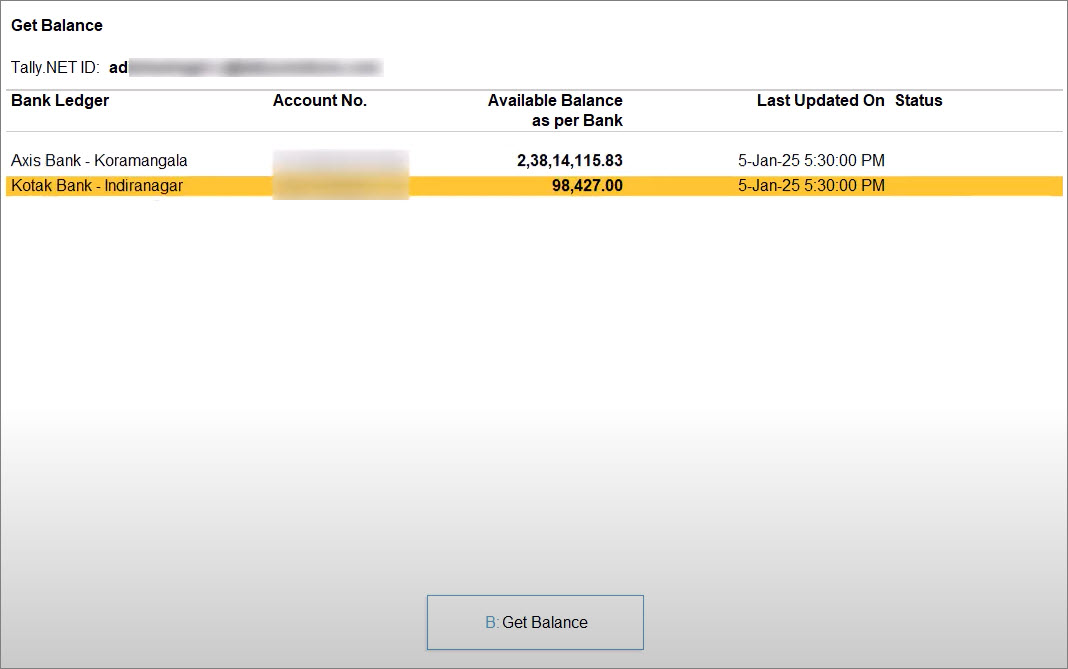
If the balance is fetched for multiple bank accounts and the process fails for one or more bank accounts, then an Exchange Summary appears.
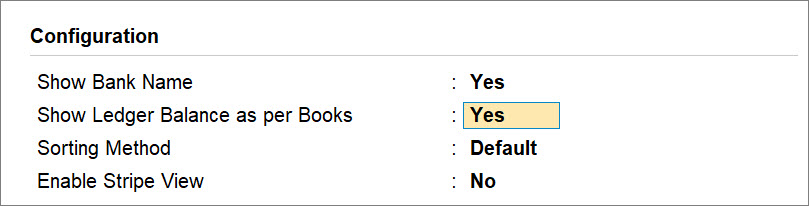
You can further configure this report to view Bank Name and Ledger Balance as per Books for comparison with the balance as per bank.
- Press F12 (Configure).
- Show Bank Name: Yes.
- Show Ledger Balance as per Book: Yes.
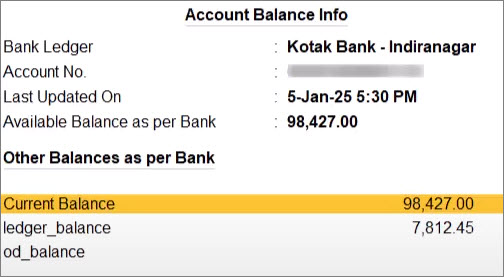
Furthermore, while you get to know the balance of your bank accounts, you can view other balances sent from the bank.
Questions & Answers
- I am unable to check my latest Bank Balance in TallyPrime. How can I proceed?
To check your Bank Balance, ensure that you meet all the prerequisites.
- Why is checking Bank Balance taking longer in TallyPrime?
Based on the number of accounts, TallyPrime fetches the Bank Balance. You also need to ensure that you have stable internet connection with a decent speed.
Is this information useful?
YesNo


