
Record Sales with Free Items in TallyPrime
Offering free items can help promote products, attract new customers, and encourage purchases. You can give free items along with a sale, either by billing the customer for a lower quantity than the quantity supplied or by providing additional items at no cost. In TallyPrime, you can record both types of free item sales while recording the sales voucher.

Ensure that:
- You have created the required party ledger, sales ledger, and stock items.
- Allow zero-valued transactions is enabled for the Sales Voucher Type to record free item sales.
- In F11 (Company Features), you have enabled Use separate Actual and Billed Quantity columns in invoices.
Record Sales with Free Items Using Actual and Billed Quantities
In TallyPrime, you can record free items by specifying the actual quantity supplied and billing the customer for only the billed quantity.
In the Sales voucher:
- Enter the stock item details.
- Under the Quantity column, specify the following:
- Actual: Enter the total quantity supplied to the customer.
- Billed: Enter the quantity for which the customer is billed.
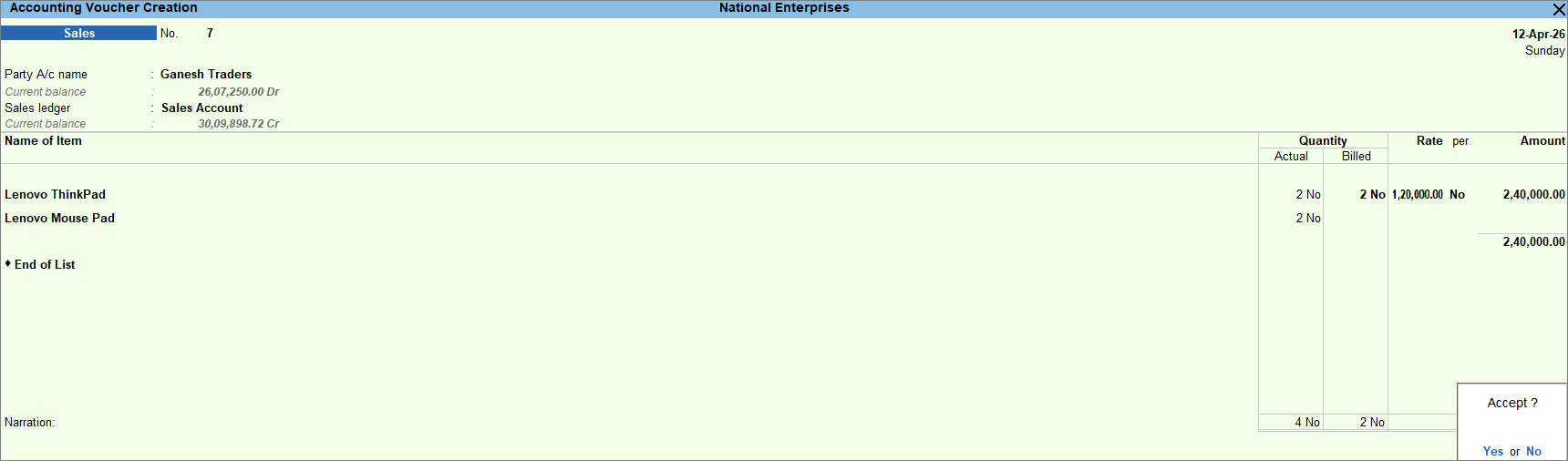
- Enter the necessary details, and press Ctrl+A to save the voucher.
Record Sales with Free Items Using Zero-valued Transaction
In TallyPrime, you can record free item sales as zero-valued transactions by entering the stock item details as usual and leaving the Rate and Amount fields blank for the free items.
In the Sales voucher:
- Enter the stock item details for the items to be billed.
- Select the free item, enter the Quantity, and leave the Rate and Amount fields blank.
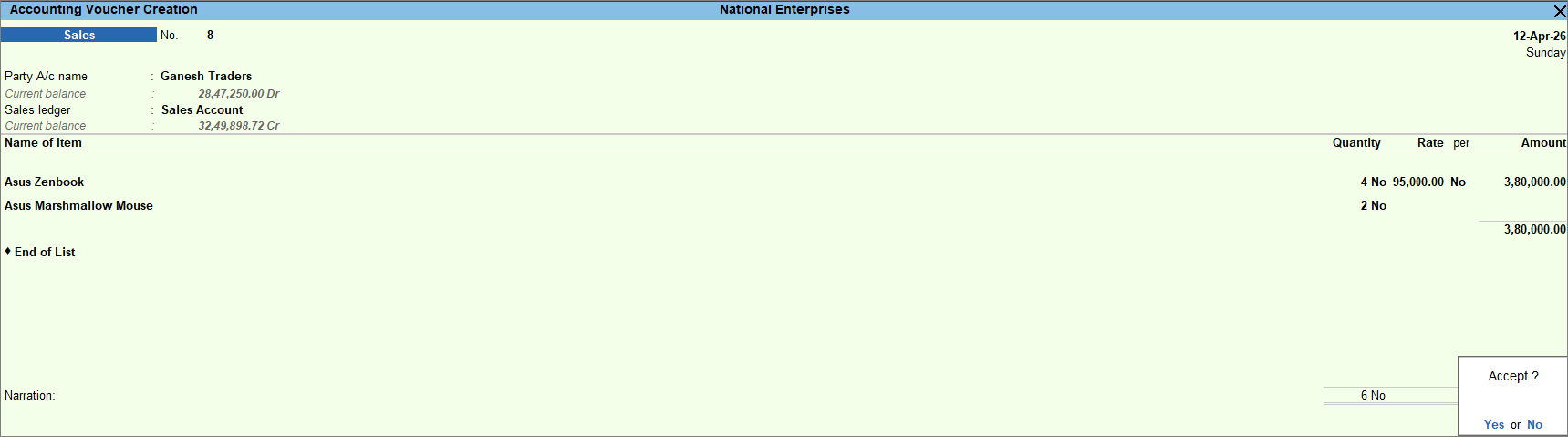
- Enter the necessary details, and press Ctrl+A to save the voucher.
Is this information useful?
YesNo


