
Reason for Allowance is Invalid or Not Specified
Cause
A discount (allowance) is applied at the item or voucher level without specifying the reason for the allowance.
Resolution
- Drill down from the section.
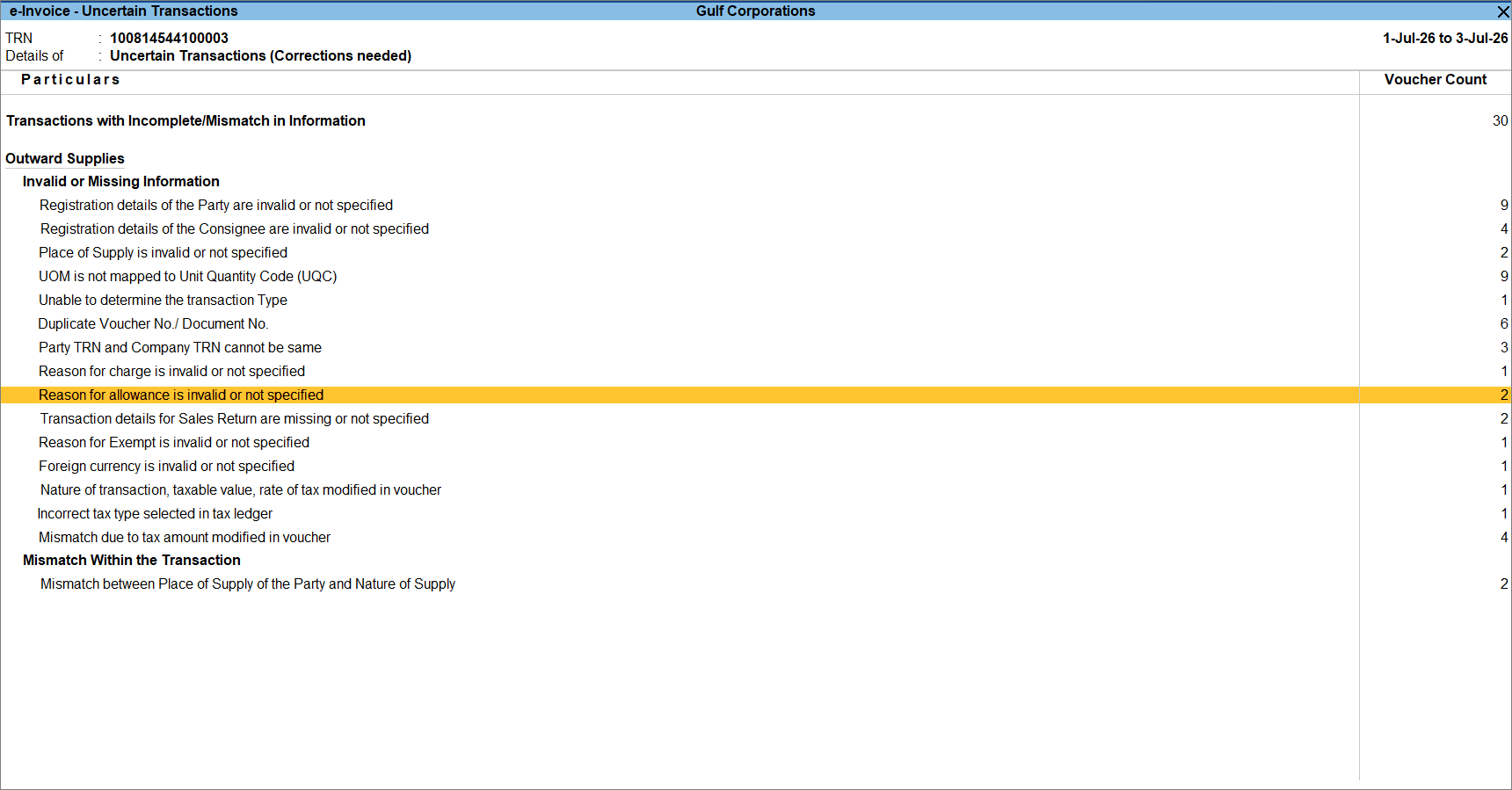
- Select the required voucher.
- In the Bill Details section, specify the Allowance Reason.
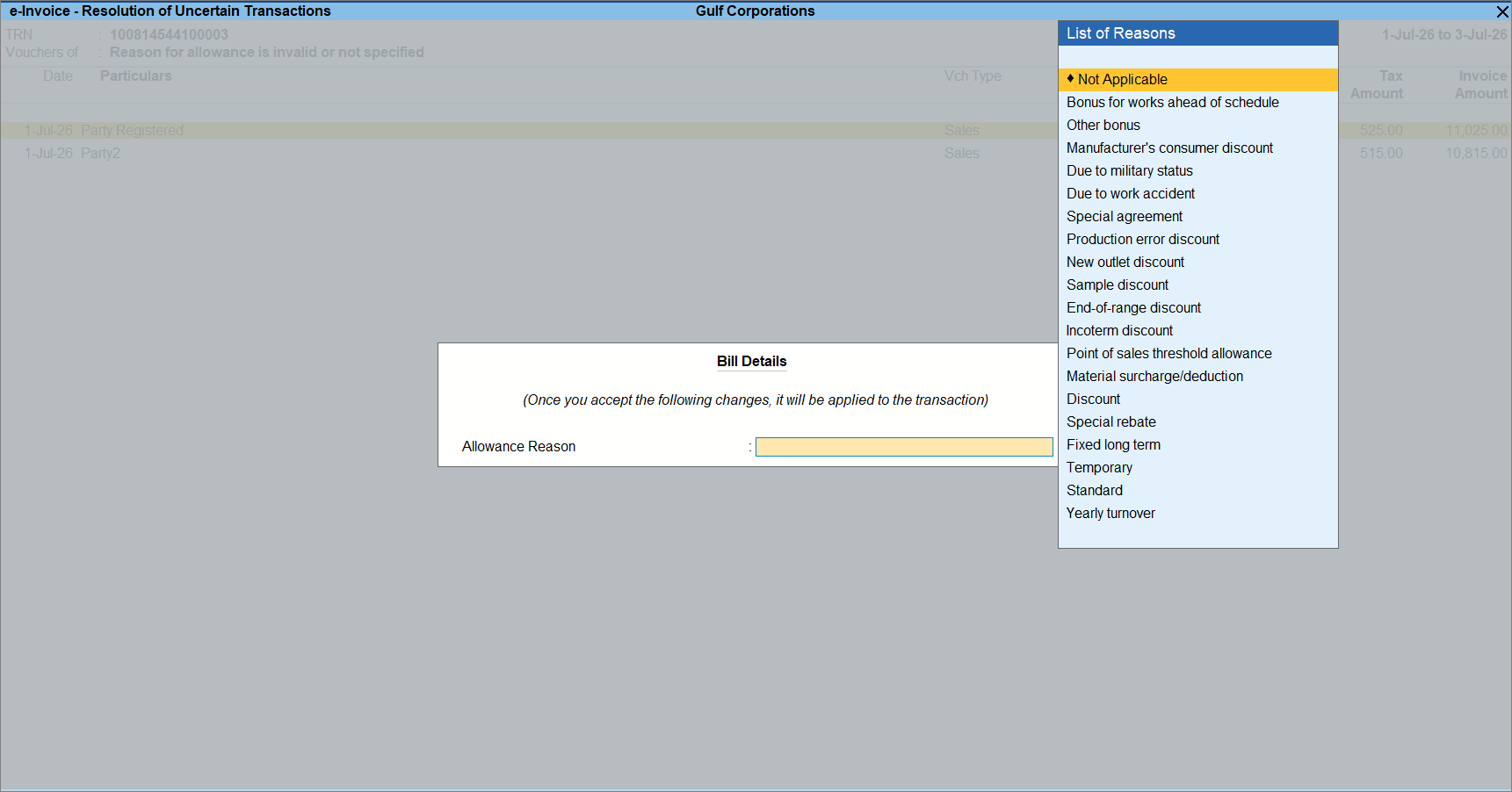
- Press Ctrl+A to save the voucher.
Is this information useful?
YesNo


