
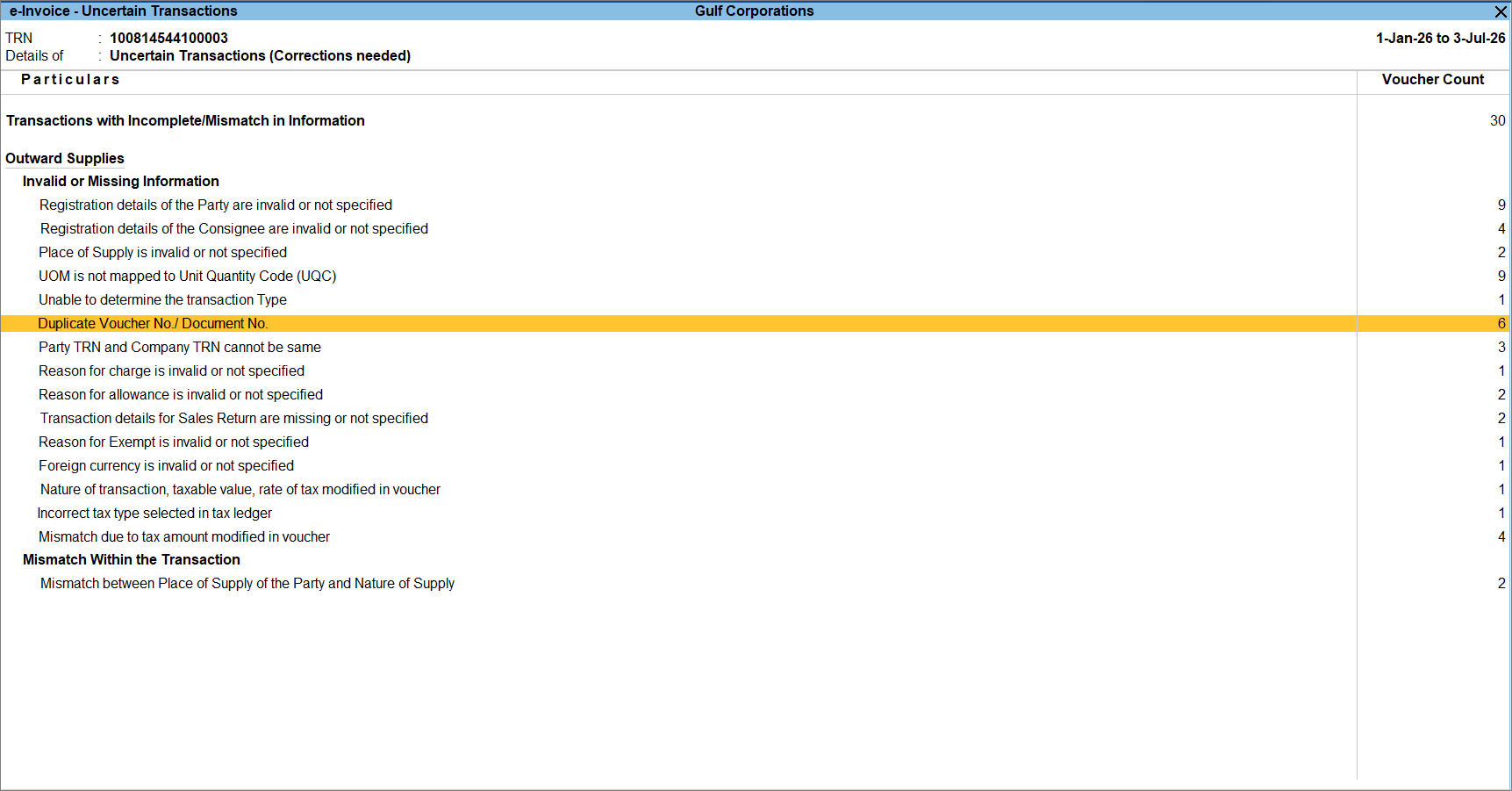
Duplicate Voucher No./ Document No.
Cause
Multiple vouchers have the same voucher or document number.
Resolution
- Drill down from the section to identify the duplicate vouchers.
- Open one of the duplicate vouchers, preferably the one that has not been exchanged with the e-Invoice system.
- In the Accounting Voucher Alteration screen, update the Voucher Number or Document Number.
- Press Ctrl+A to save the voucher.
Is this information useful?
YesNo


