
Record Purchase of Fixed Assets in TallyPrime
In your business, if you purchase fixed assets like buildings, machinery, equipment, vehicles, tools, and more, then you can record such purchases in TalllyPrime using a Purchase voucher.

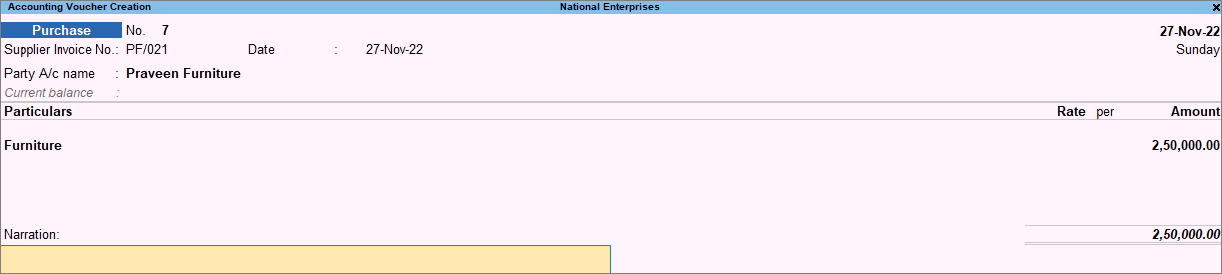
In a purchase voucher (Accounting Invoice mode):
- In Party A/c name, select the supplier’s ledger.
- Under Particulars, select the goods ledger and enter the Amount.
- Provide Narration for the voucher, if needed, and press Ctrl+A to save.
Is this information useful?
YesNo


