
Set Up CBMS Integration in Tally e-Billing
As per IRD guidelines, all Sales and Sales Return vouchers must be synchronised with CBMS after they are recorded. To enable synchronisation, you need to set up the CBMS Integration first using your Username and Password.
- From Gateway > click Configuration.
- Under Statutory Settings, click CBMS Integration.
- In the CBMS Integration Settings screen, enter your CBMS Username and Password.
- Enable CBMS Audit Log.
- Click Save.
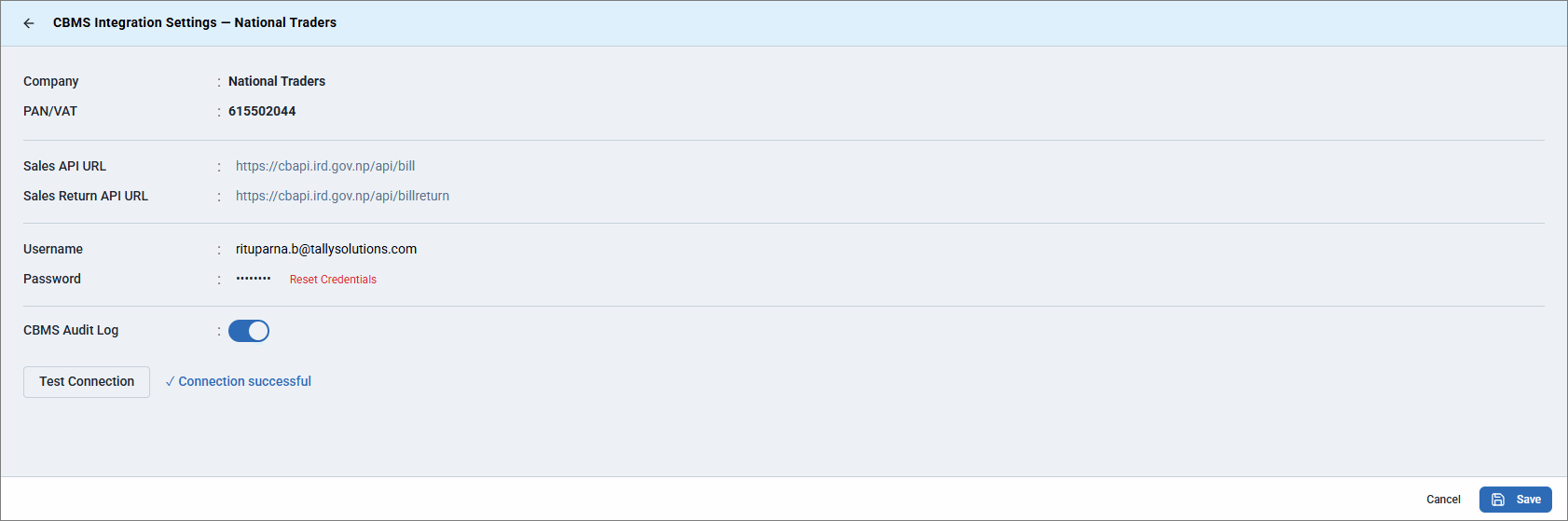
- Click Test Connection to connect successfully with CBMS.
Is this information useful?
YesNo


