
Set Up Expense and Income Account in Tally e-Billing
Create income and expense accounts to record additional charges, discounts, and other business income or expenses, along with the applicable VAT details where required. Let’s see how to create an expense account.
- From Gateway > click Chart of Accounts > click Accounting Masters > and then click Accounts.
- In the Account screen, click Create.
- In the Create Ledger screen, enter the Basic Details.
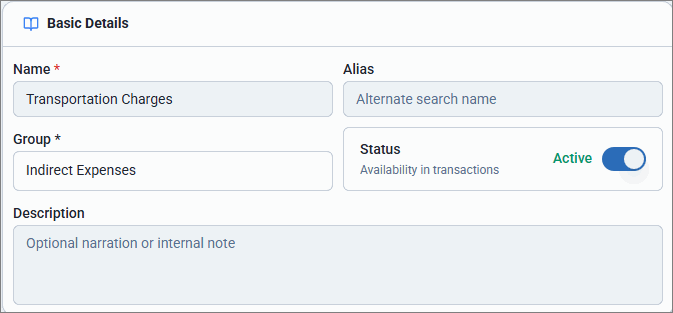
- Enter the Name of the expense account and Alias, if any.
- For Group, select Indirect Expenses.
- Enter Description, if any.
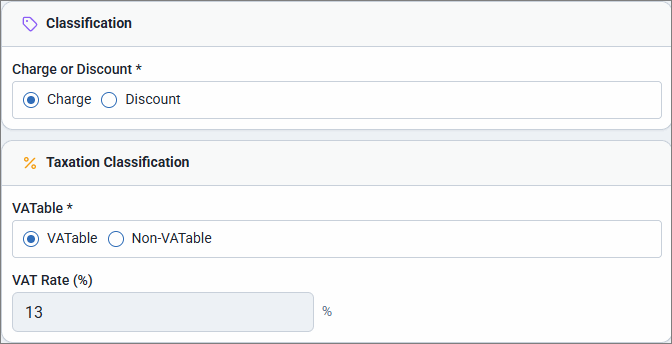
- Select the Classification as Charges.
- Select the Taxation Classification.
- VATable: Select VATable to calculate VAT after adding the additional charges to the item cost.
- Non-VATable: Select Non-VATable to calculate VAT excluding the additional charges.
- Enter VAT Rate (%) if the account is VATable.
- Click Save.
Similarly, you can create Income account under Indirect Income.
Is this information useful?
YesNo


