
View CBMS Overview Report in Tally e-Billing
After recording Sales and Sales Return vouchers, you can use CBMS Overview to monitor their synchronisation status with CBMS. The report displays the total number of vouchers that are recorded, Synced, Failed, or Pending.

Ensure that:
- You have set up CBMS Integration to automatically synchronise vouchers with CBMS.
- You have recorded the Sales and Sales Return vouchers.
- From Gateway > click Company > and then click CBMS Overview.
- In the CBMS Overview screen, select the Period.
The report displays the total number of vouchers that are recorded, Synced, Failed, or Pending.
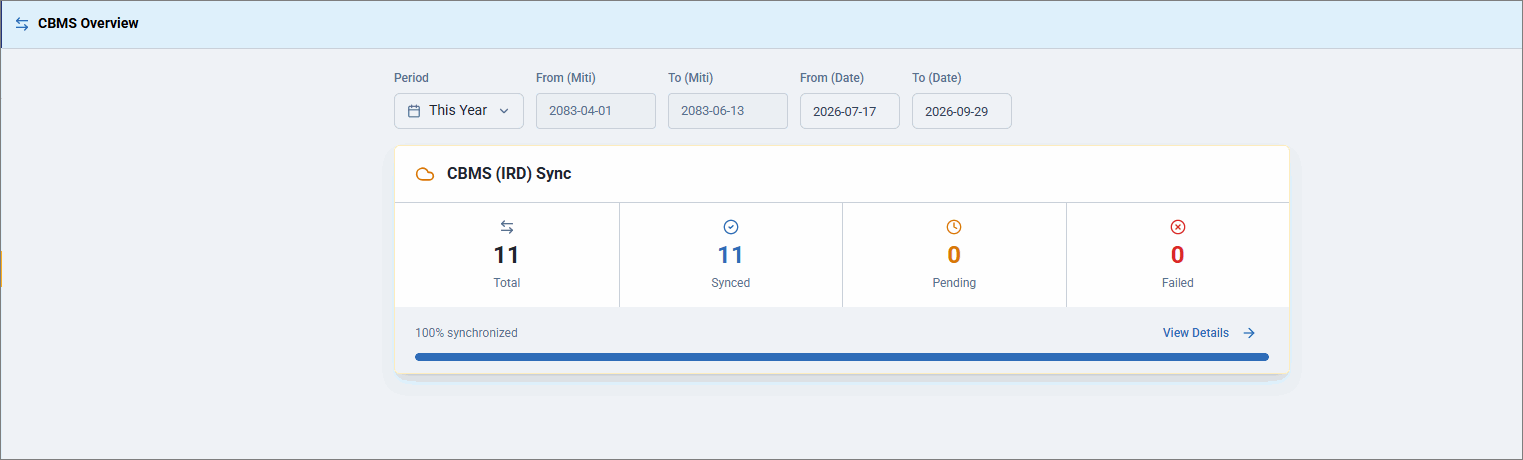
- Click View Details to view the synchronisation status of individual vouchers.
- In CBMS Details screen, click All Categories and select a specific voucher type.
The report displays the vouchers that are synced, pending, or failed, along with the corresponding Error / Message.
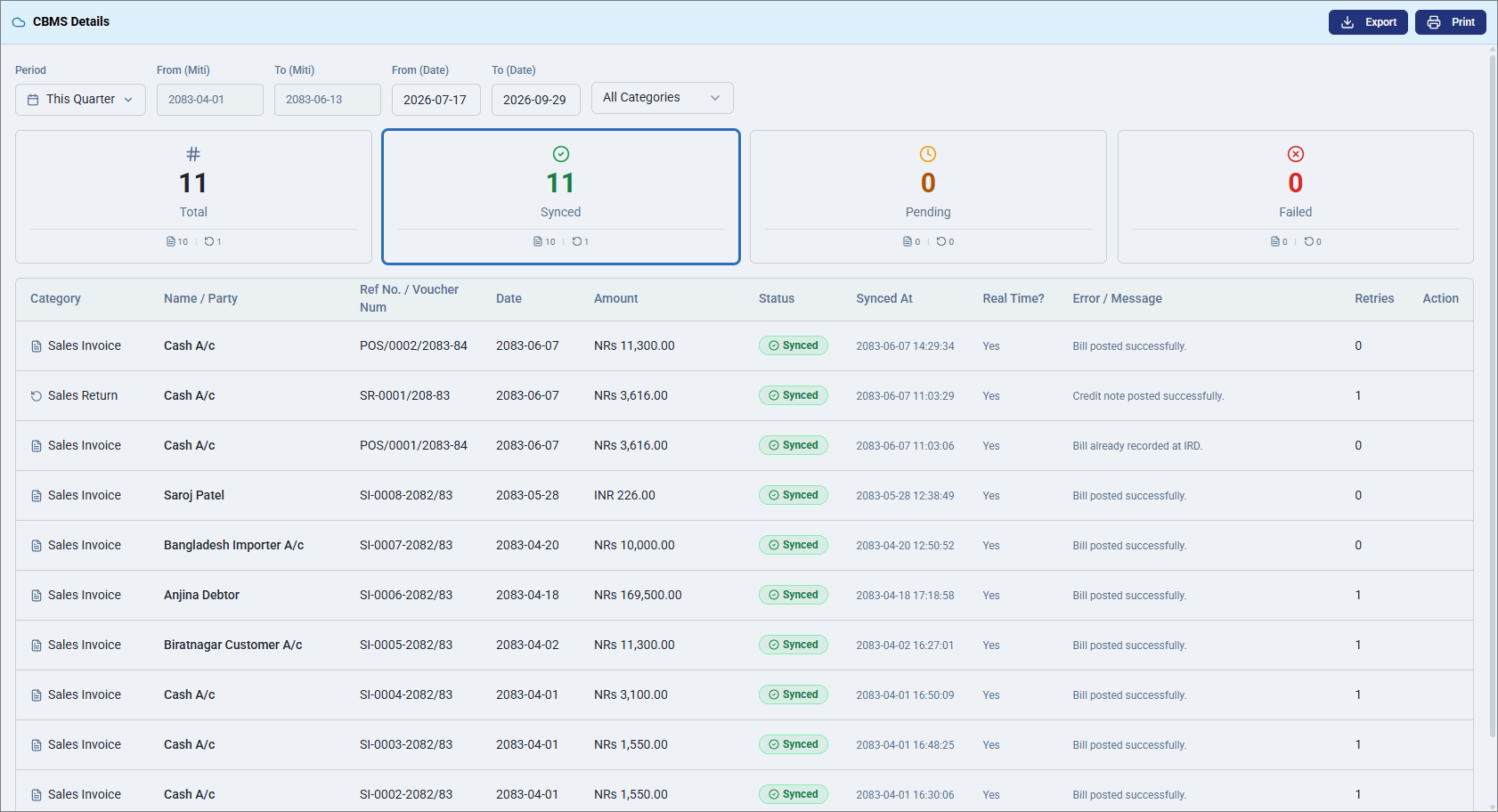
- To export the report in Excel, click Export.
- Click Print to print the report.
Is this information useful?
YesNo


