
Verify Your Business with Meta
After the initial onboarding, the business verification process starts automatically with Meta. If your Business verification is rejected, in Not Verified status, or has not started, you can proceed to complete your business verification. Once your business is verified with Meta, your daily messaging limit increases from the default 250 messages to unlimited messages.
If the verification is unsuccessful, you have up to 20 days to reapply using the correct Legal Business Name and address.

Ensure that:
- Your business name and other details match the GST Registration Certificate.
- Your business website information updated.
- You have an active Facebook business page.
- Your business details across platforms are consistent.
On successful addition of a new contact number of your existing WhatsApp Business App number to WABA, in the success screen:
- Select Verify Now to start the business verification.
- Select the Business vertical.
- Upload your GST registration certificate.
- You can log in to the GST Portal and download your GST registration certificate. If you don’t have a GST certificate for business verification, contact Tally Support for assistance.
- Select Submit for verification.
After submitting the document, Meta starts the business verification process. It is expected to complete in a few minutes. However, in few instances, it is observed that it might take up to 12 hours for the verification process to get completed.
If you have opted to sign up through GSTIN/UIN for business verification, you will receive a message confirming that your business verification is a success.
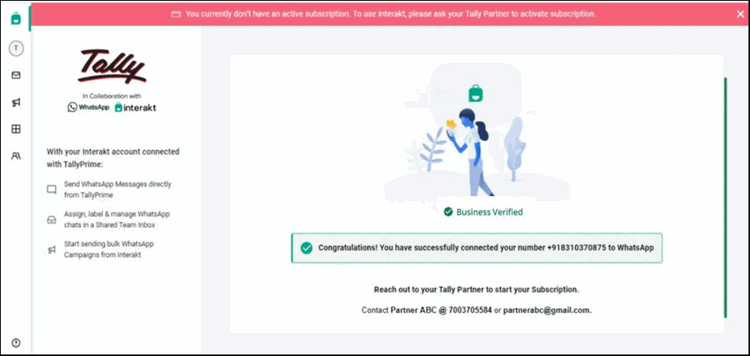
Now, you can contact your Tally Partner to activate your WhatsApp subscription.
Check WhatsApp subscription status
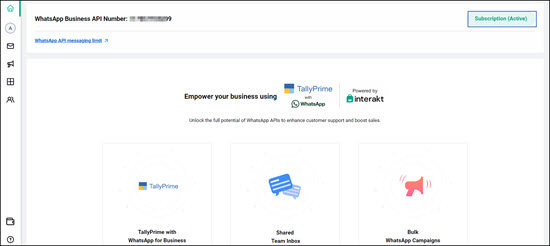
- Log in to your Interakt portal.
- Ensure that the Subscription (Active) status visible on top right corner.
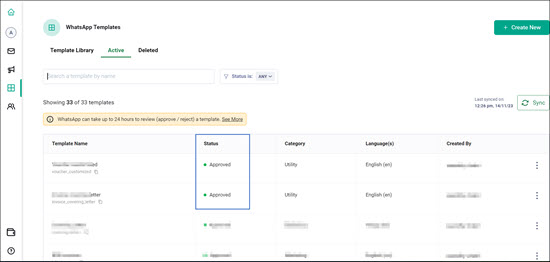
- Click Templates on the left navigation panel on your Interakt account screen and ensure that the Utility section lists one or more templates approved by Meta.
Now, you can proceed to add your Registered WhatsApp No. to TallyPrime.


