
View Audit Log in Tally e-Billing
The Audit Log report displays details of transactions recorded in the system, along with the corresponding date and time. It includes the Date, Time, User, IP Address, Activity, Action, and Description of the changes made. You can also view actions performed for activities such as Ledger, Voucher Type, Sales Register, Purchase Register, and other activities.
- From Gateway > click IRD Reports > and then click Audit Log.
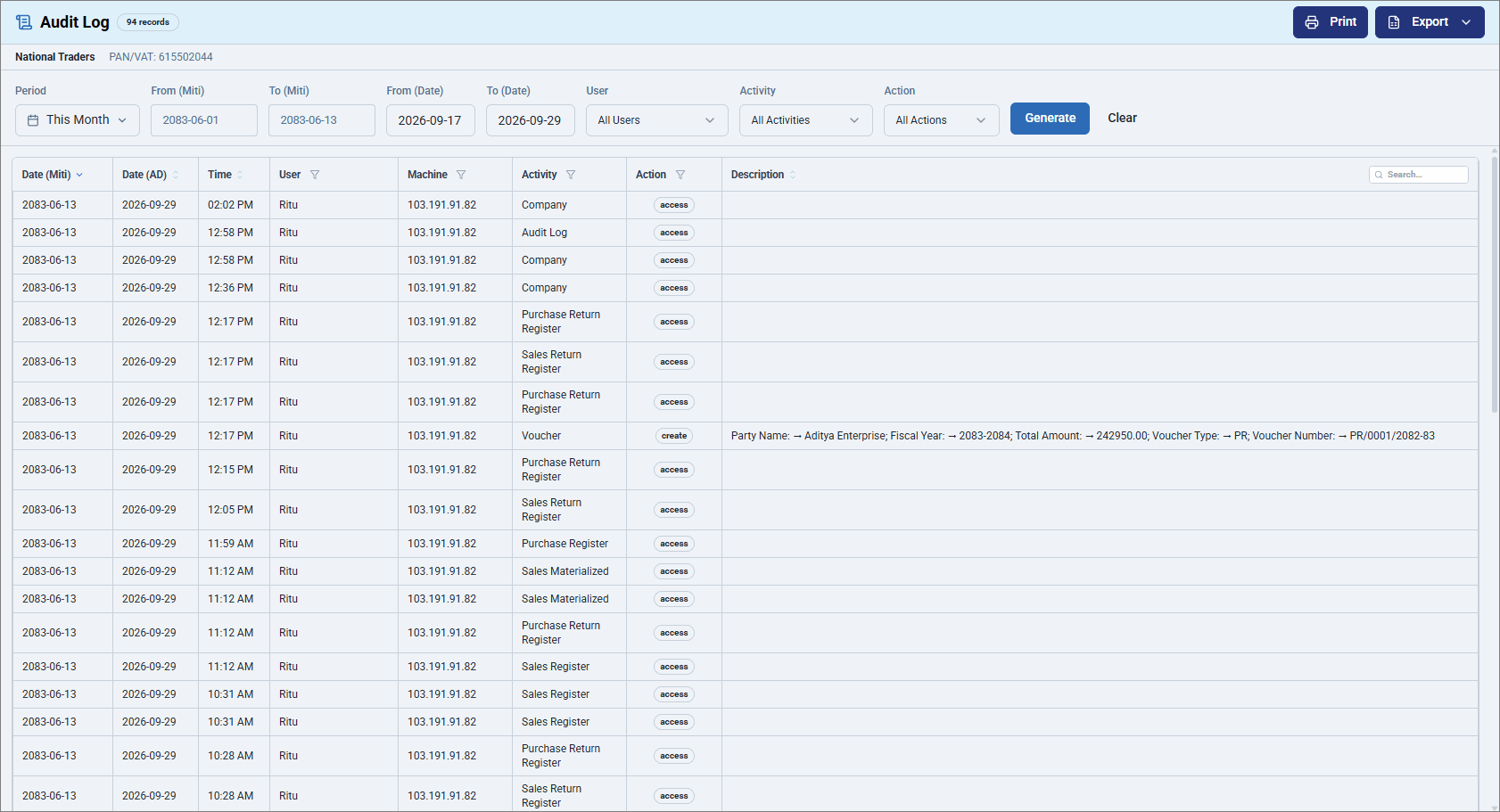
- Select the required Period.Learn how to view the Audit Log in Tally e-Billing to track user activities, actions performed, and changes made to company data for a selected period.
- Click Generate to fetch the Audit Logs for the selected period.
- To export the report, click Export and select Excel or PDF.
- Click Print to print the report.
Is this information useful?
YesNo


