Sign In and Sign Out from Tally e-Billing
To begin, sign in to Tally e-Billing with your Tally.NET ID and create a new company or open an existing company. The session becomes inactive if no activity is performed for more than 30 mins. Once your work is done, you can sign out from the application.
Sign In to Tally e-Billing
- Open a web browser and enter https://ebilling.tallysolutions.com.
- Click Sign into your account.
- Enter your Tally.NET ID and Password.
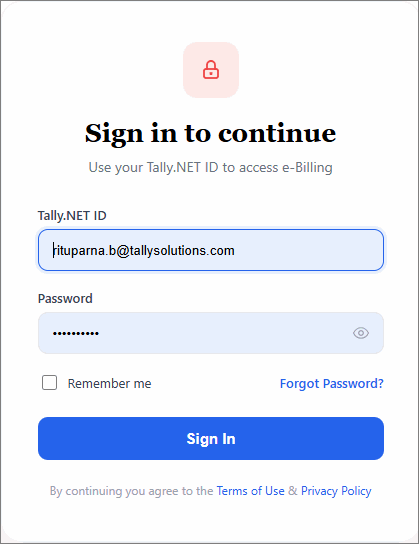
- Click Sign In.
- Enter the OTP sent to your Tally.NET ID.
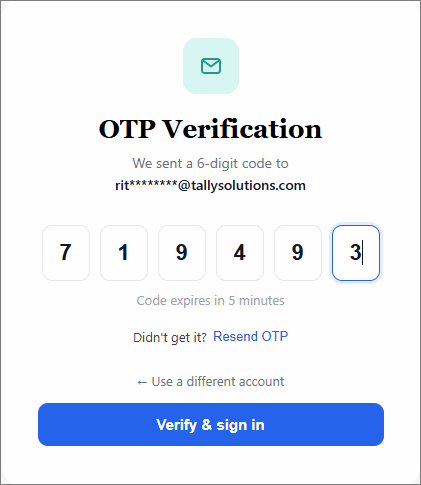
- Click Verify & sign in.
Sign Out from Tally e-Billing
- From Gateway > click Logout.

Is this information useful?
YesNo