
Record Stock Transfer Using Stock Journal Voucher in TallyPrime
In your business, you may need to move stock items from one location to another within your factory or to a customer’s location. In TallyPrime, you can:
- Record stock transfer using Journal Voucher: Specify the source and destination of the stock items, along with the quantity and rate.
- Simplify stock transfer using Journal Voucher Class: Create a voucher class for stock transfer and then use it to record inter-godown stock transfers.
Stock transfers recorded using a Stock Journal affect only your inventory and do not affect your books of accounts.
Stock transfers recorded using a Stock Journal affect only your inventory and do not affect your books of accounts.

Ensure that:
- You have created stock items.
- You have created godowns.
Record Stock Transfer Using Journal Voucher
- Press Alt+G (Go To) > Create Voucher and press Alt+F7 (Stock Journal).
- Source (Consumption): Select the items and the godown from which you are transferring the stock items, and enter the Quantity.
The Rate and Amount fields are prefilled if you have specified them for the selected goods. - Destination (Production): Select the godown to which you are transferring the stock items, and enter the Quantity.
If any items are damaged or spilled during the transfer, enter the remaining quantity in the Destination column. This records the difference automatically.
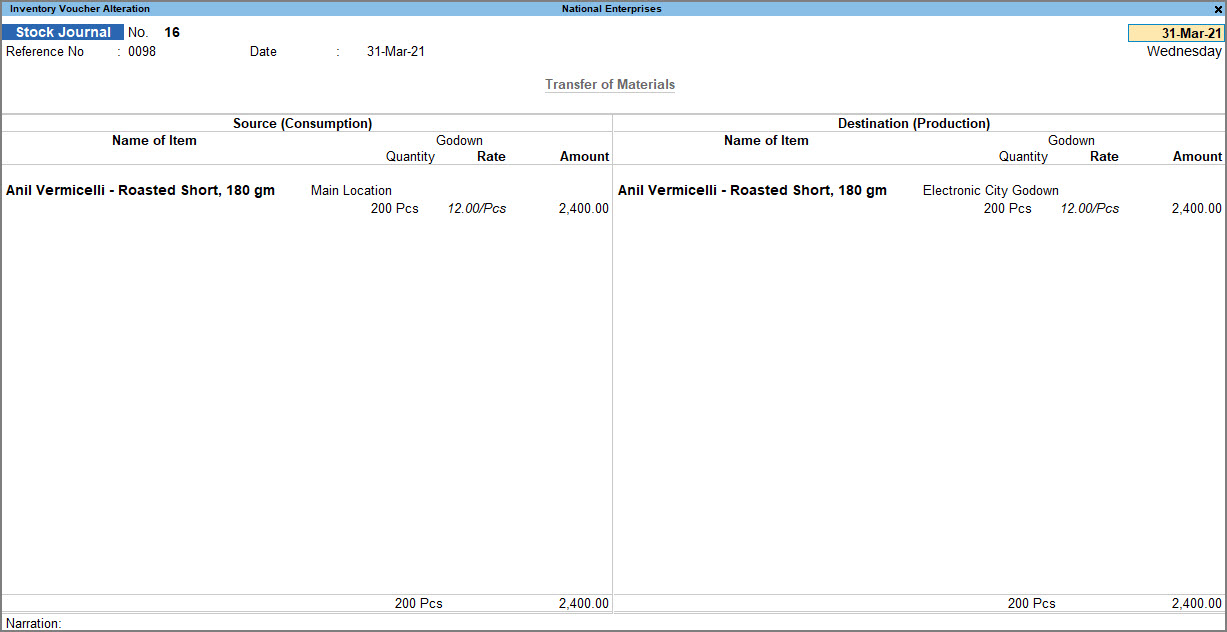
- Press Ctrl+A to save the voucher.
Record Stock Transfer Using Journal Voucher Class in TallyPrime
Create Voucher Class
- Press Alt+G (Go To) > Alter Master > type or select Voucher Types > type or select Stock Journal, and press Enter.
- Name of Class: Enter a suitable name based on the purpose of the voucher class; for example, Transfer.
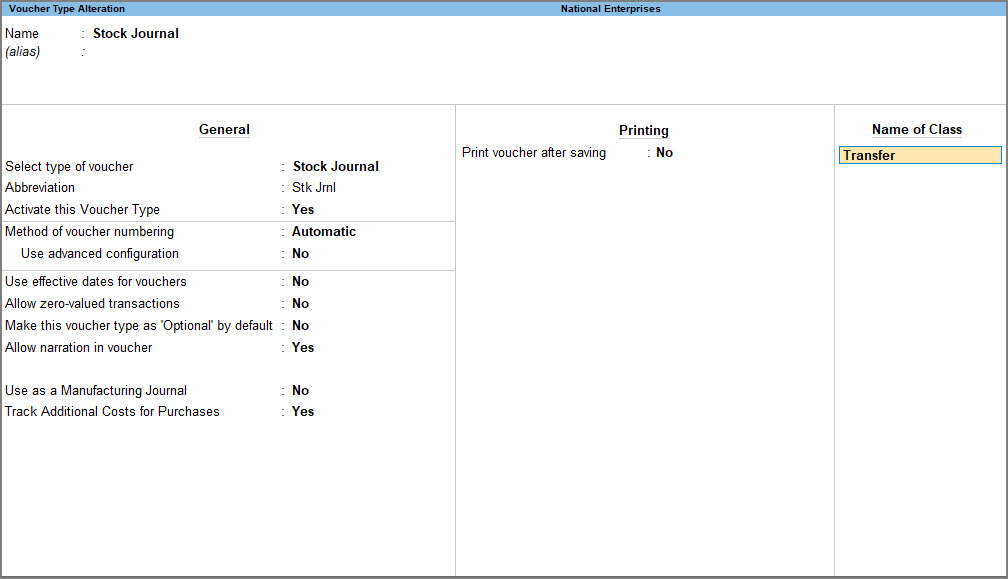
- Use Class for Inter- Godown Transfers: Yes.

- Press Ctrl+A to save the option selected by you.
- Press Ctrl+A to save the Voucher Type.
Use Voucher Class to Record Stock Transfer
Once you create a voucher class, you can use it to record stock transfers.
- Press Alt+G (Go To) > Create Voucher > press F10 (Other Vouchers) > type or select the Stock Journal voucher class.
- Destination Godown: Select the destination godown from the List of Godowns.
- Name of Item: Select the item from the List of Stock Items.
- Godown: Select the source godown from the List of Godowns.
- Enter the Quantity and Rate.
The Amount is calculated automatically.
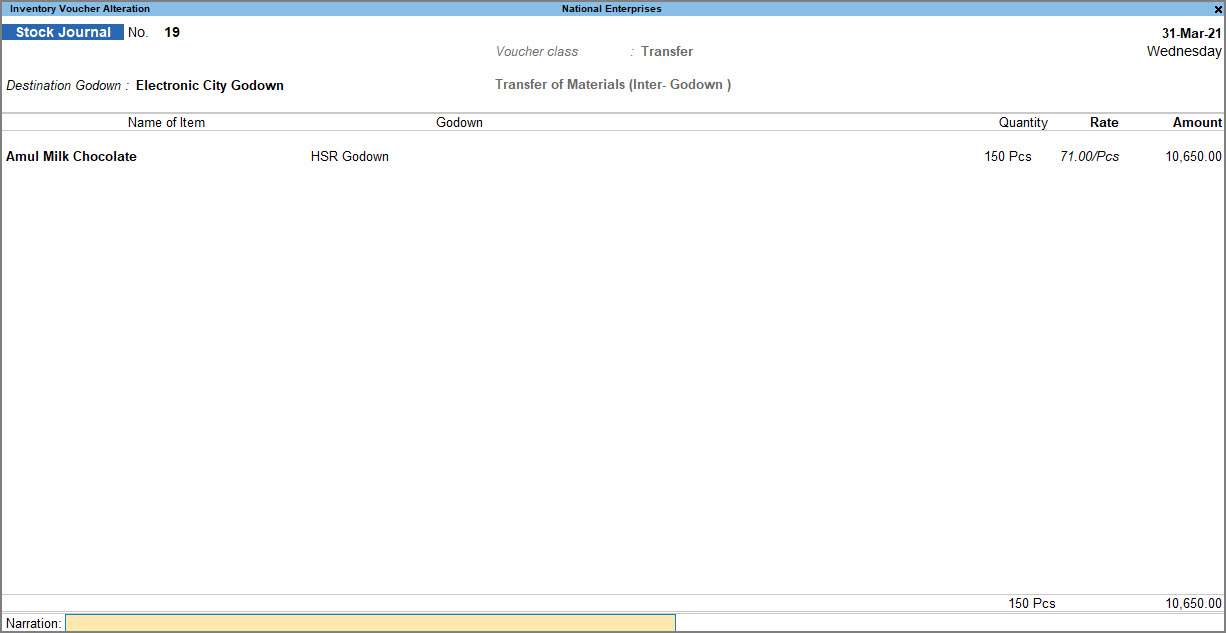
- Press Ctrl+A to save the voucher.
Questions & Answers
- During an inter-godown transfer of 1,000 units from the Main Godown to the Branch Godown, 15 units were damaged in transit. How can I account for the actual quantity received without creating separate adjustment vouchers?
While recording the Stock Journal, you can edit the quantity in the Destination column. TallyPrime automatically captures the quantity difference as a stock discrepancy, allowing you to account for transit damage or spillage within the same voucher instead of passing a separate adjustment entry.
Is this information useful?
YesNo


