
Update Physical Stock in TallyPrime
With a Physical Stock voucher, you can update your inventory so that the stock in your books matches the physical stock in your godown.
To update physical stock in TallyPrime, you need to:
- Compare Stock in Books and Physical Stock: Know the difference between the stock in your books and the stock in your godown.
- Record Physical Stock Voucher in TallyPrime: Align the stock in your books with the physical stock in your godown.

Ensure that:
- You have created stock items.
Compare Stock in Books and Physical Stock Using Ms Excel (Spreadsheet)
- Press Alt+G (Go To) > type or select Stock Summary and press Enter.
- Press F2 (Period) and enter the From and To dates to verify stock item quantities for a specific period.
- Export the Stock Summary report to MS Excel.
- In the Stock Summary report, press Ctrl+E (Export).
- Select Excel (Spreadsheet) in the Format field.
- Press Ctrl+A to accept and export the report.
- In the same spreadsheet, enter the actual stock in a separate column.
- Calculate the difference.
If the stock in books is in Column A and the physical stock is in Column B, enter =A1-B1 in Column C to calculate the difference. - Record a Physical Stock voucher to adjust the difference.
Your stock value in books and the physical stock are then reconciled.
Record Physical Stock Voucher in TallyPrime
- Press Alt+G (Go To) > Create Voucher and press Ctrl+F7 (Physical Stock).
- To change the stock-taking date, press F2 (Date).
- Name of Item: Select the stock items.
- Godown: If godowns are applicable, select the location where the stock items are stored.
- Batch/Lot No.: If batches are applicable, select the appropriate batch number for which the Physical Stock quantity is to be recorded.
Based on the batch number, the Mfg Dt. and Expiry Date are prefilled. - Quantity: Enter the physical stock available in the godown.
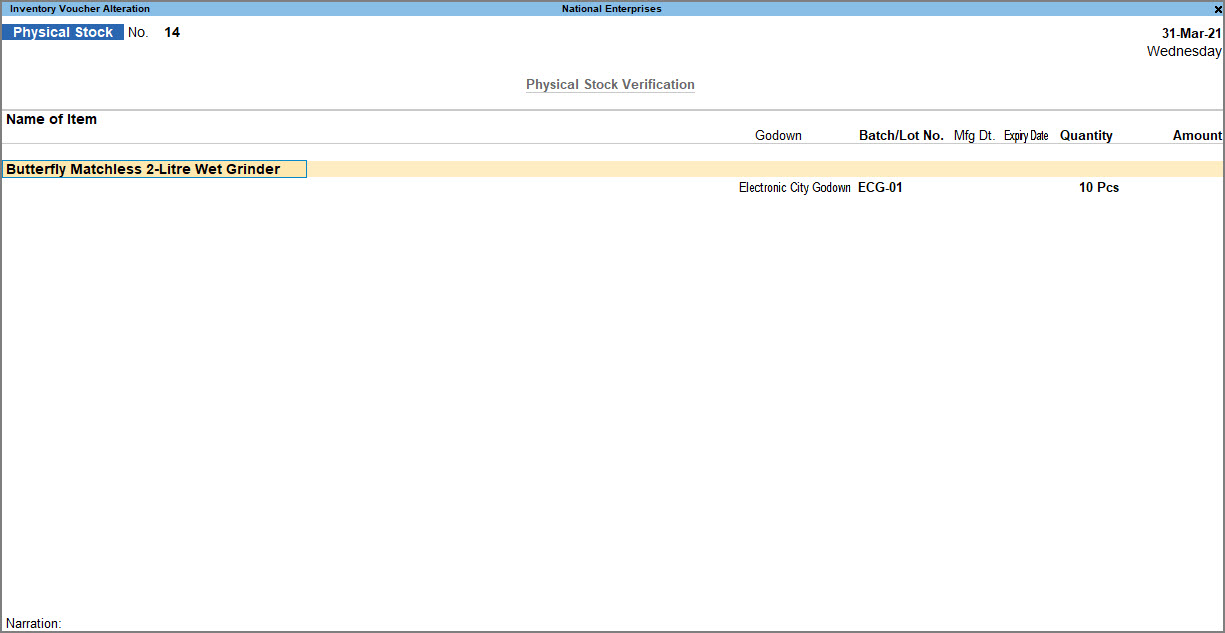
- Press Ctrl+A to save the voucher.
Once a Physical Stock voucher is recorded, the inventory in your books is adjusted to match the physical count of items.
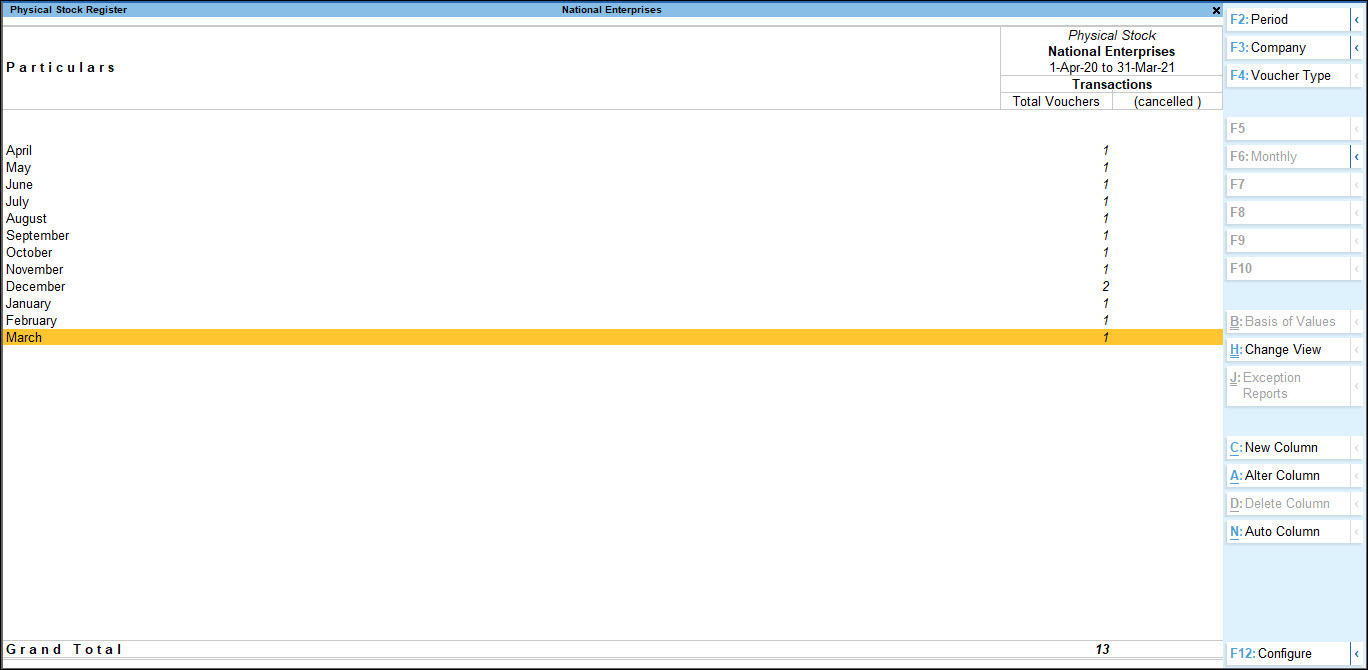
To view all the Physical Stock vouchers recorded in TallyPrime, you can view the Physical Stock Register.
- Press Alt+G (Go To) > type or select Physical Stock Register> and press Enter.
Is this information useful?
YesNo


