
Set Up Party Ledgers in TallyPrime
In TallyPrime, you can set up party ledgers to record transactions with your customers or suppliers and track their outstanding receivables and payables.
Create a ledger under Sundry Creditor or Sundry Debtor for the party.
Set Up for Maintaining Balances Bill-by-Bill
- Press F11 (Features) > set Enable Bill-wise entry: Yes.
- Set up the party ledger for maintaining balances bill-by-bill
- Press F12 (Configure) and set Maintain balances Bill-by-Bill: Yes.
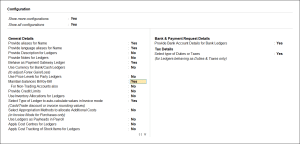
- In the Ledger Creation/Alteration screen, set Maintain balances bill-by-bill: Yes.
- Press F12 (Configure) and set Maintain balances Bill-by-Bill: Yes.
- Default credit period: Set a standard credit period for the party to clear dues.
- Check for credit days during voucher entry: Enable this option for TallyPrime to prompt you during voucher entry when the party exceeds the credit period.
- Press Ctrl+A to save.
Set Up Party Contact Details
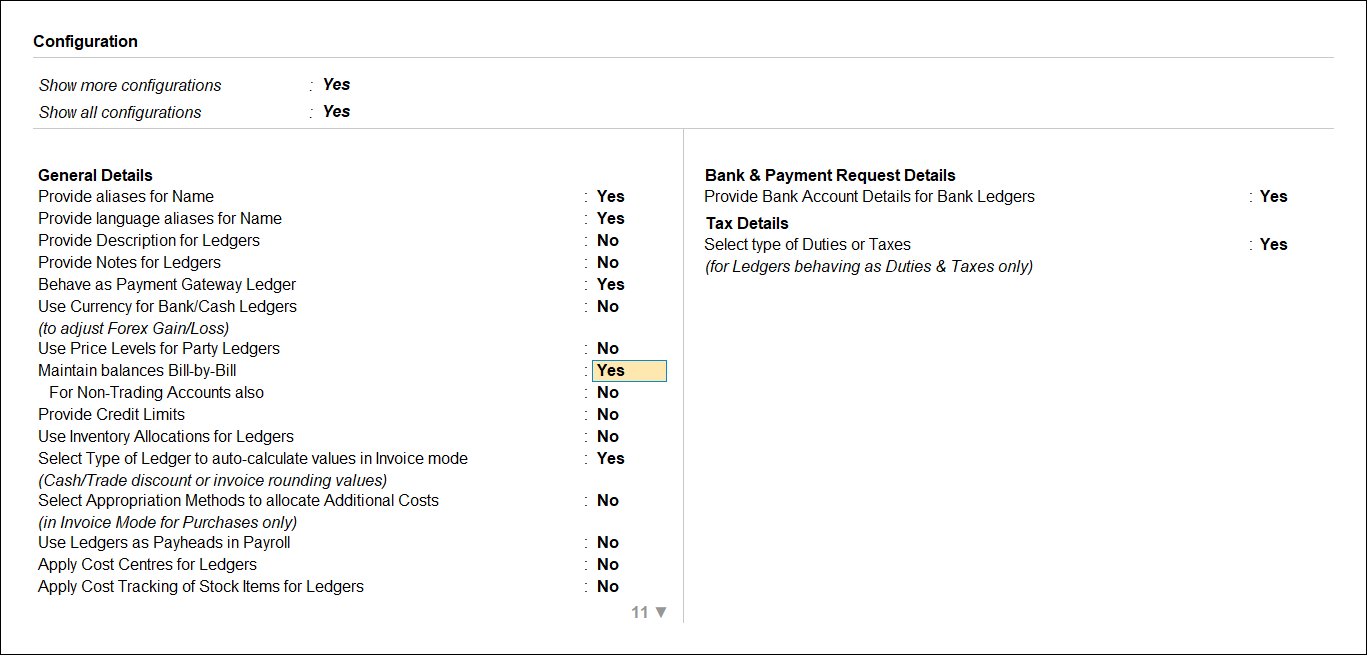
- In the Ledger Creation/Alteration screen, press F12 (Configure) and set Provide Contact Details to Yes.
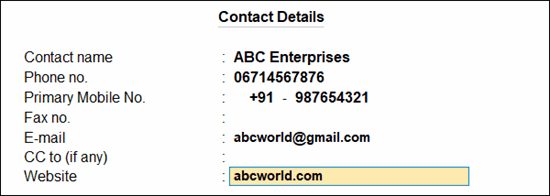
- Enter the Primary Mobile No.
- Set Provide Contact Details: Yes.
- Contact Name: Enter the name of the contact person or organisation associated with the ledger.
- Phone No.: Enter the telephone number of the party.
- Primary Mobile No.: Enter the primary mobile number of the party for communication and business transactions.
- Fax No.: Enter the fax number of the party, if applicable.
- E-mail: Enter the e-mail address of the party for sending documents and business correspondence.
- CC to (if any): Enter additional e-mail addresses to receive copies of e-mails sent to the party.
- Website: Enter the website address of the party, if available.
- Press Ctrl+A to save.
Set Up Multiple Mobile Numbers
- In the Ledger Creation/Alteration screen, press F12 (Configure) and set Provide Multiple Mobile Nos. to Yes.
- Set Provide Multiple Mobile Nos.: Yes.
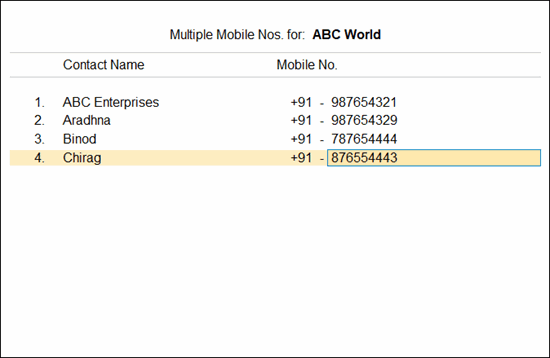
- In the Multiple Mobile Nos. for screen, enter the contact names and mobile numbers, as required.
- Press Ctrl+A to save.
Set Up Default WhatsApp Number
- In the Ledger Creation/Alteration screen, press F12 (Configure) and Set Default WhatsApp No. to Yes.
- Default WhatsApp No.: Under List of Mobile Nos., select a contact name and mobile number to set it as the default WhatsApp number or select Multiple Mobile Nos.
- In the Select Multiple Mobile Nos. screen, select multiple contact names and mobile numbers.
- Select End of List.
- Press Ctrl+A to save.
By setting up party ledgers, you can effectively manage party-wise transactions, outstanding balances, credit terms, and communication details in a single place.
Questions & Answers
How can I update contact details for multiple parties?
- Press Alt+G (Go To) > Ledger Contact Details.
- Select the Group from the List of Groups.
- In the Ledger Contact Details screen, press Alt+H (Multi Alter) to update the contact details for multiple ledgers.
- To update the contact details for a single ledger, select the ledger and press Enter.
Alternatively, press Alt+L (Update Contact Details). - In the Contact Details for screen, fill in the details and press Ctrl+A to save.
Is this information useful?
YesNo


