
Map Attendance Data from Excel for Importing Data into TallyPrime
In your business, the employee attendance details maybe stored in Excel files by the Admin/HR department or in an Attendance Machine by Biometric. To process the salaries, you may often need to transfer this data to the Accounts department. With TallyPrime’s Import feature, you can seamlessly import attendance details from Excel files into TallyPrime.

Ensure that:
- The required import configurations are enabled and set up, and the required data format and structure are defined.
- The masters or other dependent data required for the import already exist in the company data. For example, Parent Group, Units of Measurement, and so on.
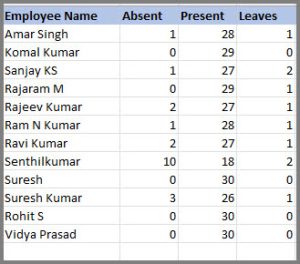
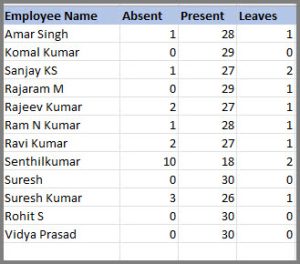
For example, if your employee attendance data is recorded in the following format:

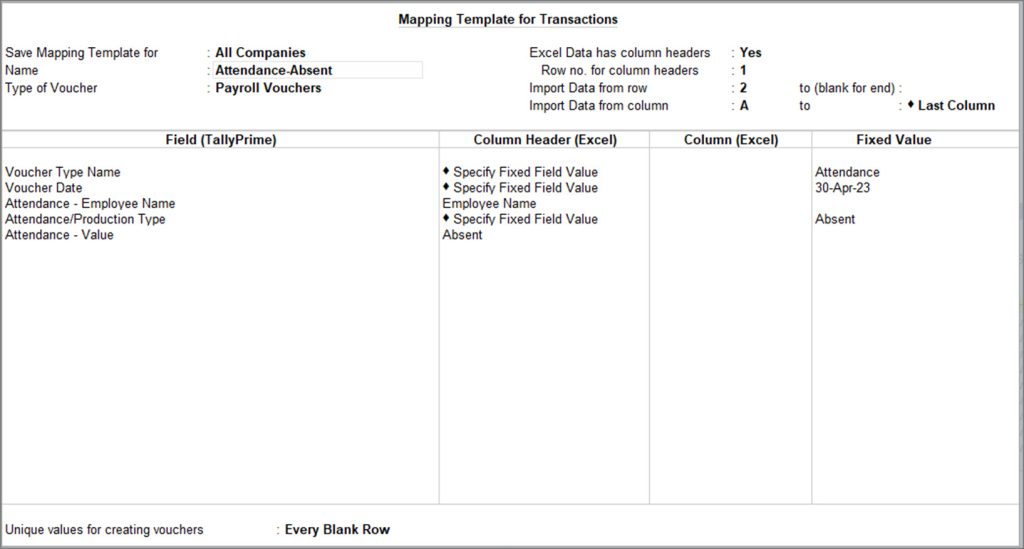
You can create a separate mapping template for each Attendance Type (Absent, Present and Leaves). The value of each Attendance Type will be recorded in separate vouchers.
Mapping Templates for Employees:
Absent
 |
 |
Present
 |
 |
Leaves
 |
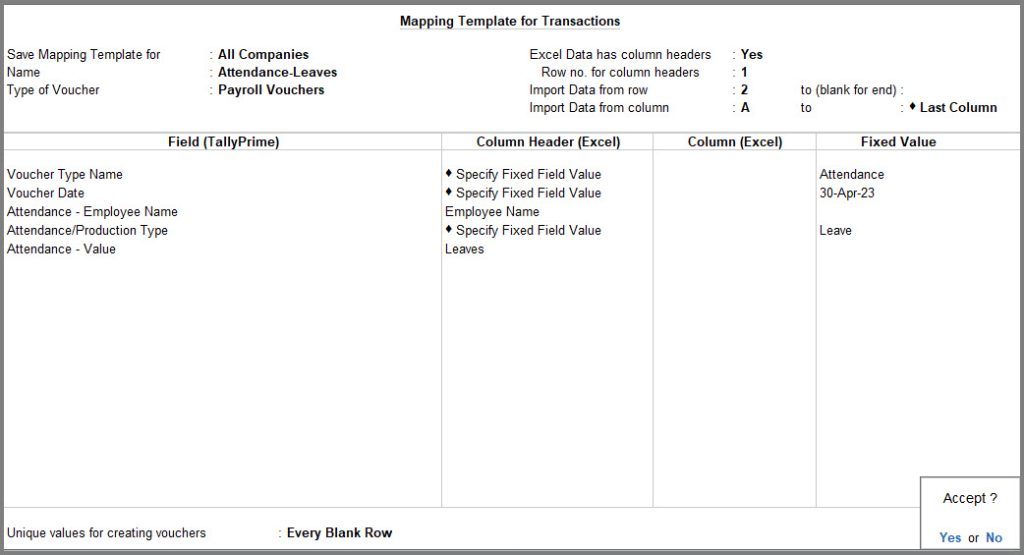 |
Set the option Unique values for creating vouchers as Every Blank Row. This will create single Voucher Type for each Attendance.
Once the Mapping Template is created, import the data in TallyPrime by using the respective mapping templates for the attendance data.


