
Record Sale of Fixed Assets Under GST
When a fixed asset reaches the end of its useful life, you may choose to either scrap it or sell it after recording depreciation. TallyPrime allows you to seamlessly record both the depreciation and the sale of fixed assets. During the sale, if the sale price exceeds the book value of the asset, the difference is recorded as profit. If the sale price is lower than the book value, the difference is recorded as loss.

Step 1: Record depreciation of the fixed assets
- In the Journal voucher, debit the depreciation ledger grouped under expenses, enter the value of depreciation
- Credit the fixed assets ledger (for example, Furniture).
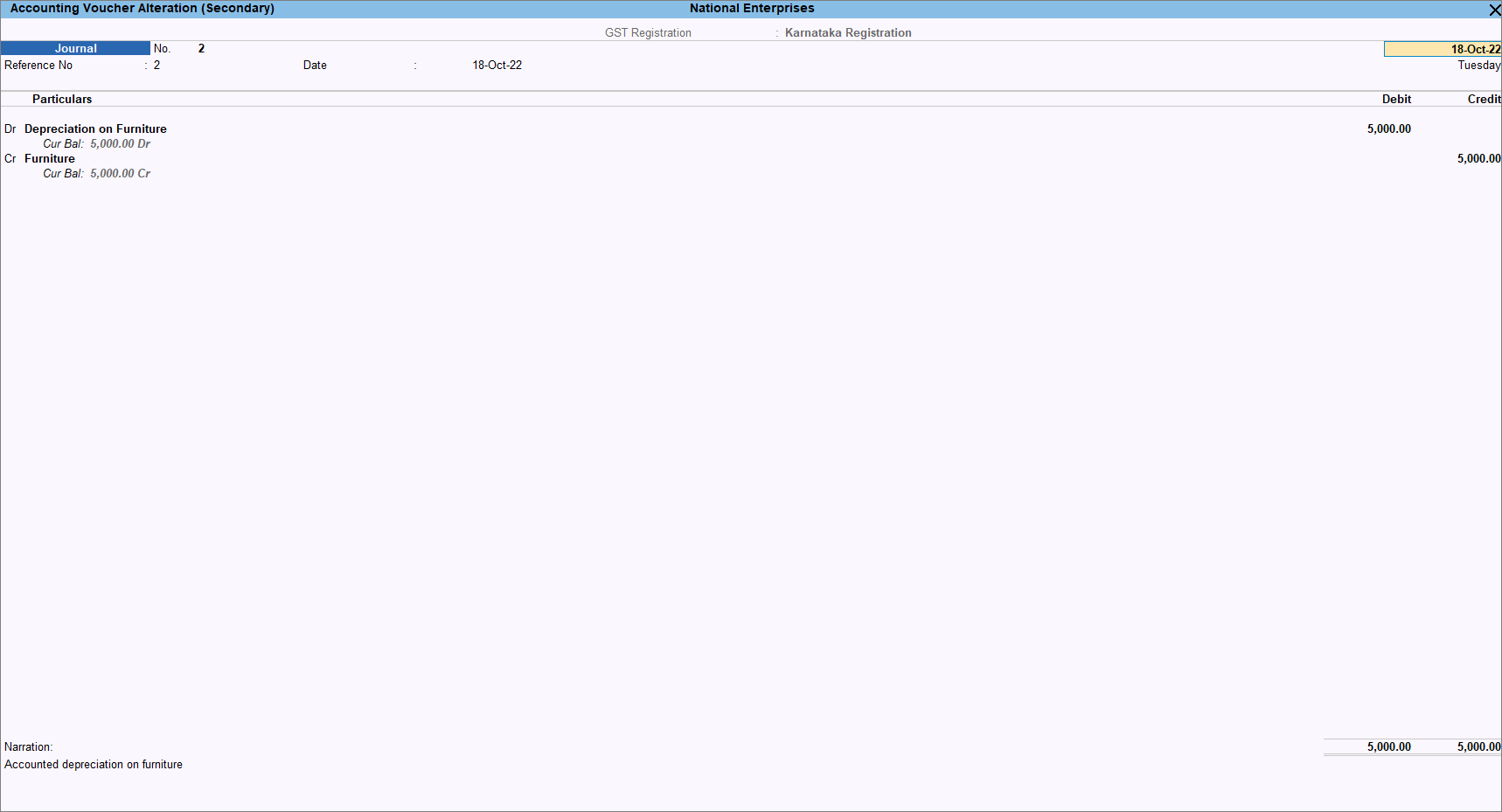
- Provide other details if necessary, and press Ctrl+A to save.
Step 2: Record Sale of Fixed Assets in Accounting Invoice mode.
- In the sales voucher, enter the sales account for Furniture under Particulars.
- Select the appropriate GST ledgers based on the party’s Place of Supply.
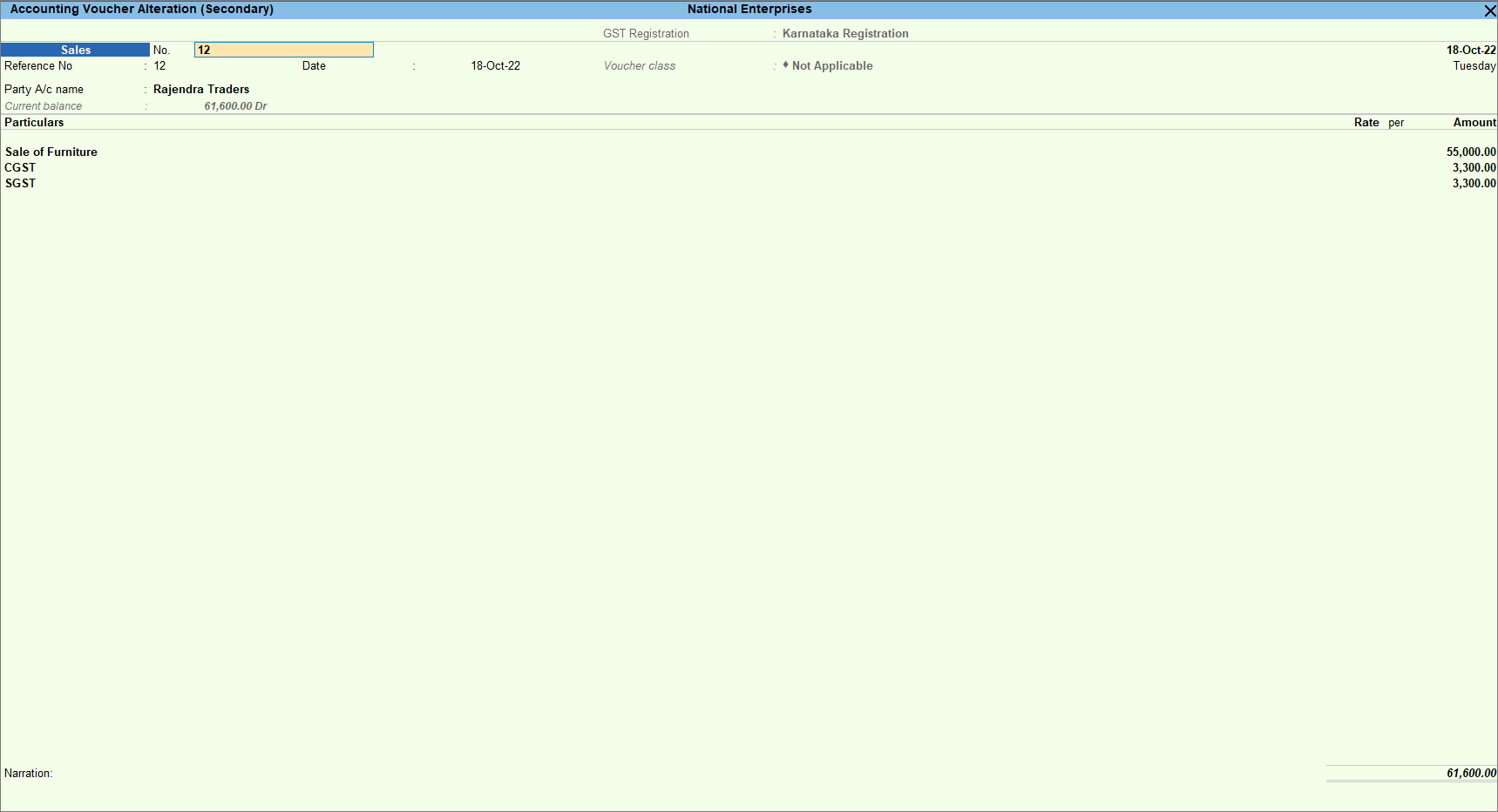
- Provide any other necessary details and press Ctrl+A to save.
This sale value appears in your trading account and Sales Register. As the sale is of a fixed asset, you need to transfer this amount to the fixed asset ledger to form part of the Balance Sheet.
Step 3: Account for profit or loss on sale of fixed assets.
Transfer the profit to the income ledger to reflect the balance sheet’s actual value of fixed assets.
- Record a journal voucher.
- Under Particulars, select the sales ledger (For example, Sale of Furniture) and enter the Debit amount – the amount for which the asset was sold.
- Credit the fixed asset ledger with the amount of the asset.
- Credit the indirect income ledger with the profit amount.
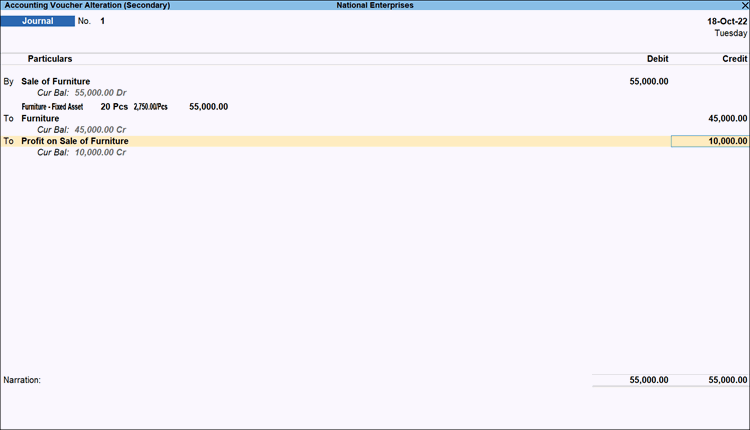
- Provide other necessary details, and press Ctrl+A to save.
If the fixed asset is sold to a registered dealer, the details appear under GSTR-1 > B2B Invoices. For unregistered dealer, the details appear under GSTR-1 > B2C Invoices.
Is this information useful?
YesNo


