
Get Started with Docs by Ira for Voucher Creation
Docs by Ira helps you create vouchers from transaction documents in moments, thereby saving you a great deal of time. Before you start using the plug-in, you need to register for it.

To register for the Docs by Ira plug-in or say, Docs by Ira, you need:
- A valid TallyPrime license.
- An active Tally Software Subscription (TSS).
- TallyPrime Release 7.1 or later.
- A mobile number.
- A valid e-mail address on which you will get the OTP at the time of registration.
Register for Docs by Ira plug-in on Tally Solutions Webpage

- Open the Tally Solutions webpage.
- Enter the your Tally Serial Number.
This is your license serial number on which you want to use the plug-in.
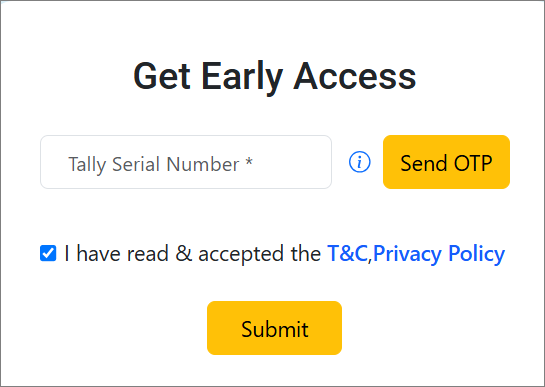
- Click T&C, Privacy Policy, if you want to view it.
- Click the checkbox against I have read & accepted the T&C, Privacy Policy.
- Click Send OTP.
- Enter the OTP received on the license admin e-mail address.
After successful deployment, you will receive a confirmation e-mail at the e-mail address provided during registration.
Verify Plug‑in Availability in TallyPrime
Once the plug-in is deployed, you can check its availability in TallyPrime.
- Open TallyPrime.
- Update your license.
- Press F1 (Help) > Settings > License > Manage License > press F5 (Update).
- Enter your Tally.NET credentials.
The license gets updated successfully.
- Press F1 (Help).
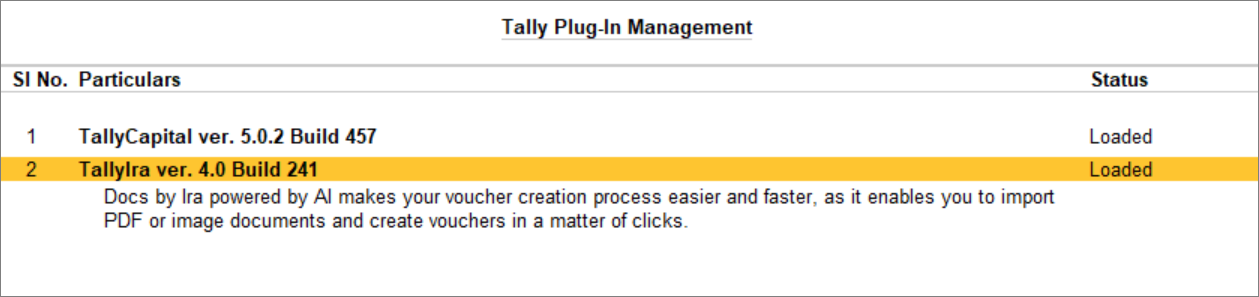
- Select Tally Plug-Ins.
- Confirm that the Docs by Ira plug‑in is listed and loaded.
View Available Balance for Import and Upgrade Docs by Ira
Before importing transaction documents, you can know the available balance of the pages that can be imported using the Docs by Ira. If you have limited balance or exhausted the limit, then you can upgrade, too.
View Available Balance for Import
- Login to the Tally Solutions customer portal.
- Open the Tally Solutions customer portal.
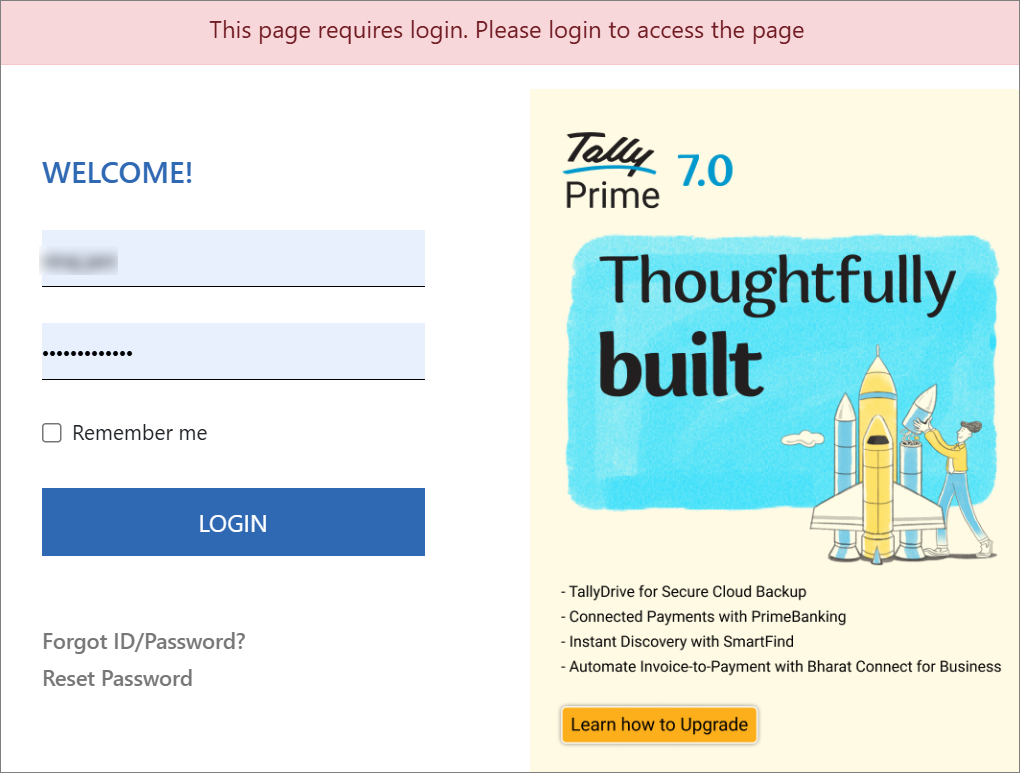
- Enter your registered Username and Password.
- Click LOGIN.
- Under Control Centre, click TallyIra Services.
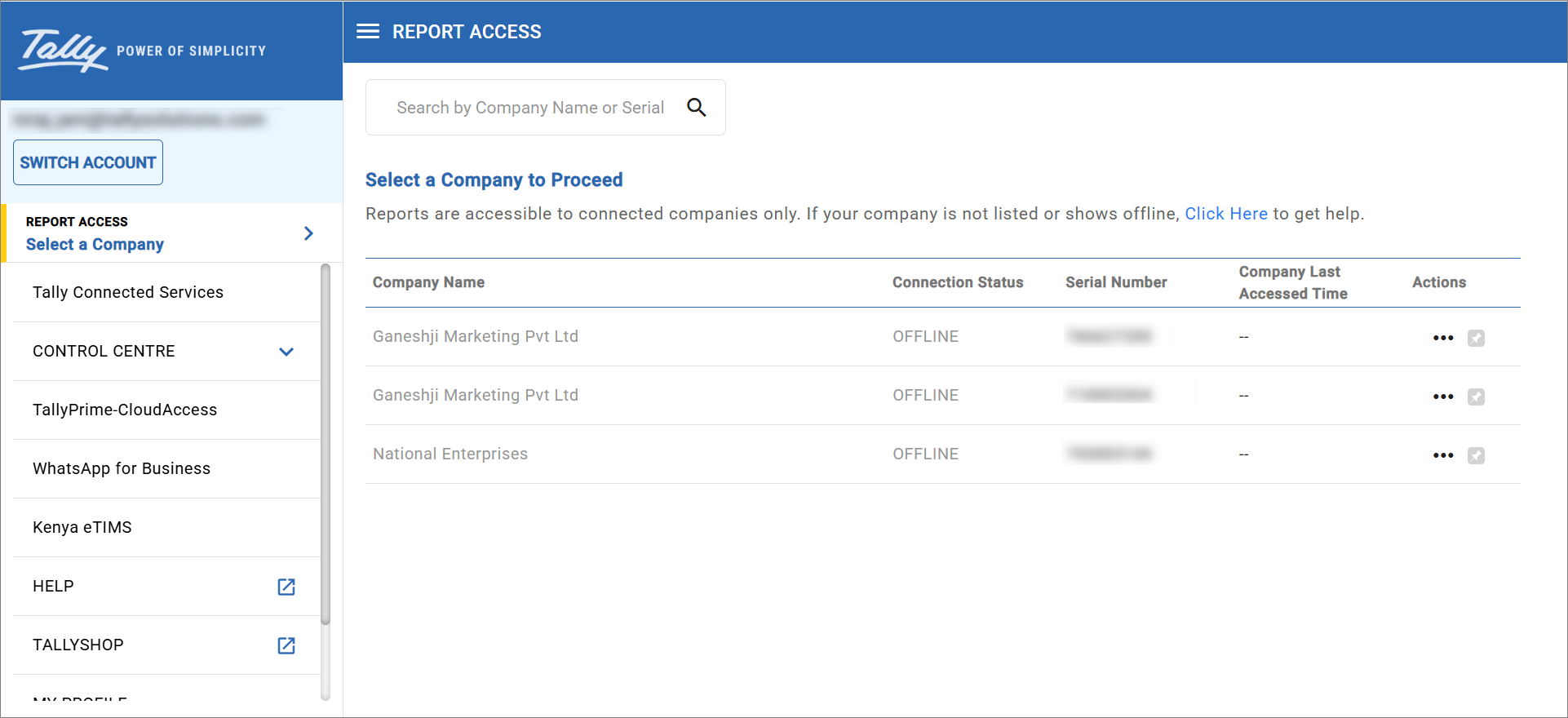
- Under TallyIra Services, click Docs by Ira.
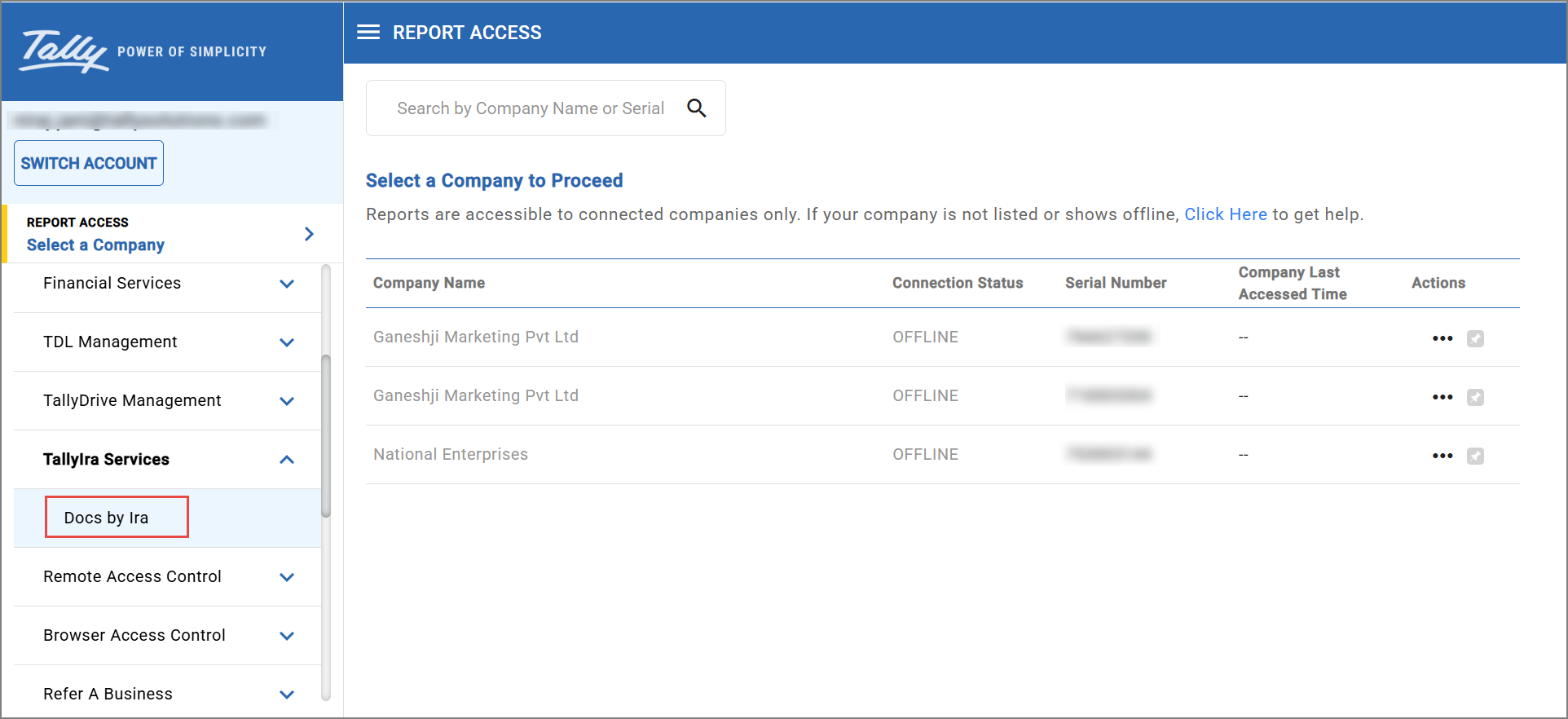
- Click the row with the relevant Serial Number.
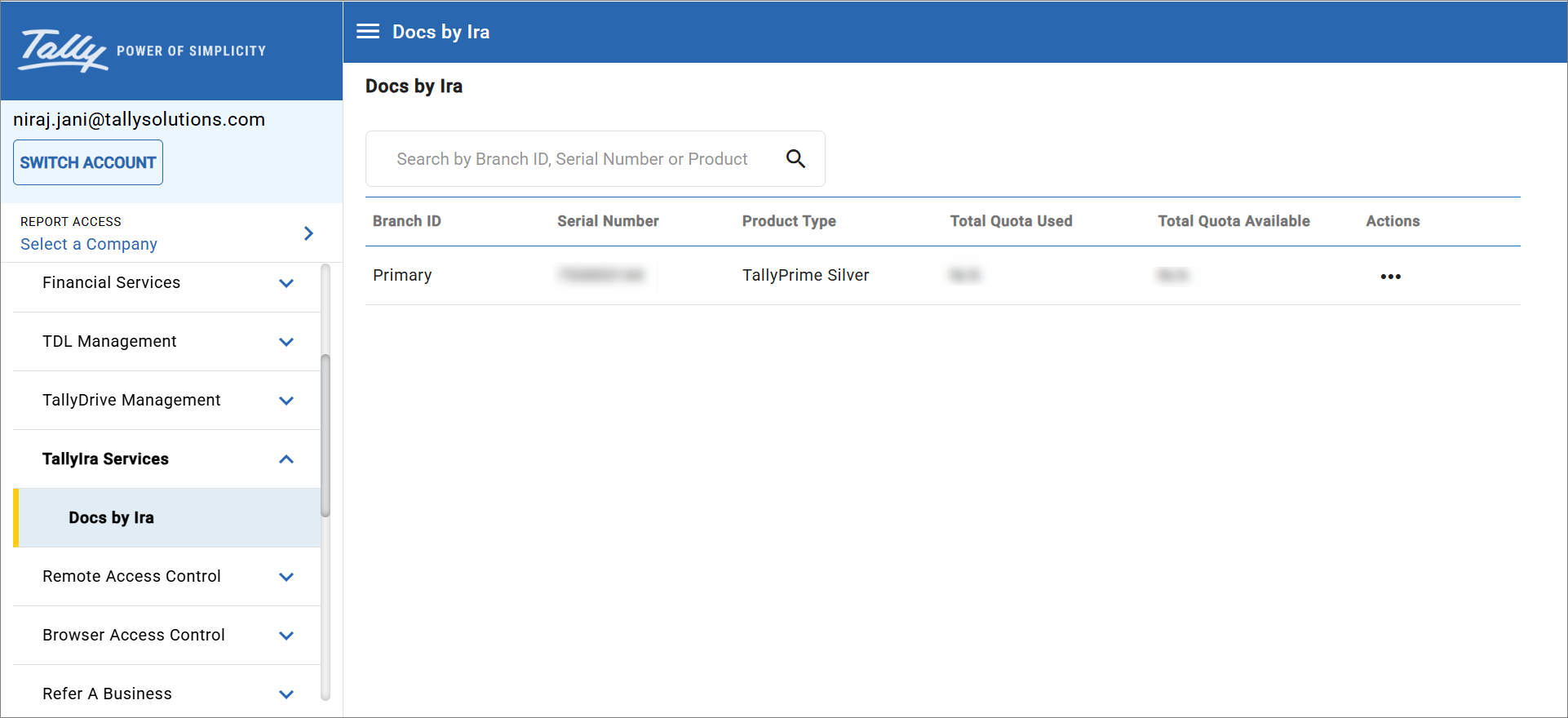
- View Total Quota Available and Total Quota Used.
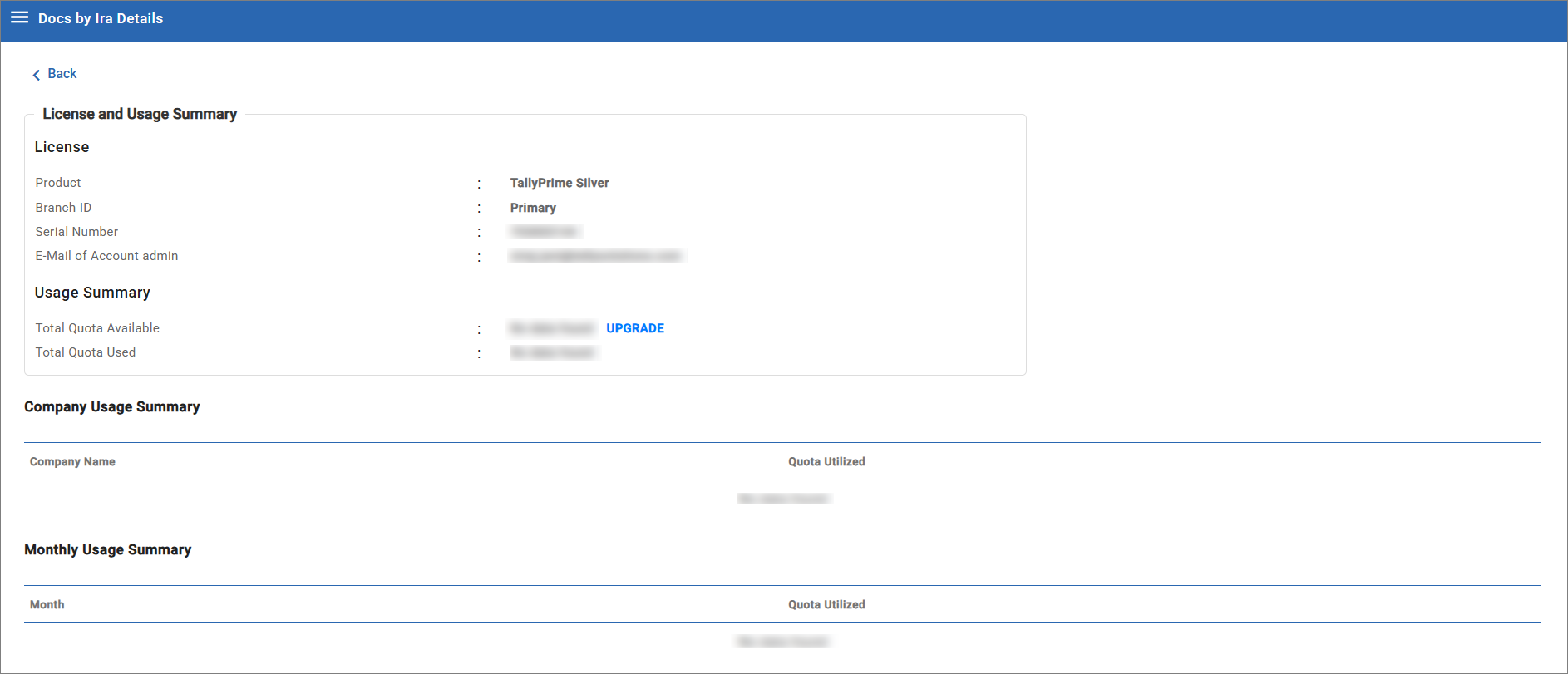
Upgrade Docs by Ira plan
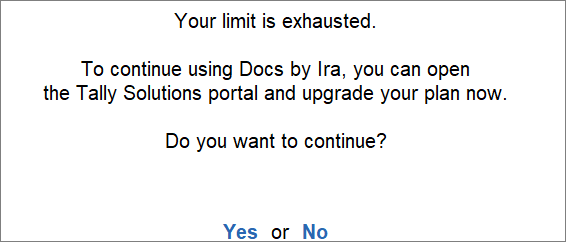
When you get the Docs by ira plug-in, you get 100 pages of import free for a period of two months. Thereafter, you need to upgrade your Docs by Ira plan.
Based on your plan, once you exhaust your limit, you get the following message:
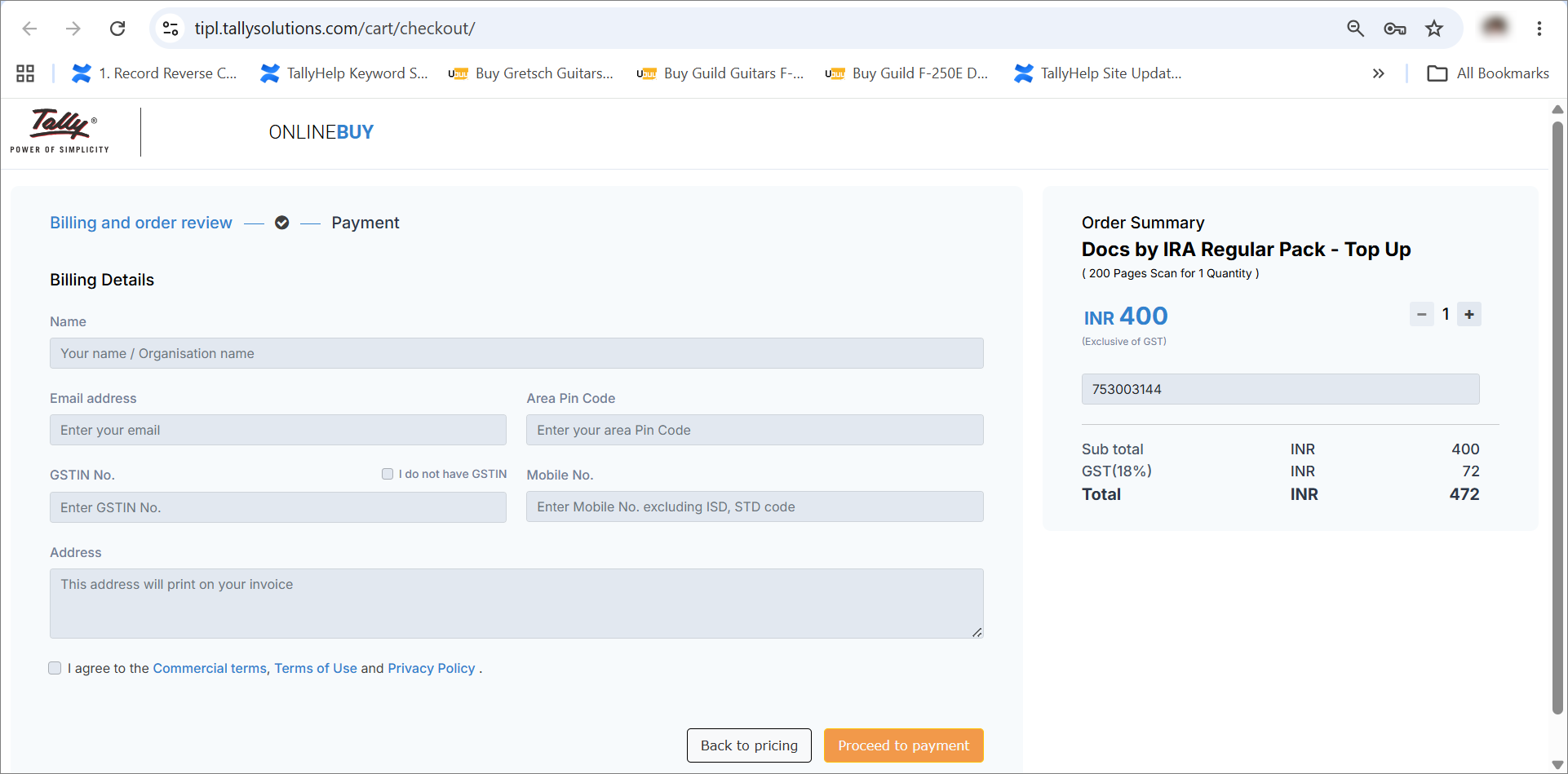
- On the Docs by Ira Details page, click UPGRADE.
- Specify the Billing Details.
- Name: Enter your name.
- Email address: Enter a valid e-mail address.
- Area Pin Code: Enter the Pin Code, based on the area in which your company is based.
- GSTIN No.: Enter the GSTIN no. of your company.
- Mobile No.: Enter your mobile no.
- Address: Enter your company’s address.
- Under Docs by Ira – Top-up, click + or – to choose your plan.
- Click Proceed to Payment.
Once you make the payment, the plug-in gets upgraded to your chosen plan.
Questions & Answers
- My TallyPrime is in the Educational Mode, but I have registered for the Docs by Ira plug-in. Can I use the plug-in.
No, you need an active TallyPrime license to use the Docs by Ira plug-in and the Tally Ira app.
- During registration for Docs by Ira, is it necessary that I need to use the mobile number and e-mail address linked to my TallyPrime license?
You can use any e-mail address during registration. You will receive communication on the same e-mail address. However, you need to enter the mobile number linked to your TallyPrime license. This is because the OTP received on the mobile number validates your license and links the plug-in to it.


