
Check Quota Usage Summary Report and Upgrade Your Docs by Ira Pack
Use Quota Usage Summary report to monitor page consumption and available quota for Docs by Ira. As documents are imported, pages are consumed from the available quota. You can view quota usage across companies, analyse consumption trends, and identify when additional quota may be required. This page explains how to view quota usage details and upgrade the Docs by Ira pack when needed.
Quota Usage Summary helps you track and manage your Docs by Ira quota by providing:
- A detailed usage history for the past year.
- A comprehensive view of page consumption across all companies.
- Clear visibility into your total available quota.
- This helps you plan usage and determine when an upgrade may be needed.

Ensure that:
- You are logged in to Docs by Ira using your Tally.NET ID and password.
- You have a valid license and TSS.
View Quota Usage Summary Report
- Press Alt+O (Import) > All Docs by Ira options > Quota Usage Summary.
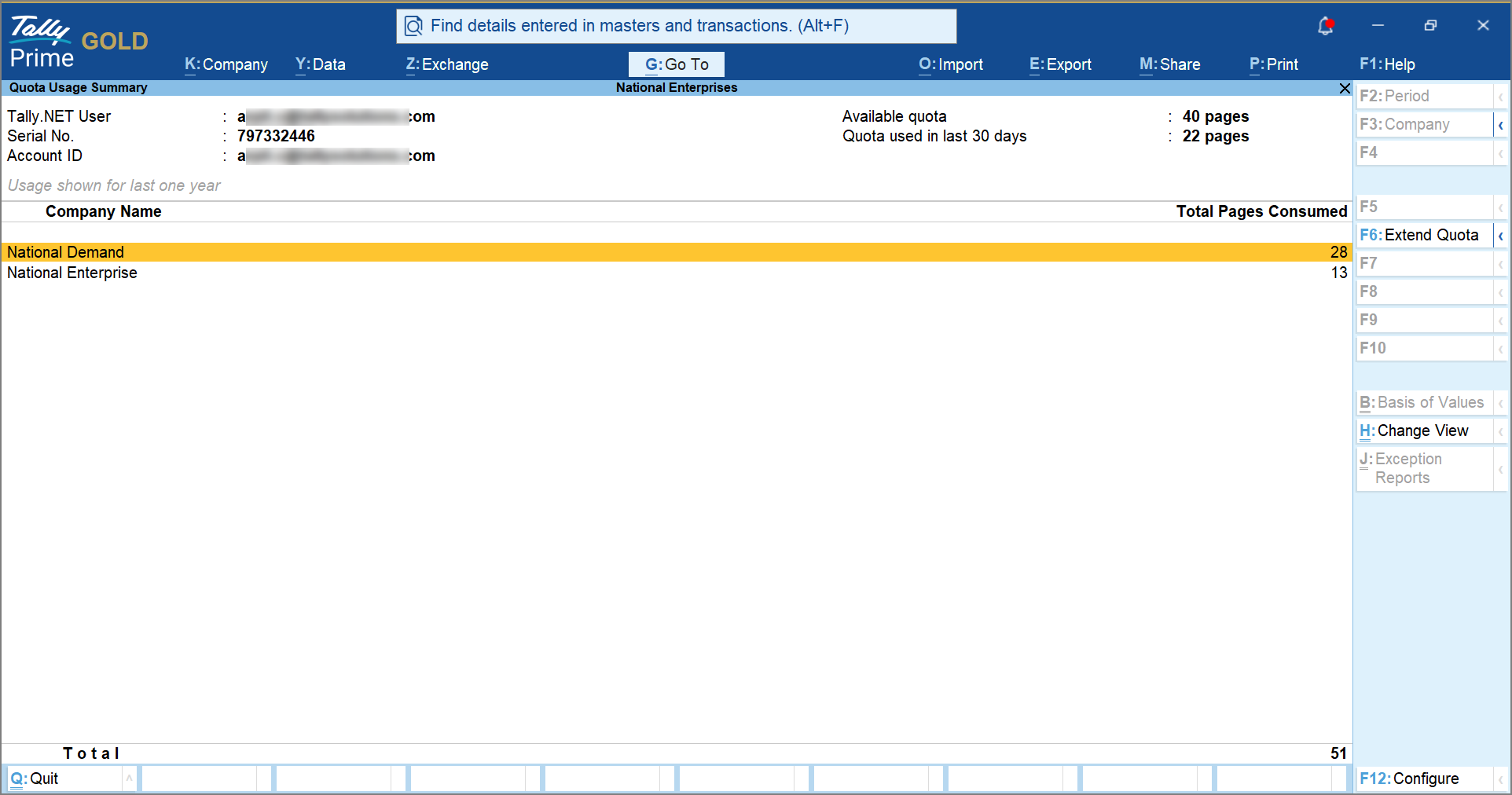
In the Quota Usage Summary report, you can view:- Total available quota
- Quota consumed in the last 30 days
- Company-wise page consumption for the last one year
Buy Additional Quota or Upgrade Your Docs by Ira Pack
In the Quota Usage Summary report:
- Press F6 (Extend Quota).
You will be redirected to the Tally Solutions webpage. - Log in to Tally Solutions using your Tally.NET ID and password.
- Select the Docs by Ira pack and click Add to Cart.
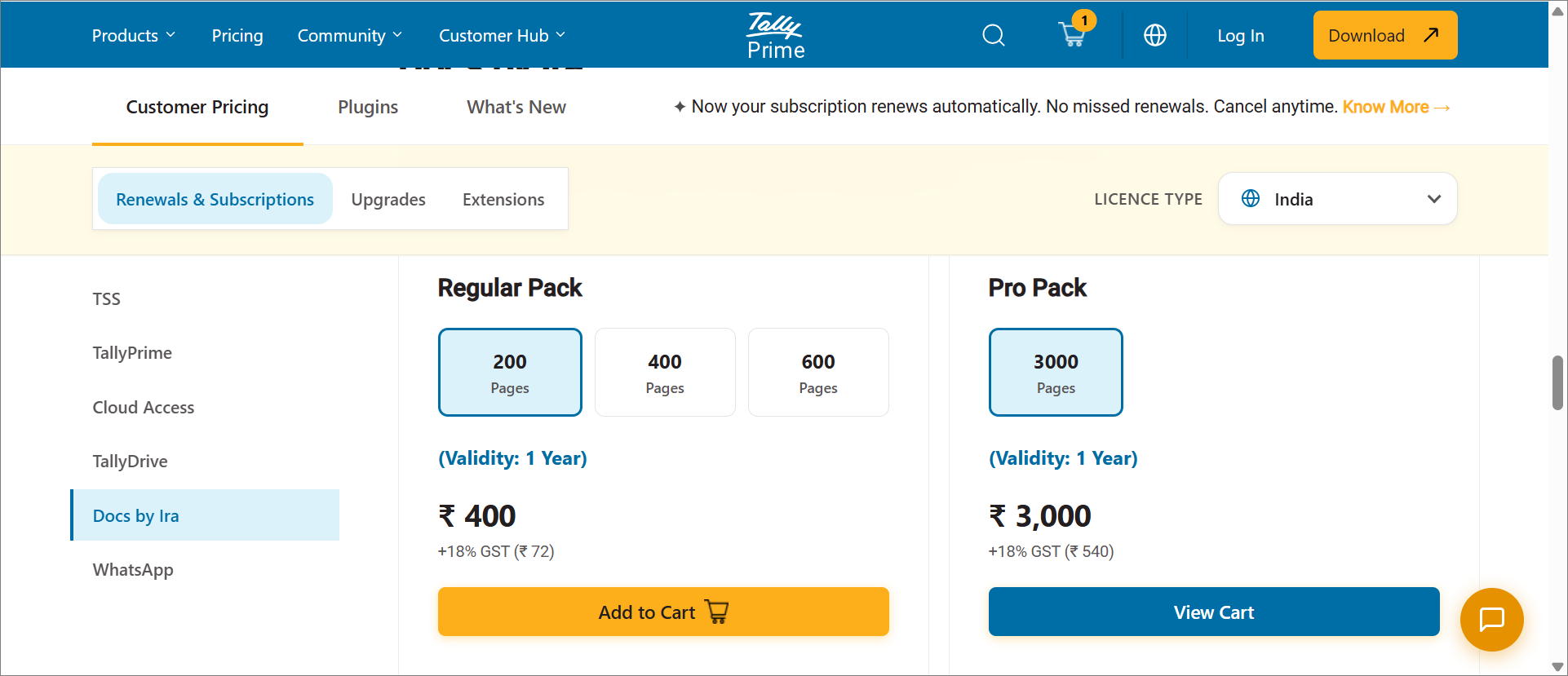
- Click View Cart.
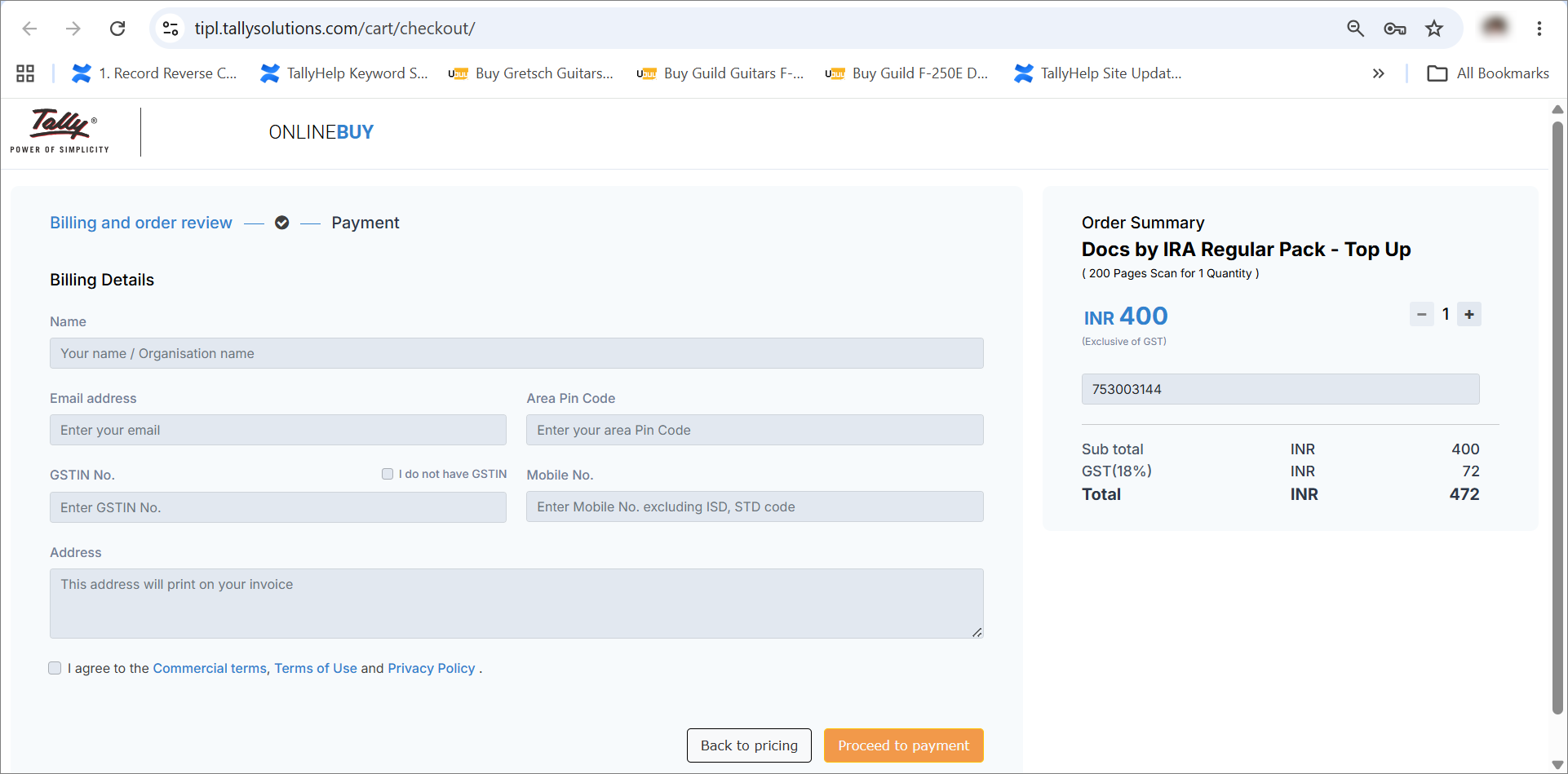
- Specify the Billing Details.
- Enter the necessary details such as Name, Email address, Area Pin Code, GSTIN No., Mobile No., and Address.
- Click Proceed to Payment.
Once the payment is completed, your Docs by Ira pack is upgraded and the additional quota becomes available.
Upgrade your Docs by Ira pack during import
If the available quota is exhausted during import, TallyPrime prompts you to upgrade your Docs by Ira pack before proceeding further.
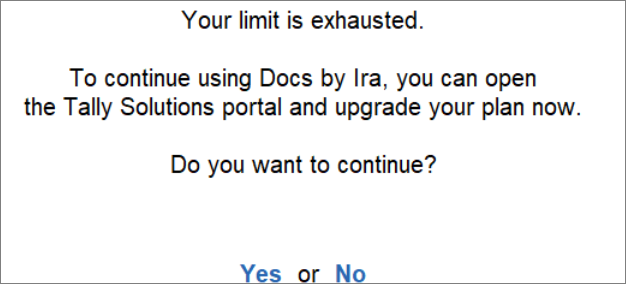
You will be redirected to the Tally Solutions webpage. You can then follow the same steps to buy additional quota.
View Available Quota for Import on Customer Portal
- Login to the Tally Solutions customer portal using your Tally.NET ID and Password.
- Under Control Centre, click TallyIra Services.
- Under TallyIra Services, click Docs by Ira.
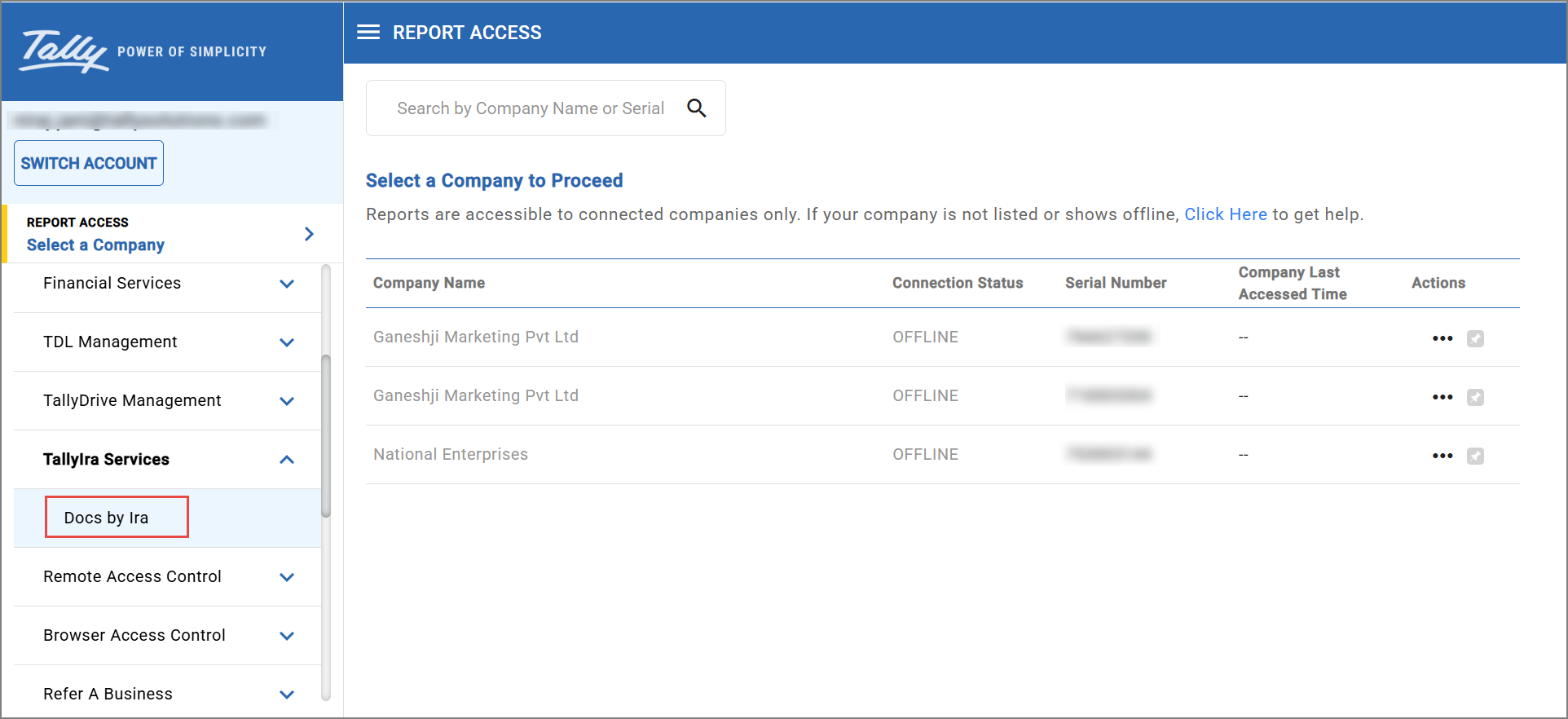
- Click the row with the relevant Serial Number.
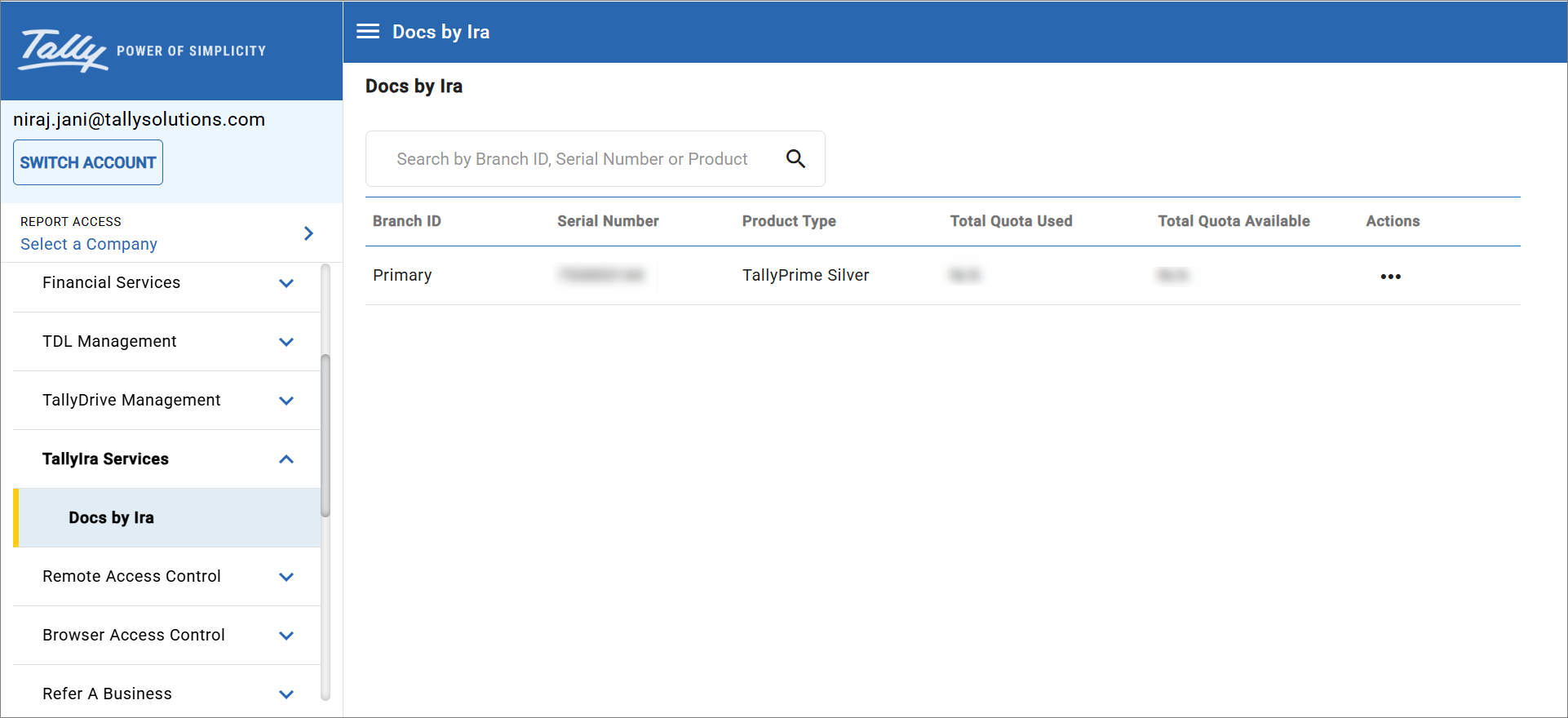
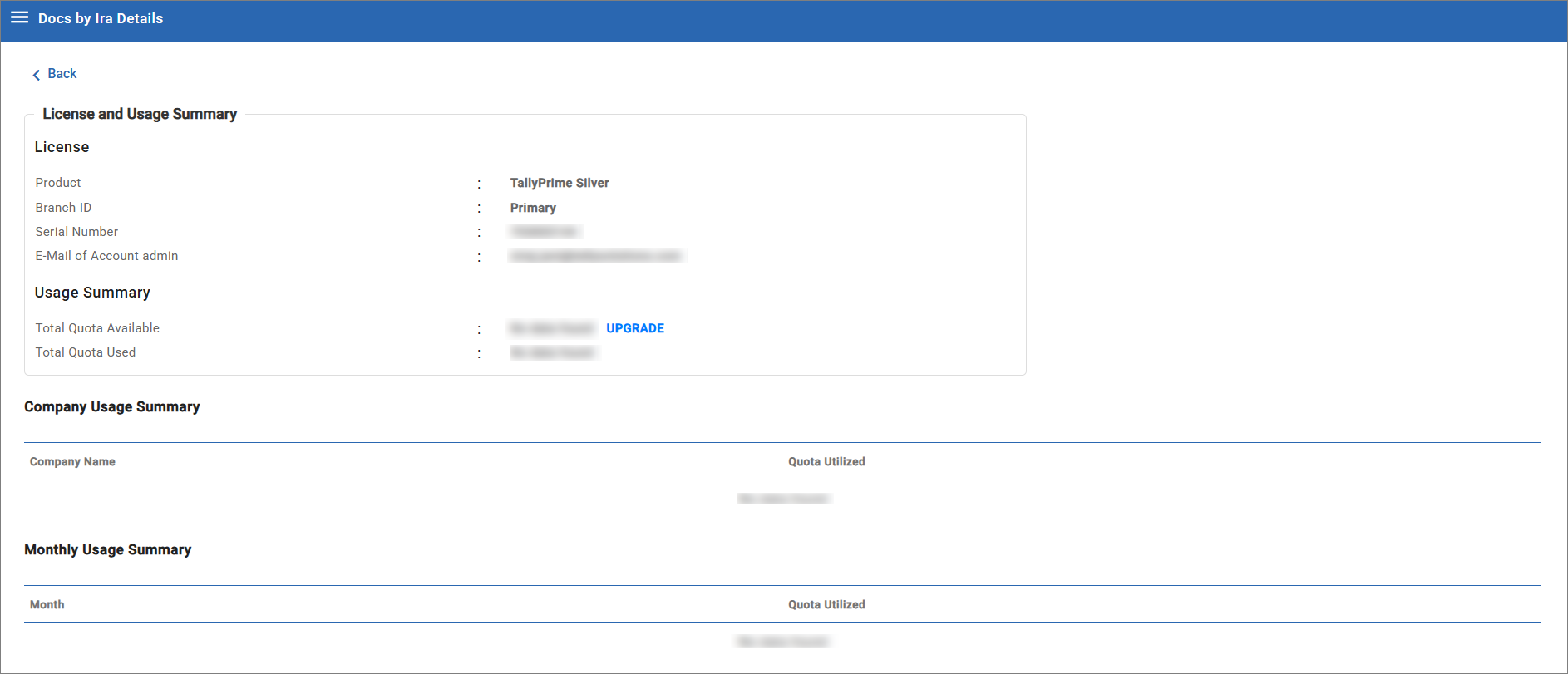
- View Total Quota Available and Total Quota Used.
Questions & Answers
- What happens when my quota is fully exhausted?
Once the available quota is exhausted, you will need to upgrade your Docs by Ira pack before continuing with further imports.
- When will the additional quota become available after payment?
The upgraded quota becomes available once the payment is successfully processed.
- Who can upgrade a Docs by Ira pack?
Any user can upgrade a Docs by Ira pack.
- My quota is getting exhausted faster than expected. How can I verify where the pages are being consumed?
Open Quota Usage Summary to review the past year’s usage history and analyze page consumption company-wise. This helps identify which company or import activity is consuming the most quota.
- After upgrading my Docs by Ira pack, do I need to re-register or reconfigure the plug-in in TallyPrime?
No, once the payment is completed, the additional quota becomes available for the same your TallyPrime license serial number, and you can continue using Docs by Ira without re-registration.
- Can multiple companies consume quota from the same Docs by Ira subscription?
Yes, the Quota Usage Summary provides a consolidated view of page consumption across companies, helping you monitor usage distribution.


