
Use Barcodes for Stock Items in TallyPrime
If you are into a retail business and use barcodes, then in TallyPrime, you can use barcodes to record transaction. In TallyPrime, you need to:
- Specify barcodes in the stock item master.
- Scan them while recording vouchers, so that the stock item gets selected.

- Ensure that you have created the unit of measurement for stock items.
Specify Barcodes in Stock Items
- In the Stock Item Creation screen, enter the Name of the stock item.
- alias: Scan the barcode and a 16-digit number gets recorded.
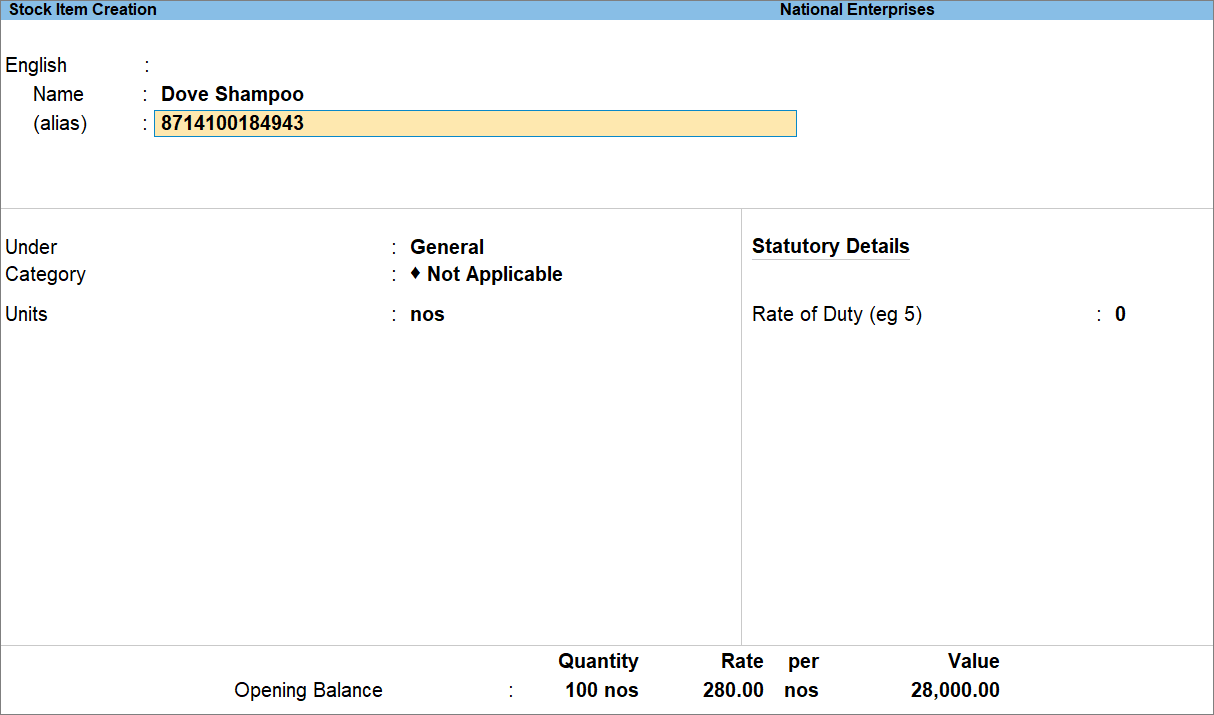
- Enter other necessary details, and press Ctrl+A to save the stock item.
Scan Barcodes to Select Stock Item During Voucher Creation
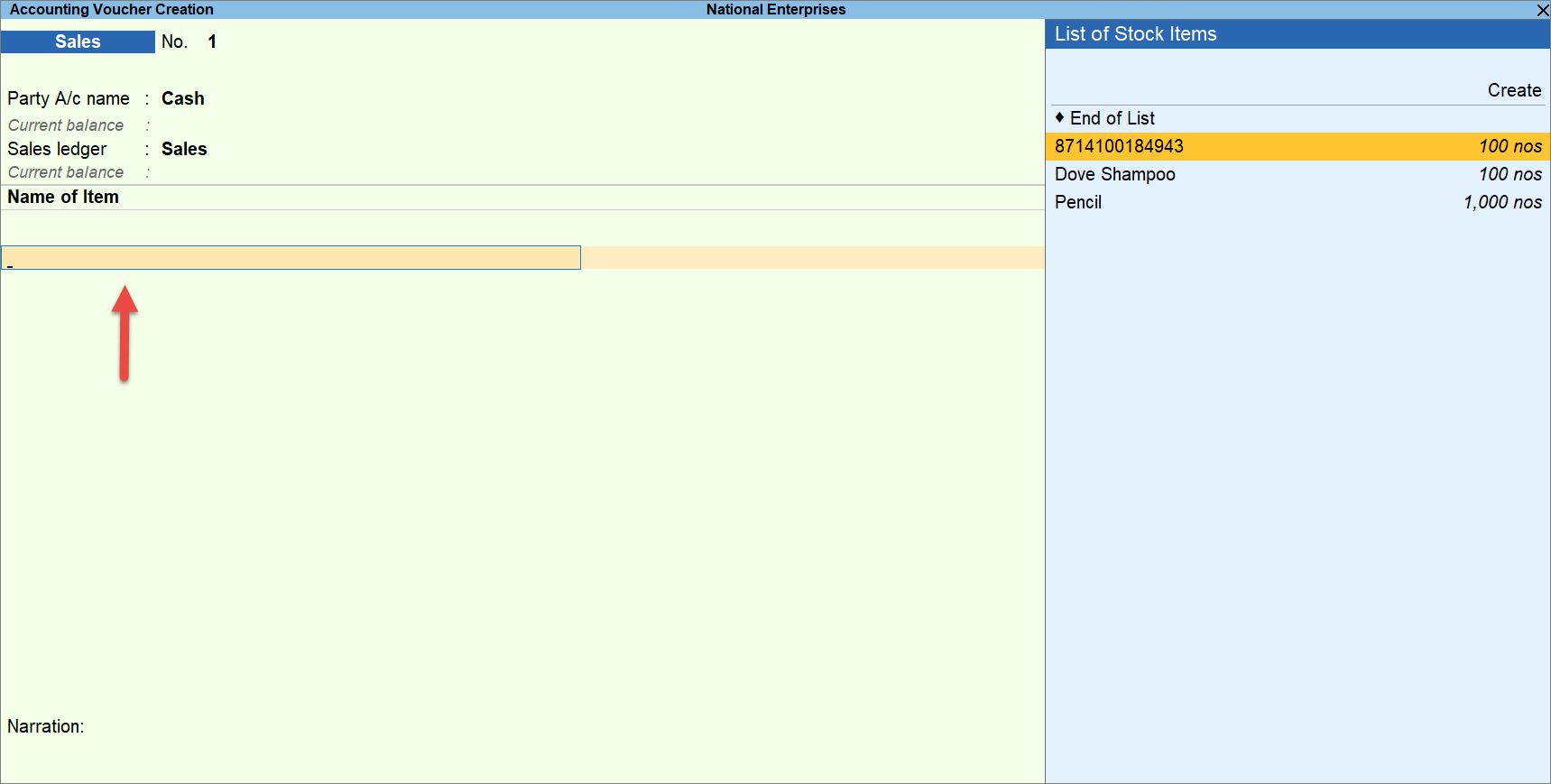
- In the Voucher Creation screen, scan the barcode when the cursor is at Name of Item.
The Stock Item created with barcodes as the alias gets selected.
Similarly, you can select multiple stock items by scanning bar codes one by one.
- Enter other necessary details and press Ctrl+A to save the voucher.
Is this information useful?
YesNo


