
View Audit Trail in Tally e-Billing
Audit Trail helps you view all transactions recorded during the selected period, along with the User Name and IP Address to identify the user who recorded each transaction.
- From Gateway > click IRD Reports > and then click Audit Trail.
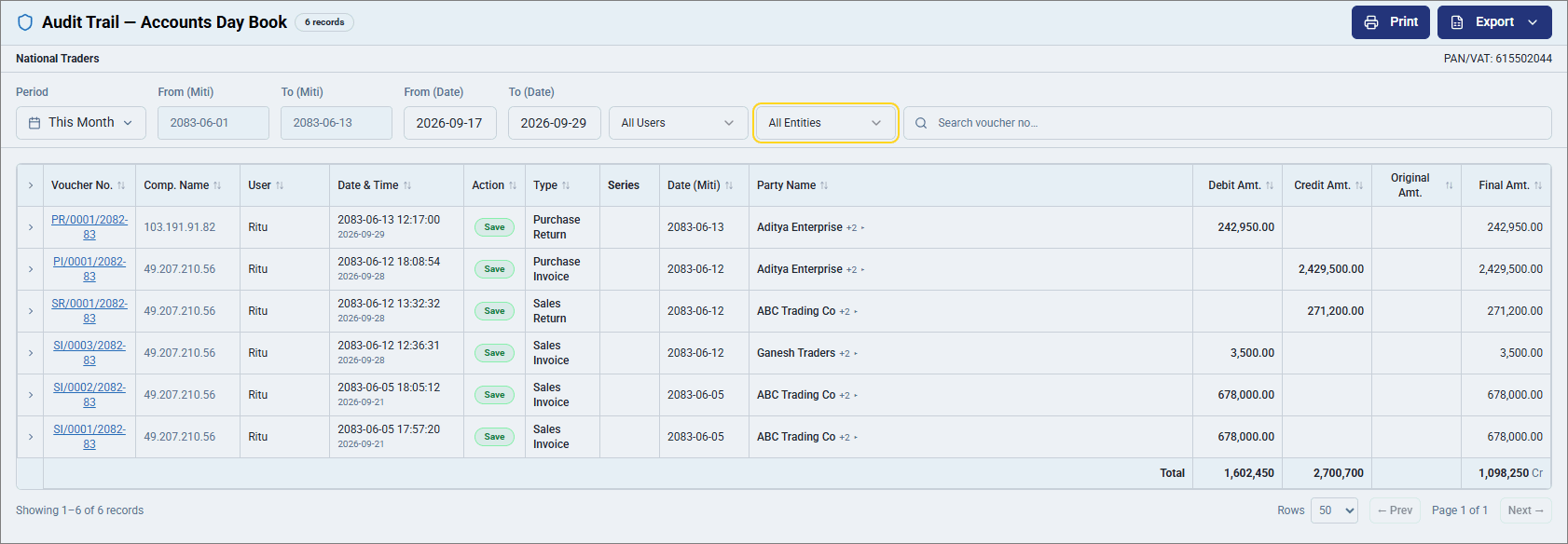
- Select the required Period.
- Click All Entities to select specific Voucher Type.
- Click on any row to view the report in detailed format.
- Drill down from the Voucher No. to view the voucher details.
- To export the report, click Export and select Excel or PDF.
- Click Print to print the report.
Is this information useful?
YesNo


