
Set Up Voucher Types for e-Invoicing in TallyPrime (KSA)
To generate e-Invoices, you need to alter the voucher types for which e-Invoicing is applicable, such as Sales, PoS Invoice, Debit Note, Credit Note, and Receipt voucher types.
ZATCA allows only one e-Invoice for each voucher number. Therefore, while setting up Voucher Types for e-Invoicing, you can also restart voucher numbering with prefixes and suffixes to ensure that all the voucher numbers are unique.

- Create a Voucher Type or open a Voucher Type in alteration mode.
- Press F12 (Configure) > enable Provide language aliases or Name and enter the name of the voucher type in Arabic.
- Allow e-Invoicing: Yes.
By default, the Method of Voucher Numbering is set to Automatic (Manual Overide) and Prevent creating duplicate Voucher Nos. gets enabled.
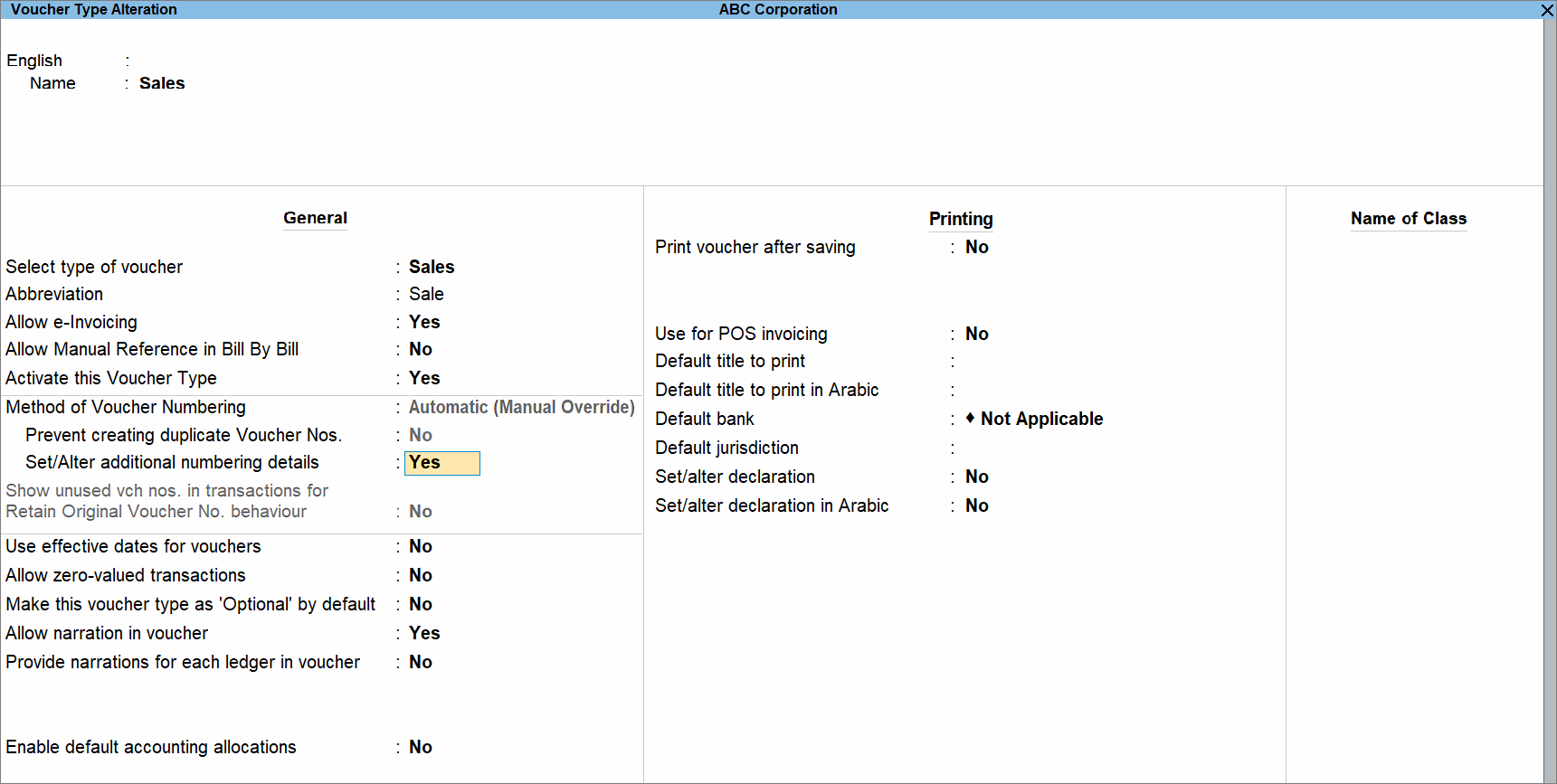
- Provide other necessary details, and press Ctrl+A to save.
Is this information useful?
YesNo


