
Set Up Tax Ledger for e-Invoicing in TallyPrime (KSA)
Before generating e-Invoices, ensure that your tax ledger is configured with the required VAT settings and Arabic name to meet ZATCA compliance requirements.
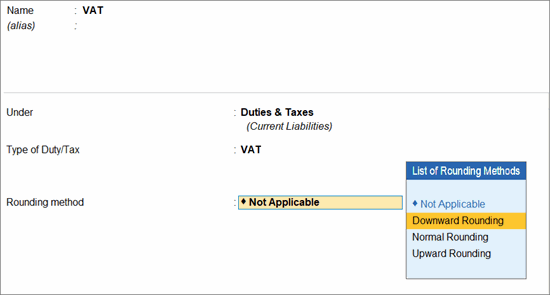
- Create a ledger under Duties & Taxes.
- Press F12 (Configure) > enable Provide language aliases or Name and enter the name of the ledger in Arabic.
- Set Type of Duty/Tax as VAT.
- Set up the Rounding Method and Rounding Limit for ease of VAT amount computation, as per your convenience.
- Enter other necessary details as needed, and press Ctrl+A to save.
Is this information useful?
YesNo


