
View IRD Auditor Database Report in Tally e-Billing
As an IRD Auditor, you can use the IRD Auditor Database Viewer in Tally e-Billing to verify masters, review recorded transactions, and check Sales and Sales Return vouchers synchronised with CBMS.

Ensure that:
- Your user profile is created with Auditor as the security level.
- You have received your credentials to sign in to Tally e-Billing.
- Sign in to Tally e-Billing with the shared credentials.
- Select the required company.
- From Gateway > click IRD Reports > and then click IRD Auditor Database Viewer.
- In the Database Schema screen, search for the required table. For example, Voucher.
- From the filtered list, select the required table.
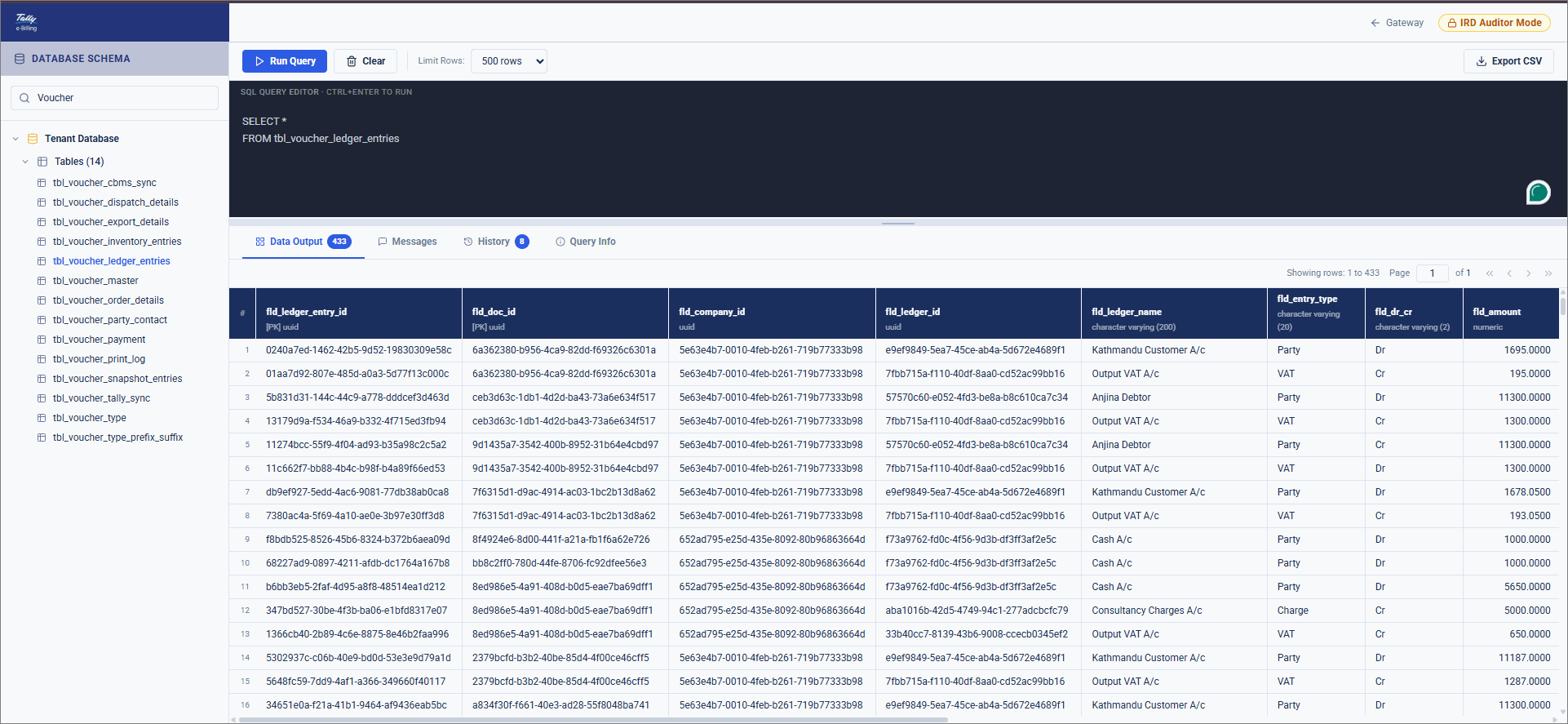
- Click Run Query.
This displays the data for the selected table, which you can review.
Is this information useful?
YesNo


