
Import Data in Tally e-Billing
When you need to create multiple masters, Tally e-Billing lets you import them in bulk using CSV, Excel, or XML files. You can download the sample template, enter the required details, and import the masters into the application.
- From Gateway > click Company > and then click Data Import.
- In the Data Import screen, select the required Master Type.
- Select CSV, Excel, or XML as the template format.
- Click Download Template.
- Open the downloaded template and enter the required details.
- Save the template.
- In the Data Import screen, select the file you want to import.
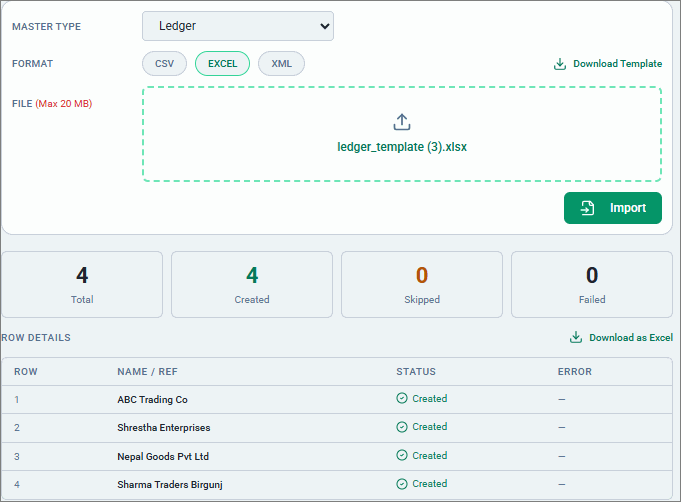
- Click Import.
Once the masters are imported, you can view the imported records under Row Details and download the details in Excel format.
Is this information useful?
YesNo


