
Record Sales for Solar and Renewable Energy Projects
You can record sales invoices in TallyPrime for solar and renewable energy projects. In the invoice, enter 70% of the assessable value as goods taxable at 12% GST and 30% of the assessable value as services taxable at 18% GST. You can sell goods like solar inverters, solar panels, solar water heaters, and so on. You can also provide services like installation, AMC, and so on.

Step 1: Configure Sales voucher type
- Press Atl+G (Go To) > Alter Master > Voucher Type > Sales.
- Set Allow zero-valued transactions to Yes.
Step 2: Record a sales voucher for solar and renewal energy projects
- In the sales voucher, press F12 (Configure) > set Modify GST & HSN/SAC related details to Yes.
For TallyPrime 2.1 & earlier, set Modify Tax Rate details of GST to Yes. - Select the party ledger and enter the stock item details.
- In the GST Rate and Related Details screen, press F12 (Configure), and set the option Override Taxable Value to Yes.
For TallyPrime 2.1 & earlier, set Allow override assessable value to Yes. - In the Taxable Value field, enter 70% of the item value as the Taxable Value.
For example, if the project cost is 225,000 calculate it as 70% of the cost and enter 157,500 as the Taxable Value.
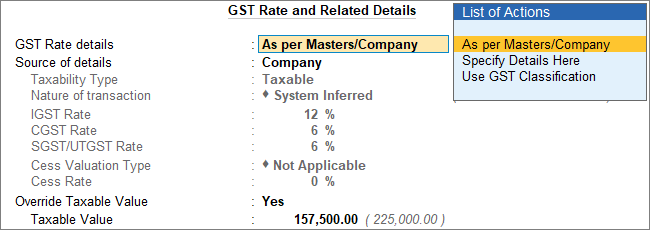
- Select the service ledger. Do not enter the Amount as the tax needs to be calculated on the partial assessable value of the stock item.

- In the GST Rate and Related Details screen, under Taxable Value enter 30% of the item value. For example, if the project cost is 225,000 calculate 30% of the cost and enter 67,500 as the Taxable Value.
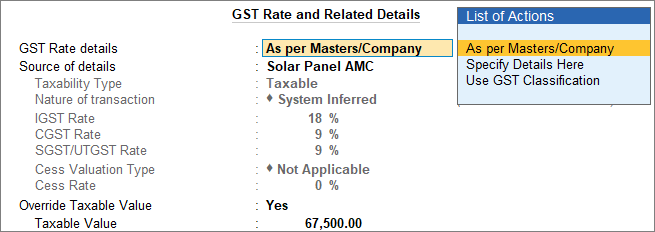
- Select the GST ledgers. CGST and SGST for local sales; IGST for interstate sales depending on the Place of Supply.
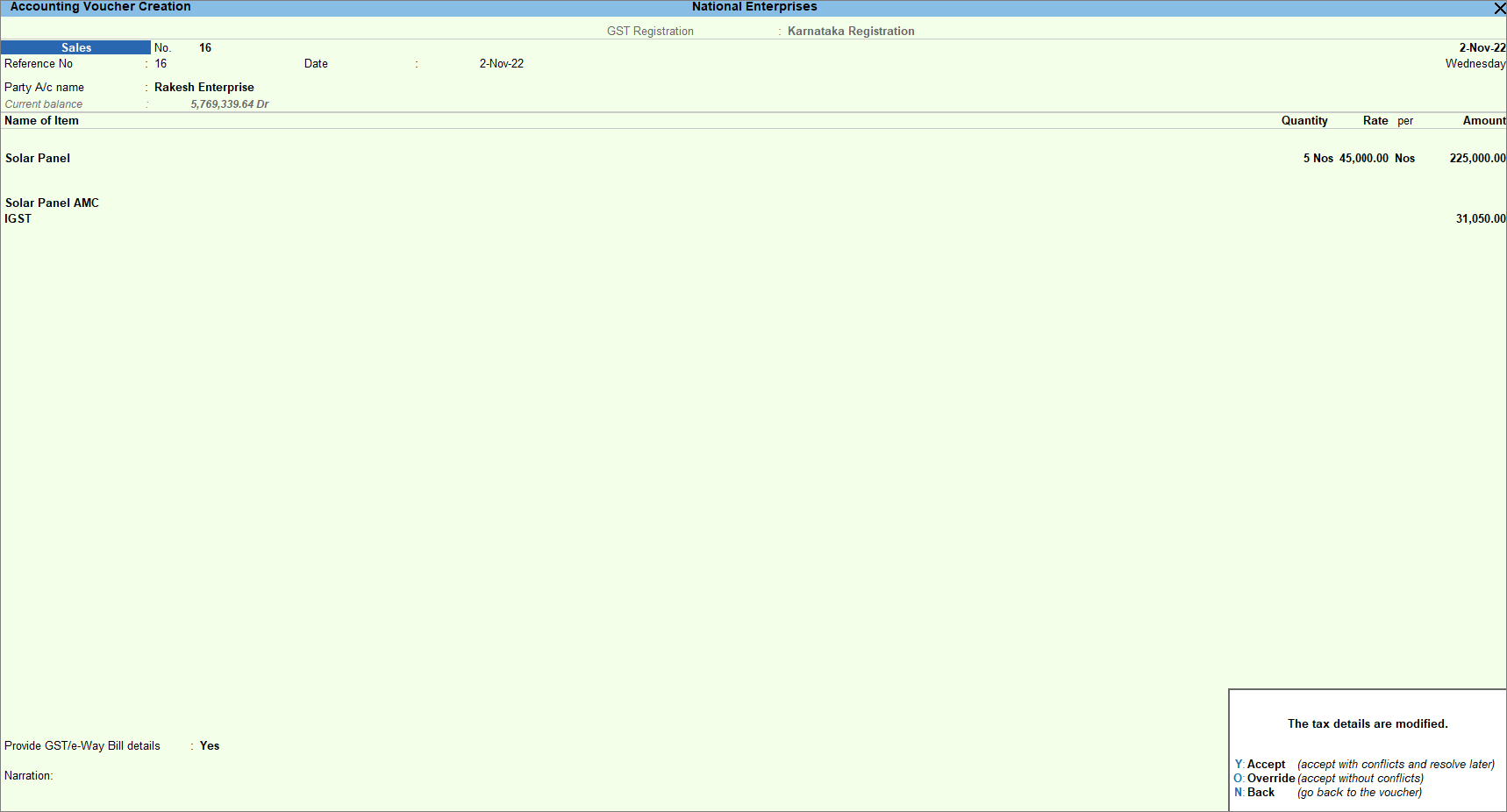
- Press O to accept the invoice with altered assessable values.
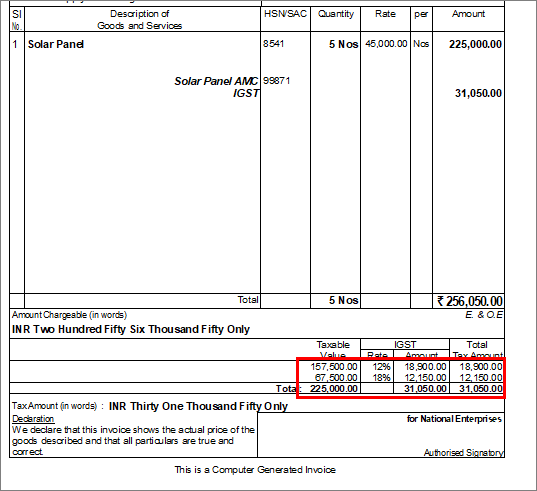
The printed invoice displays the assessable value details, with the breakup as entered during the voucher entry.
Is this information useful?
YesNo


