
Set Up Stock Groups in Tally e-Billing
Create stock groups to organise your stock items and manage them according to your business requirements.
- From Gateway > click Chart of Accounts > click Inventory Masters > and then click Stock Groups.
- In the Stock Groups screen, click Create.
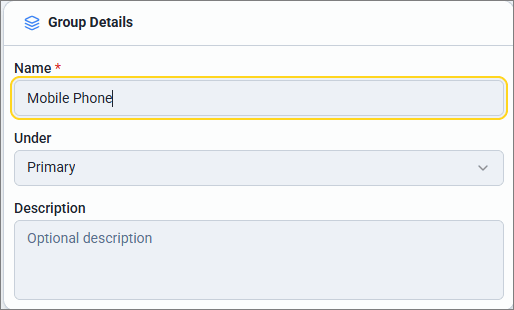
- In the New Stock Group screen, enter the Group Details.
- Name: Enter the name of the stock group, such as Mobile Phone.
- Under: Select Primary or the stock group under which you want to create the new group.
- Description: Enter a description, if required.
- Click Save.
Is this information useful?
YesNo


