
Record TCS Payment, Late Fee, Interest, and Penalty in TallyPrime
You can account for TCS remittances to the department and any related late fee, interest, or penalty.

Ensure that:
- You have enabled TCS for your company.
Record TCS Payment
You can record a Payment voucher to account for the TCS payment made to the department. Use Ctrl+F (Autofill) to enter the statutory payment details and automatically fill the voucher with the relevant TCS payment details.
In the Payment voucher:
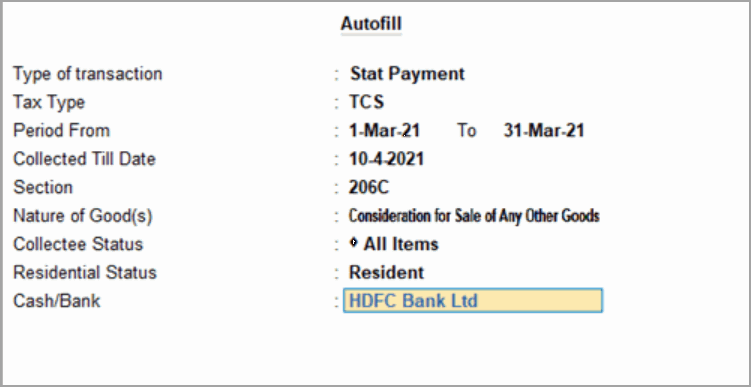
- Press Ctrl+F (Autofill) and provide the following details:
- Set Type of transaction to Stat Payment.
- Set Tax Type to TCS.
- Enter the Period From, Collected Till Date, Section, and Nature of Good(s).
- Select the relevant Collectee Status and Residential Status.
- Select the Cash/Bank ledger.
The Payment voucher is automatically filled with the relevant details.
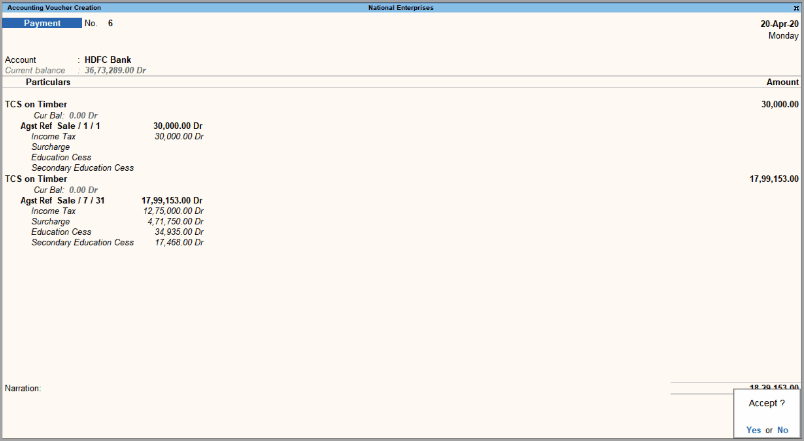
- Press Ctrl+A to save the voucher.
Record TCS Late Fee Payment
You can record the payment of late fee for TCS when the TCS returns are filed after the due date.
In the Payment voucher:
- Select the cash or bank ledger in the Account field.
- Select the TCS tax ledgers and the relevant Nature of Goods.
- Select the Late Fee ledger grouped under Indirect Expenses.
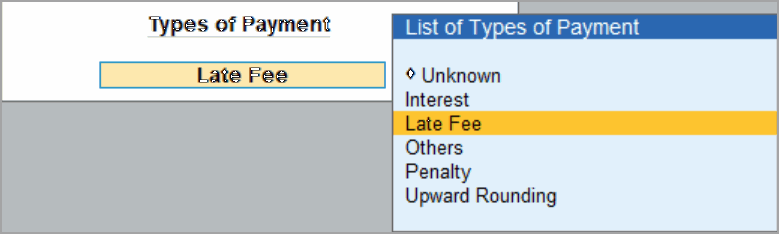
- Select Late Fee from the list of payment types.
- Enter the amount.
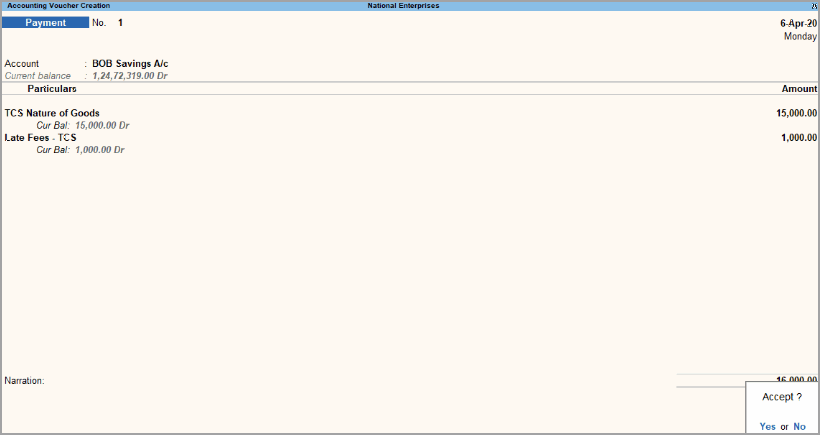
- Press Ctrl+A to save the voucher.
Record TCS Interest and Penalty Payment
Delayed payment of TCS might attract interest and penalty. You can record these payments using a Payment voucher.
In the Payment voucher:
- Under Account, select the cash or bank ledger.
- Select Interest from the list of payment types or Penalty and enter the amount, as required.
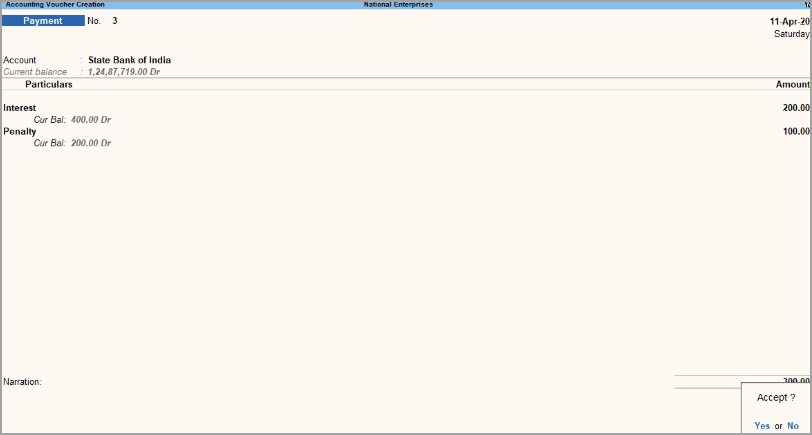
- Press Ctrl+A to save the voucher.
Is this information useful?
YesNo


