
Record TCS on Advance Receipts in TallyPrime
When a buyer makes an advance payment for future sales, you can record the receipt and charge TCS on the advance amount. TCS is calculated when the receipt amount crosses the applicable threshold limit.

Ensure that:
- You have enabled TCS for your company.
- You have created the required TCS Nature of Goods.
Record an Advance Receipt Below the Threshold Limit
When the advance received from a party is below the threshold limit, you can record the receipt without collecting TCS.
In the Receipt voucher:
- Under Account, select the bank account in which the amount was received.
- Under Particulars, select the party ledger.
- Enter the advance amount.
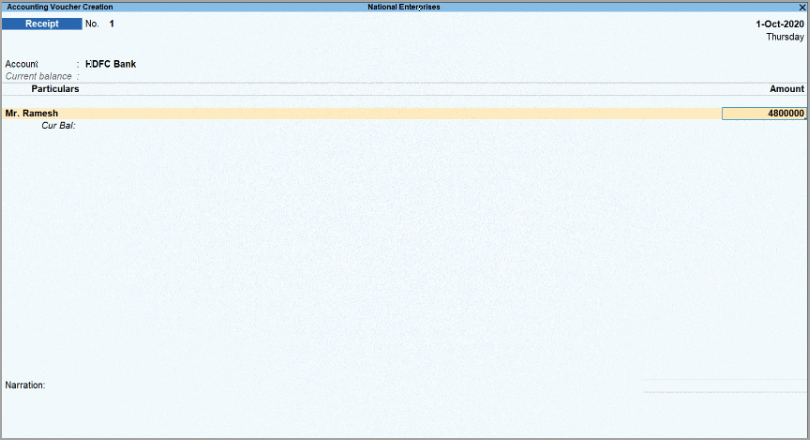
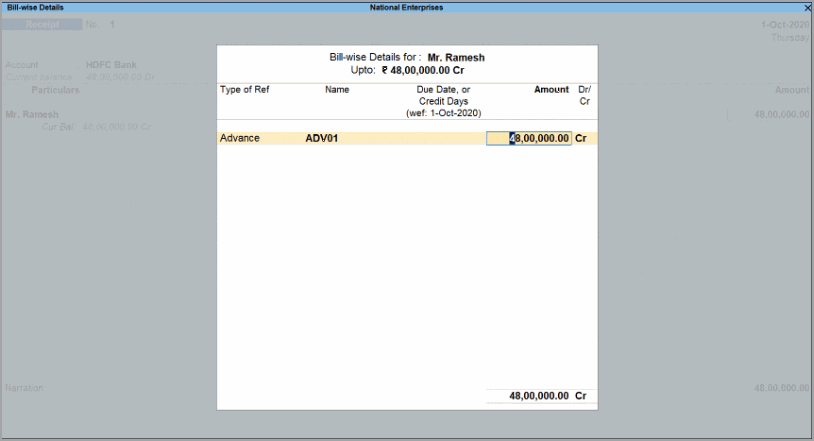
- Press Enter to open Bill-wise Details and enter the details.
- Under Type of Ref, select Advance and enter the reference number under Name.
- Press Enter to return to the voucher screen.
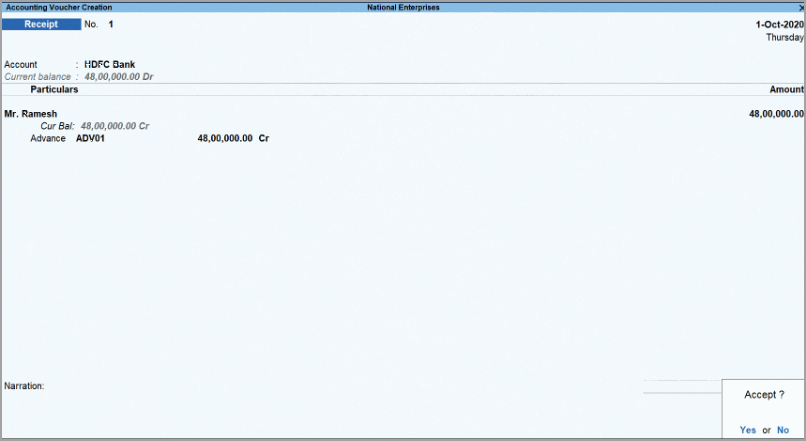
- Under Type of Ref, select Advance and enter the reference number under Name.
- Press Ctrl+A to save the voucher.
Record TCS When the Advance Receipt Crosses the Threshold
When further advance receipts from the same party cause the aggregate amount to cross the threshold limit, calculate TCS on the excess amount by selecting the applicable TCS category.
For example, if the threshold has already been reached and a further advance receipt of ₹3,00,000 is received, record the receipt as follows:
In the Receipt voucher:
- Under Account, select the bank account in which the amount was received.
- Under Particulars, select the party ledger.
- Enter the receipt amount.
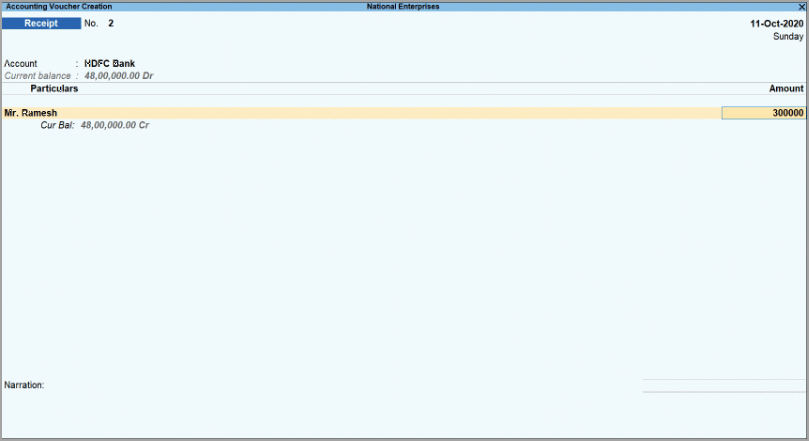
- Press Enter to open Bill-wise Details and enter the details.
- Under Type of Ref, select Advance and enter the reference number under Name.
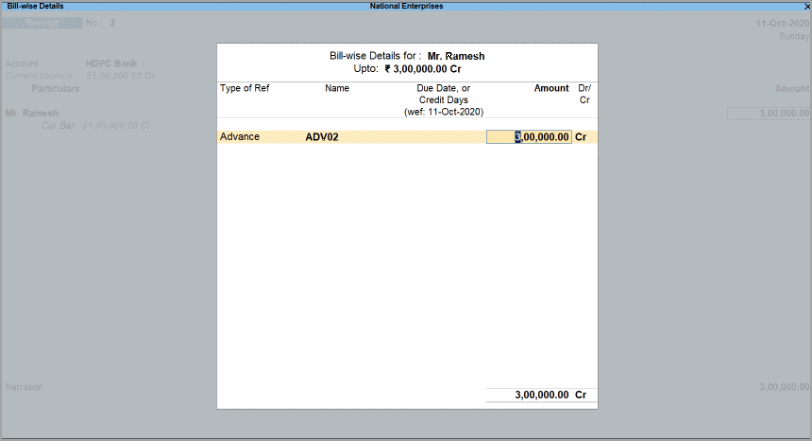
- Under Type of Ref, select Advance and enter the reference number under Name.
- Press Enter to return to the voucher screen, and select the TCS duty ledger.
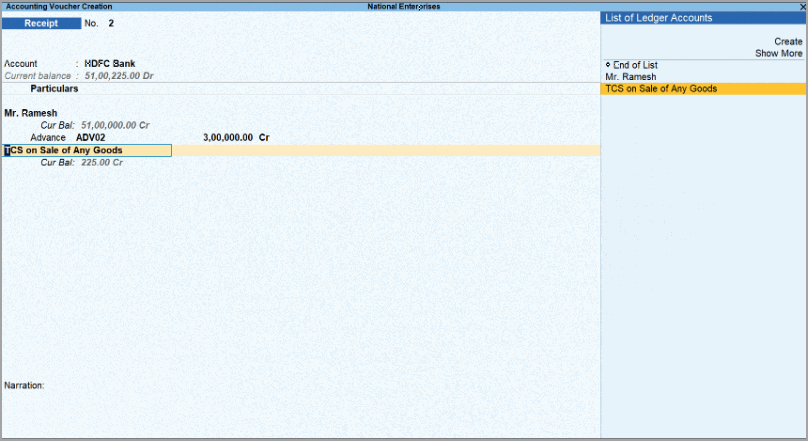
- Press Enter to open TCS Collection Allocations and enter the details.
- Under Nature of Goods, select the applicable TCS category and enter the amount exceeding the threshold limit under Assessable Value.
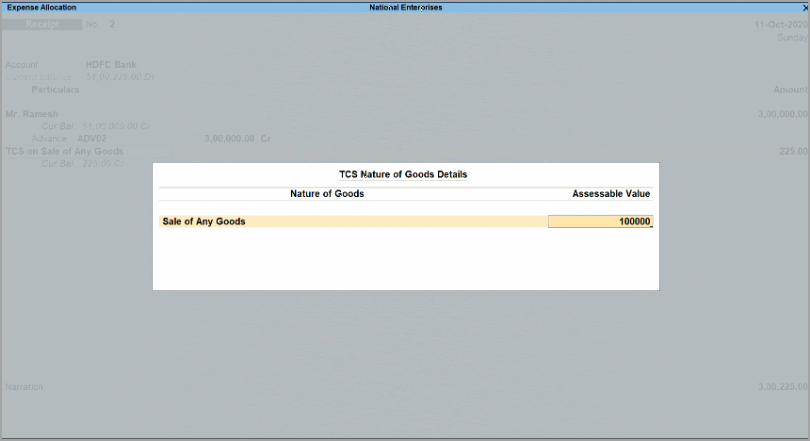
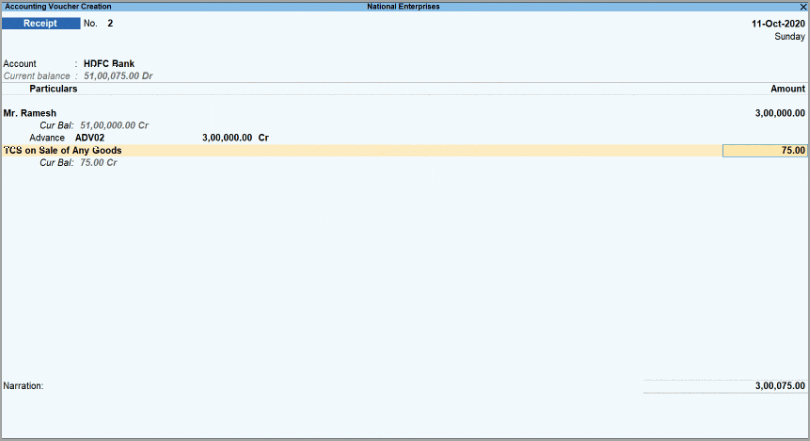
- Press Enter to return to the voucher.
TCS is calculated for the Assessable Value based on the availability of PAN.
- Under Nature of Goods, select the applicable TCS category and enter the amount exceeding the threshold limit under Assessable Value.
- Press Ctrl+A to save the voucher.
Is this information useful?
YesNo


