
Record GST Sales for Expenses
In your business, you may be incurring indirect expenses like legal fees or rent that is taxable under GST. TallyPrime enables you to record such expenses with a Journal voucher using a ledger created under the Indirect Expenses account.

- GST is enabled for your company.
- Expense ledger is created as Indirect Expense and configured for GST.
- Under GST Rate & Related Details, set GST Rate details
- Set the Nature of transaction as Local Sales – Taxable.

- In the Journal voucher, press F12 (Configure) > set Modify GST & HSN/SAC related details to Yes.
- Under Particulars, credit the expense ledger created under Indirect Expenses and press Enter.
- Ensure that the GST Rate details are specified and the Nature of transaction is set to Local Sales – Taxable.
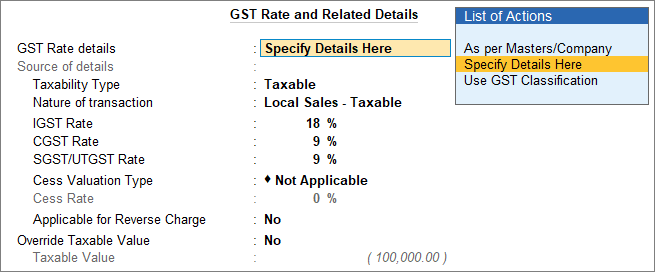
- Credit the tax ledgers – CGST & SGST for local sales; IGST for interstate sales.
- Debit the party ledger.
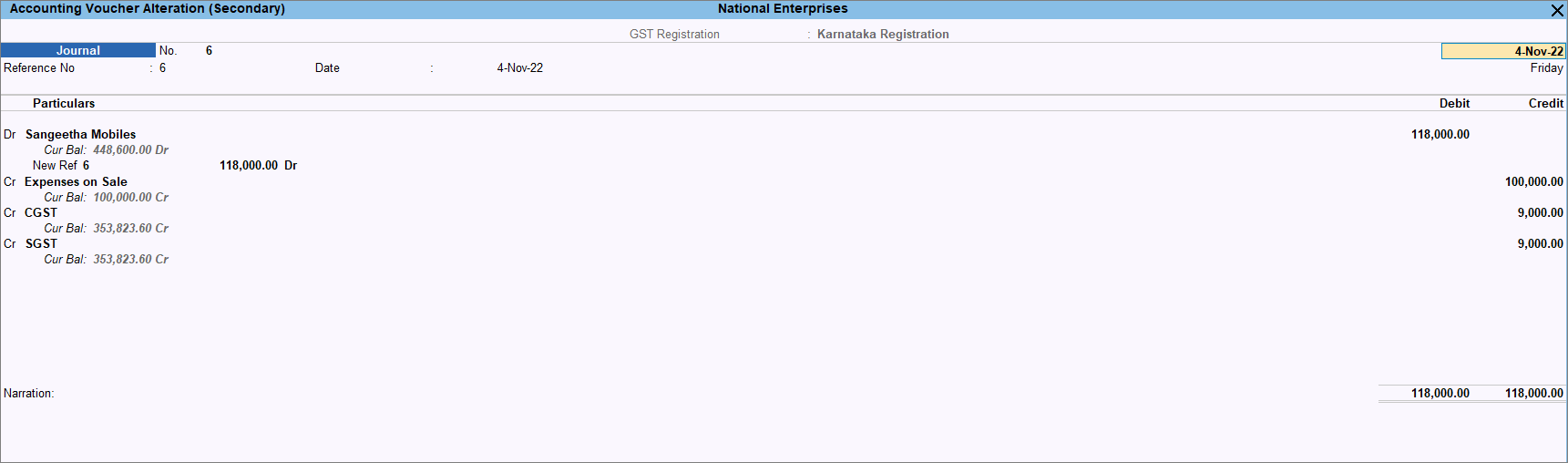
- Provide other necessary details and press Ctrl+A to save.
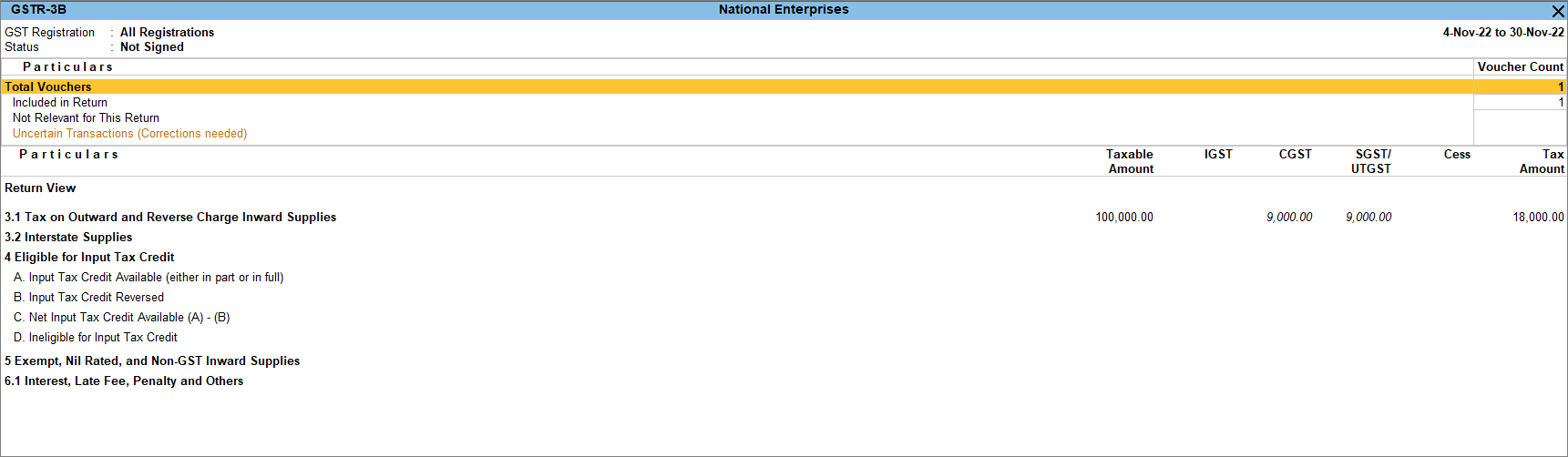
You can see the impact of this transaction in GSTR-3B under Tax on Outward and Reverse Charge Inward Supplies.
Is this information useful?
YesNo


