
Generate Credit Note for e-Invoices in TallyPrime (KSA)
In case of sales returns, you will record a credit note for your customer. You need to generate an e-Invoice for a credit note with the correct reason for return.

Ensure that you have:
- Created the party ledger with the required VAT details.
- The original invoice no. against which you are issuing credit note.

In a Credit Note:
- Set Show e-Invoice details: Yes and specify the Integration or Generation phase e-Invoice details in the e-Invoice Details screen, as needed.
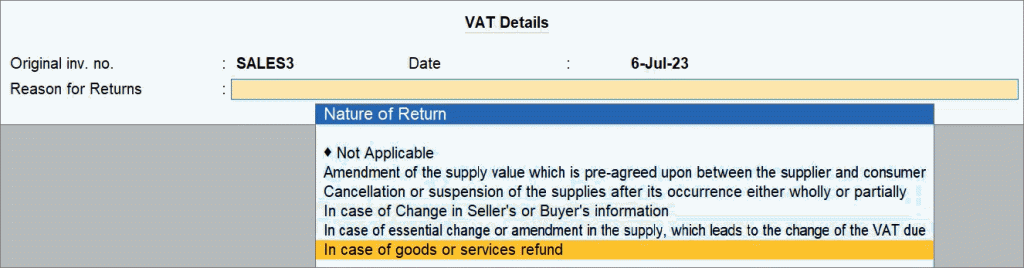
- Specify the VAT details.
- Provide VAT details: Yes.
- In the VAT Details screen, ensure that the Original inv. no., Date, and Reason for Returns fields are prefilled.
- Press Ctrl+A to save.
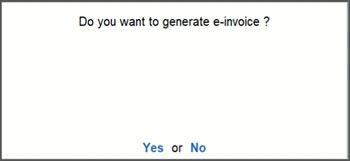
- Press Y or select Yes to generate e-Invoice.
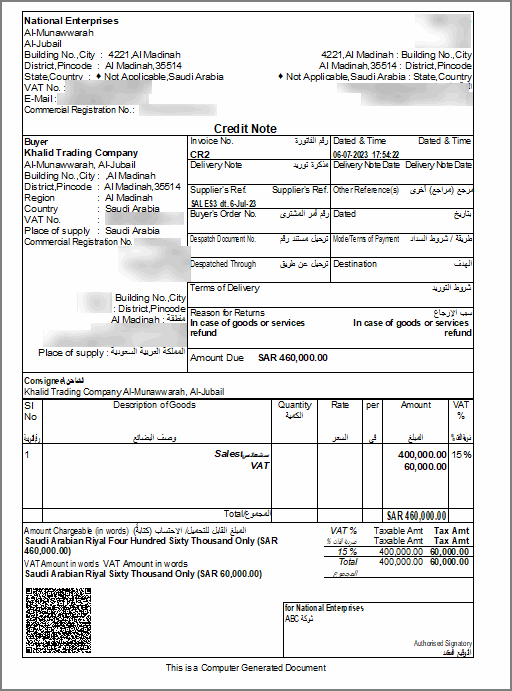
After generating the e-invoice, you can check the PDF A3 format file embedded with XML in the archived location of e-Invoices.
Is this information useful?
YesNo


