
Generate e-Invoices in Bulk in TallyPrime (KSA)
In TallyPrime, you can generate multiple e-Invoices at once and receive a summary of successful and rejected vouchers. If generation is interrupted due to issues such as internet or power failure, you can generate e-Invoices later.

- Press Alt+Z (Exchange) > Send for e-Invoicing and press Enter.
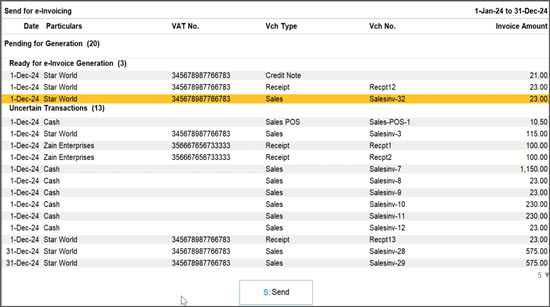
In the Send for e-Invoicing screen, you will see vouchers under the Ready for e-Invoice Generation section. - If any vouchers contain uncertainties that do not comply with KSA regulations, they appear under Uncertain Transactions.
Drill down into the listed vouchers, resolve the uncertainties, and then reupload the vouchers. - Press Spacebar to select the vouchers under the Ready for e-Invoice Generation section and press S (Send).
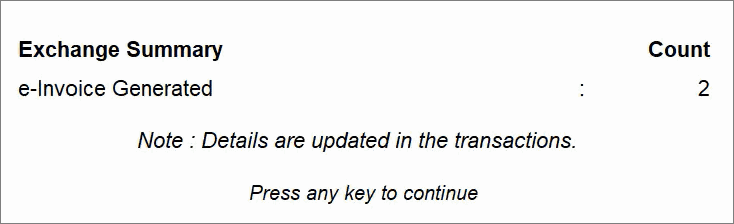
The Exchange Summary shows the vouchers for which e-Invoices were generated, along with the count of rejected vouchers.
Is this information useful?
YesNo


