
Set Up to Maintain Batches for Stock Items in TallyPrime
To allocate stock items to batches, you need to follow two steps in TallyPrime:
- Enable batches for the Company.
Once you enable batches for the Company, you can start configuring stock items to maintain batches for them. - Configure stock items and allocate them to batches.
You can maintain batches with manufacturing and expiry dates, as needed.

Ensure that:
- You have created stock items.
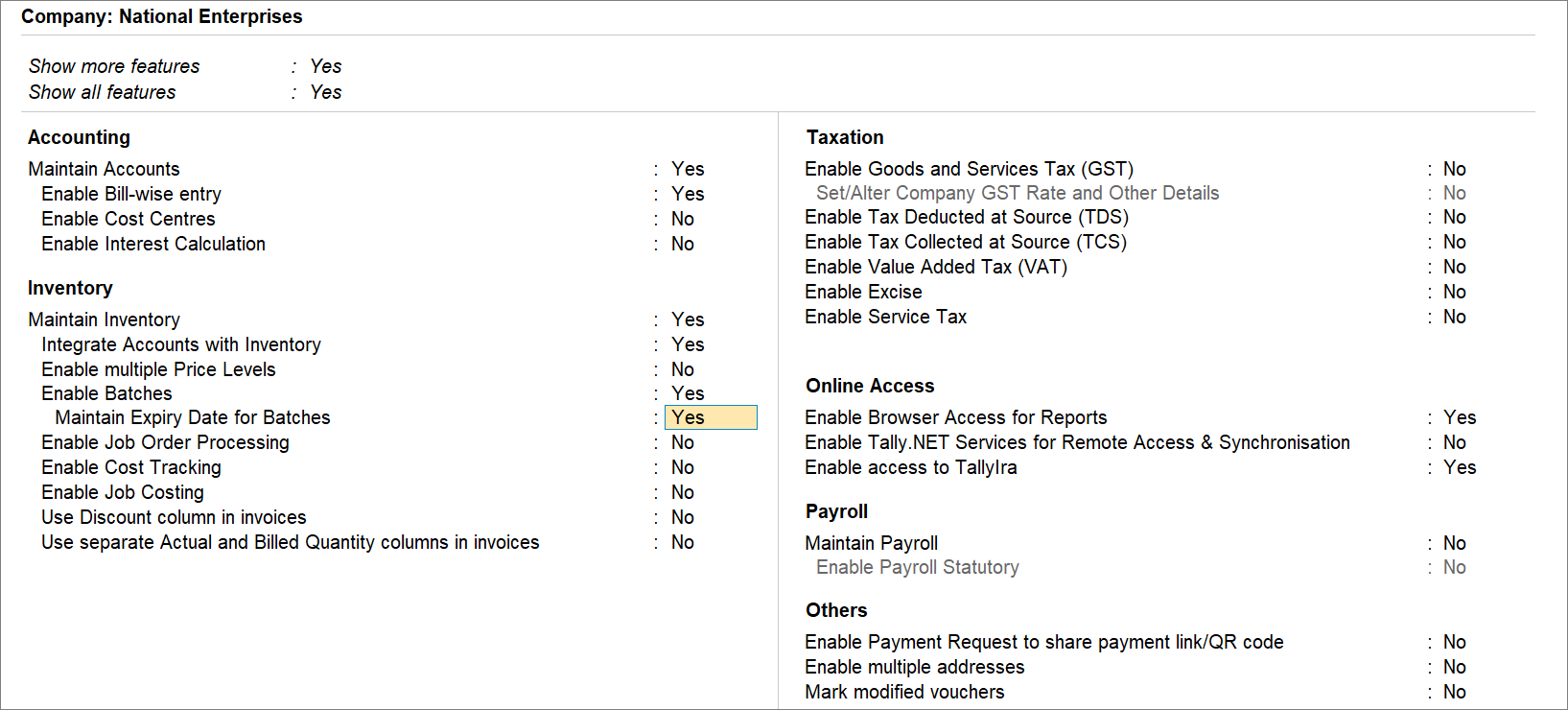
Enables Batches for Company
- Press F11 (Company Features) and set Enable Batches to Yes.
- If you are dealing with perishable goods, set Maintain Expiry Dates for Batches to Yes.
Configure Stock Items for Allocating Batches
- Press Alt+G (Go To) > Alter Master > type or select Stock Item and press Enter.
- To maintain batches for a specific stock item, press F12 (Configure) and enable Maintain Stock Item in Batches.
If you need to use this option only for the current master, press Ctrl+I (More Details) > type or select Maintain in Batches and press Enter. - In the Stock Item Alteration screen, set the option Maintain in batches to Yes.
- Track date of manufacturing: Yes.
- Use expiry dates: Yes.
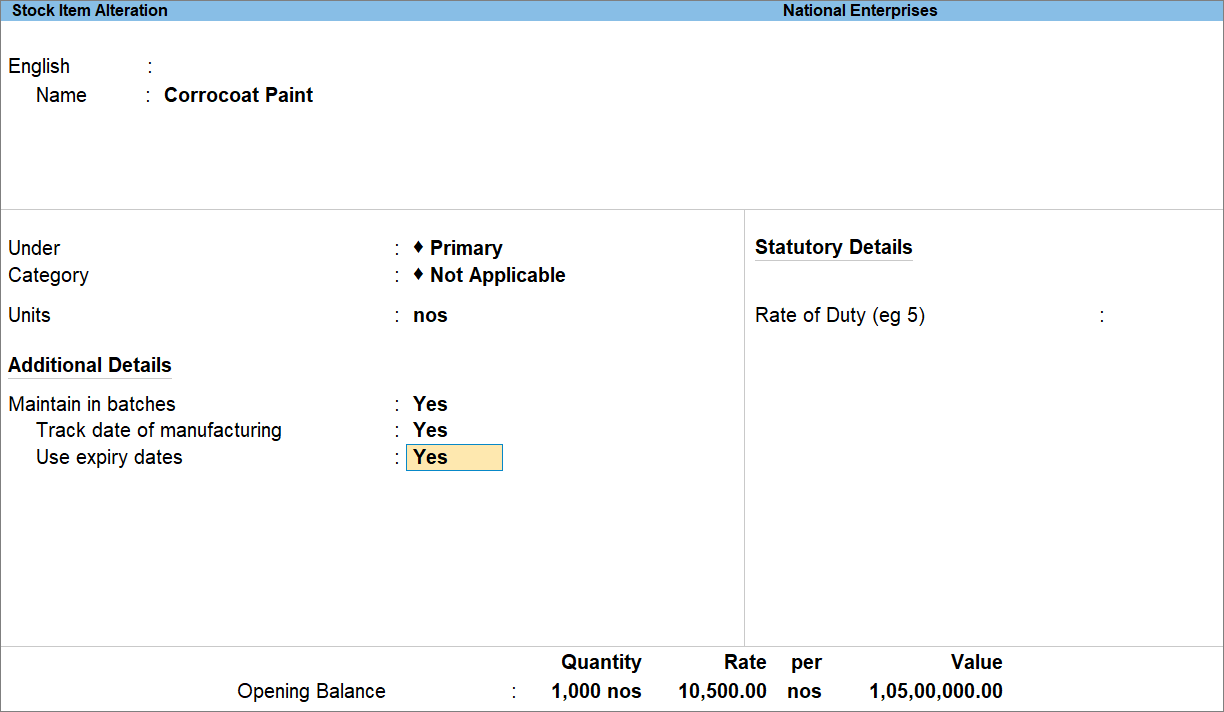
This is required if you are dealing with perishable goods that have both manufacturing and expiry dates, or stock items with a limited shelf life (which have only a manufacturing date and a shelf-life period). - Opening Balance: Press Enter on Quantity.
- In the Stock Item Allocations screen, enter Batch, Mfg Dt., and Expiry Date.
You can assign multiple batches based on the manufacturing and expiry dates. - Press Ctrl+A to save the stock item.
Questions & Answers
- I manufacture a food item that has a manufacturing date and a fixed shelf life but no specific expiry date printed on the packaging. How can I track its batches and shelf life in TallyPrime?
Configure the stock item to maintain batches and track the date of manufacturing. Enable Use expiry dates to specify the shelf-life period, even when the product does not have a separately printed expiry date.
Is this information useful?
YesNo


