
Define Rate of Exchange for Foreign Currency in Tally e-Billing
For each foreign currency you create, you can maintain the standard, buying, and selling exchange rates used for currency conversion in transactions.
- From Gateway > click Chart of Accounts > click Accounting Masters > and then click Rate of Exchange.
- In the Rate of Exchange screen, click Create.
- In the New Rate of Exchange screen, select the Currency.
- Set the AD Date.
The Miti date will set accordingly. - Define the Standard Rate, Selling Rate, and Buying Rate for the currency.
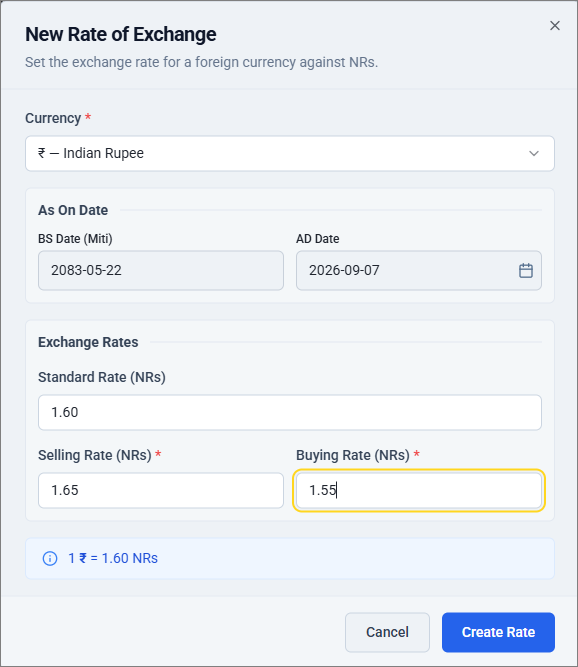
- Click Create Rate.
Is this information useful?
YesNo


